Melhor VPN para criadores OnlyFans: privacidade, viagens e segurança
O que os criadores do OnlyFans realmente precisam em uma VPN; recursos, provedores e como usá-los sem quebrar pagamentos ou conformidade.
Neste artigo
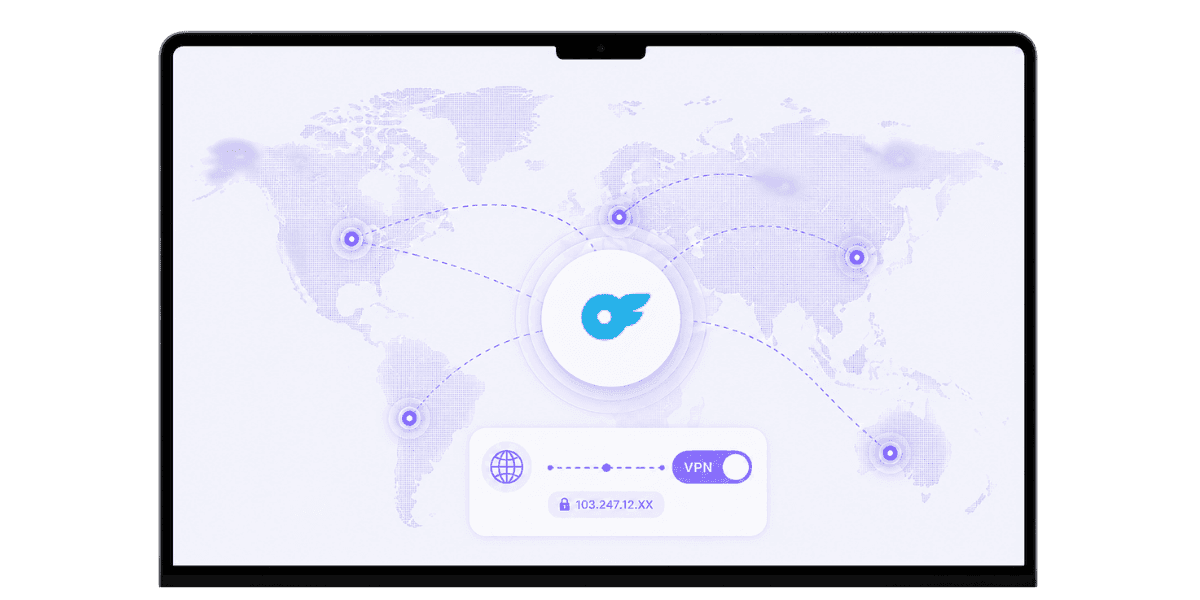
A melhor VPN para criadores de OnlyFans faz três coisas bem: protege você em redes públicas, mascara seu tráfego do registro no nível do ISP e mantém sua conta acessível quando você viaja. A VPN errada, ou mesmo o uso errado de uma boa, aciona sinalizadores de conformidade, interrompe pagamentos e cria mais problemas do que resolve. Este guia explica quais recursos de VPN realmente são importantes para os criadores, quais provedores valem a pena considerar em 2026, os riscos operacionais específicos a serem planejados e a maneira mais segura de integrar uma VPN ao fluxo de trabalho diário dos criadores.
O que uma VPN realmente faz pelos criadores
Uma VPN criptografa seu tráfego de Internet e o roteia por meio de um servidor em um local de sua escolha. O resultado é a privacidade do seu ISP e das operadoras de rede, além da capacidade de aparecer em uma localização geográfica diferente. Para os criadores, três casos de uso específicos são importantes: proteção da rede pública, privacidade do ISP doméstico e flexibilidade geográfica durante viagens. Algumas regiões restringem totalmente o acesso ao OnlyFans, portanto, uma VPN com uma localização de servidor apropriada permite que os criadores viajantes continuem gerenciando suas contas sem interrupção do serviço.
Privacidade em Redes Públicas
Wi-Fi de hotéis, cafeterias, aeroportos e apartamentos compartilhados são ambientes hostis para qualquer pessoa que lida com logins confidenciais. Uma VPN envolve seu tráfego e evita espionagem trivial no nível da rede. Para um criador que faz login no OnlyFans, acessa serviços bancários ou gerencia assinaturas a partir de uma conexão compartilhada, essa proteção é significativa e não opcional. O risco não é teórico: a coleta de credenciais em redes abertas é tão comum que tratar qualquer Wi-Fi público como não confiável é o padrão correto.
Privacidade em casa no nível do ISP
Até o seu ISP doméstico pode ver quais serviços você visita. Uma VPN oculta os destinos do seu ISP, o que é importante em regiões onde os ISPs registram agressivamente o tráfego de sites adultos ou limitam plataformas adultas. Para criadores que trabalham em casa em tempo integral, a privacidade no nível do ISP é a camada de proteção mais relevante em comparação com as redes públicas, e uma VPN confiável executada em segundo plano custa quase nada em termos de desempenho com protocolos modernos.
Recursos que realmente importam
Muitos recursos da VPN são bobagens de marketing. Uma pequena lista de recursos é realmente importante para os casos de uso de criadores, e a maioria dos outros pode ser ignorada. Dois factores de fundo que vale a pena conhecer: os fornecedores baseados em jurisdições amigas da privacidade (Suíça, Suécia, Panamá) enfrentam menos obrigações legais de partilha de dados do que os fornecedores baseados nos EUA, e a infra-estrutura de servidores apenas RAM significa que nada persiste quando os servidores são apagados ou apreendidos. Mullvad, NordVPN e ExpressVPN executam arquiteturas somente RAM. Nenhum dos fatores é um obstáculo por si só, mas ambos contribuem para uma postura geral de privacidade mais forte.
Política de No-Logs com Auditoria Independente
Uma VPN que registra sua atividade vai contra o propósito. Procure fornecedores com políticas auditadas de não registro; Mullvad, ProtonVPN, IVPN e NordVPN possuem auditorias de terceiros registradas. A auditoria é importante porque as alegações sem verificação independente não constituem prova. A política de privacidade de um fornecedor é um documento legal, não uma garantia técnica; a auditoria é o que preenche essa lacuna.
Kill Switch e Protocolos Modernos
Um kill switch corta sua conexão com a Internet se a VPN cair, evitando a exposição acidental do seu IP real. Isso é essencial ao fazer qualquer coisa confidencial: fazer login, fazer transações bancárias ou gerenciar operações OnlyFans. Do lado do protocolo, WireGuard é o padrão atual de velocidade e segurança. OpenVPN ainda é confiável. Evite provedores presos a protocolos antigos. A maioria das VPNs de qualidade suporta ambos, e a diferença na velocidade diária entre o WireGuard e uma conexão OpenVPN bem ajustada é pequena o suficiente para funcionar para fluxos de trabalho de criadores.
Principais provedores de VPN para criadores em 2026
Alguns fornecedores têm uma boa classificação consistente nos critérios importantes para os criadores. As diferenças entre eles são menores do que o marketing sugere, mas vale a pena conhecer os pontos fortes específicos antes de se comprometer.
Mullvad e IVPN
Mullvad oferece um forte foco na privacidade, preço fixo de US$ 5 por mês, não é necessário e-mail para se inscrever e aceita pagamento em dinheiro. A rede de servidores é menor que a dos concorrentes e não há otimização da plataforma de streaming, tornando-a a escolha certa quando a privacidade é a principal prioridade e a variedade de servidores é secundária. A IVPN está posicionada de forma semelhante: sem registros auditados, um recurso AntiTracker, baseado em Gibraltar e uma equipe pública transparente. Ambos têm redes menores do que as opções convencionais, mas posturas de privacidade extremamente consistentes. Para criadores que desejam garantias de privacidade mais fortes com o mínimo de ruído de marketing, qualquer uma dessas opções é a escolha correta.
ProtonVPN
Excelente histórico de privacidade, propriedade transparente através da Proton AG na Suíça, um forte nível gratuito e uma ampla rede de servidores. Totalmente integrado ao ProtonMail para criadores que desejam um e-mail com foco na privacidade junto com sua VPN. O ProtonVPN fica no meio termo entre o minimalismo que prioriza a privacidade do Mullvad e os principais conjuntos de recursos do NordVPN, o que o torna a recomendação mais fácil para a maioria dos criadores iniciantes.
NordVPN e ExpressVPN
Grandes redes de servidores, amplo suporte a dispositivos e políticas auditadas de não registro. NordVPN é atualmente o melhor valor; ExpressVPN tem a experiência do usuário mais refinada e velocidades consistentemente rápidas em todas as regiões. Ambos funcionam bem para viagens e streaming, juntamente com o uso de privacidade. As advertências: NordVPN teve uma violação de servidor em 2018 (tratada de forma transparente, sem exposição de dados do usuário) e ExpressVPN agora é propriedade da Kape Technologies, que tem experiência em tecnologia de publicidade. Nenhum dos dois é desqualificante, mas vale a pena saber quando a privacidade é uma prioridade.
Riscos operacionais específicos para criadores de OnlyFans
Usar uma VPN para OnlyFans apresenta riscos que outros usuários não enfrentam. Conhecê-los com antecedência evita suspensões de contas e interrupções de pagamentos. Uma regra fundamental se aplica a todos eles: mantenha seu servidor VPN no mesmo país do endereço declarado e os sistemas OnlyFans se comportarão de maneira previsível.
Observe também que OnlyFans não está disponível em todos os países. Usar uma VPN para acessar a plataforma de uma região restrita viola o Termos de serviço do OnlyFans independentemente do seu motivo. Uma imagem clara de como OnlyFans lida com identidade e localização no nível da plataforma ajuda a definir expectativas precisas antes de configurar qualquer coisa.
Padrões de login que acionam avaliações
Fazer login no OnlyFans de países radicalmente diferentes em intervalos de tempo curtos aciona análises de detecção de fraude. Terça-feira da Califórnia, quarta-feira da Alemanha é o tipo de padrão que sinaliza contas independentemente de haver uma VPN envolvida. Use uma localização de servidor VPN consistente para todas as suas operações normais do OnlyFans e o sistema verá um histórico de login estável e previsível.
Verificação de pagamentos e sessões KYC
Se a sua residência declarada for nos EUA, mas a sua VPN o encaminhar através da França, os sistemas de conformidade do OnlyFans poderão sinalizar a incompatibilidade. Mantenha seu servidor VPN no mesmo país do endereço declarado para qualquer sessão relacionada a serviços bancários. Para verificação inicial e uploads de documentos KYC, desative totalmente a VPN.Sistemas de verificação OnlyFans execute verificações de geolocalização mais rigorosas que correspondam ao seu ID, e uma VPN é o motivo mais comum pelo qual essas verificações falham. Assim que a verificação for concluída, reative a VPN para uso normal.
Como usar uma VPN com segurança com OnlyFans
Algumas regras simples evitam os problemas mais comuns induzidos por VPN. Nenhum deles é restritivo; eles apenas alinham o uso da VPN com a forma como os sistemas OnlyFans realmente funcionam. Antes de alterar a configuração da sua conta principal, teste a configuração da VPN em uma nova conta secundária. Alguns intervalos de IP VPN são sinalizados em OnlyFans, e é muito melhor descobrir isso em um teste descartável do que em uma conta ativa no meio do ciclo de pagamento.
Localização consistente do servidor para uso diário
Escolha um servidor em seu país de origem ou no país que você declarou durante a inscrição e use-o de forma consistente para todos os trabalhos do OnlyFans. Isso mantém seus padrões de login limpos e evita o desencadeamento de análises de fraude. Trate-o da mesma forma que trata um endereço IP residencial: estável, previsível e na localização geográfica correta.
Desative VPN para verificação e pagamentos
Ao fazer upload de documentos KYC, atualizar dados bancários ou concluir qualquer etapa de verificação, desative brevemente a VPN. Assim que esses fluxos forem concluídos, reative-o para uso normal. Esta é a regra de maior impacto nesta lista; mais problemas de VPN OnlyFans remontam a deixar a VPN ligada durante a verificação do que qualquer outro erro.
Use um IP dedicado quando disponível
Alguns provedores oferecem endereços IP dedicados, um IP estático que só você usa. Isto combina os benefícios de privacidade de uma VPN com a consistência comportamental de uma ligação doméstica normal. Vale a pena o pequeno custo mensal extra para qualquer criador que execute uma operação séria, porque elimina totalmente o risco de sinalização de IP compartilhado.
Casos de uso de VPN além de OnlyFans
Uma VPN não serve apenas para login do OnlyFans. Ele desempenha um papel mais amplo na segurança geral e na pilha operacional de um criador, e os hábitos que você cria em torno do uso de VPN no OnlyFans são transferidos para todas as outras contas confidenciais que você gerencia.
Viagens e Roaming
Ao viajar, uma VPN mantém a aparência do seu IP residencial consistente no OnlyFans, no seu banco e em qualquer outro serviço que monitore a geolocalização. Isso evita o acionamento de análises de fraude em diversas plataformas simultaneamente. Para Cibersegurança OnlyFans de forma mais ampla, o uso consistente de VPN durante viagens é um dos hábitos de maior aproveitamento que você pode construir, porque protege todas as contas que você acessa, não apenas OnlyFans.
Segurança de Wi-Fi Público
Wi-Fi de hotéis, redes de conferências e conexões de cafeterias não são inerentemente confiáveis. Uma VPN evita a interceptação trivial de qualquer tráfego, incluindo logins OnlyFans, sessões bancárias e e-mail. O modelo de ameaça aqui não consiste em atacantes sofisticados do Estado-nação; são coletores de credenciais oportunistas que executam ferramentas baratas em redes compartilhadas. Uma VPN derrota totalmente essa ameaça ao custo de alguns dólares por mês.
Privacidade do perfil em nível de ISP
Mesmo em casa, o seu ISP vê todos os destinos que você visita. Uma VPN obscurece esse tráfego. Especificamente para criadores adultos, isso é importante porque alguns ISPs vendem dados de tráfego anônimos ou trabalham com anunciantes de forma a traçar o perfil dos usuários pelas categorias de sites que visitam. Vale a pena ocultar esse sinal, independentemente de você ter preocupações específicas sobre um determinado ISP.
Erros de VPN a serem evitados
A maioria dos problemas de VPN para criadores vem de um pequeno conjunto de erros previsíveis. A seleção inconsistente de servidores é a mais comum: a alternância entre países aciona a detecção de fraude no OnlyFans, no seu banco e em outros serviços simultaneamente. Escolha um país e fique lá para todas as sessões relacionadas aos criadores.
VPNs grátis
VPNs gratuitas geralmente registram atividades, vendem dados de usuários ou injetam anúncios. A economia não suporta operações gratuitas, seguras e sem registros em qualquer escala significativa. Se o objetivo for privacidade, pague por um fornecedor confiável. O custo é de US$ 3 a US$ 10 por mês, o que é um item trivial em relação às despesas operacionais do criador. O risco de usar uma VPN de registro não é abstrato; seus dados de tráfego têm valor real para anunciantes e corretores de dados, e o modelo de negócios de uma VPN gratuita depende de sua monetização.
Esquecendo de desativar a VPN para verificação
VPNs são a causa mais comum de tentativas malsucedidas de verificação de OnlyFans. Se sua conta continuar sendo rejeitada durante a verificação, uma VPN deixada ligada durante o processo é a primeira coisa a verificar. Sempre conclua a verificação com a VPN desativada; deixá-lo ativado durante esse processo é a primeira coisa a verificar se sua conta continua sendo sinalizada. Assim que a verificação for concluída, reative a VPN para todas as sessões normais.
Somente VPNs de extensão de navegador
As VPNs de extensão de navegador protegem apenas o tráfego do navegador. Eles não cobrem aplicativos bancários, o aplicativo móvel OnlyFans ou qualquer outro software executado fora do navegador. Se a sua cobertura VPN tiver lacunas no nível do aplicativo, essas lacunas são exatamente por onde viajam as credenciais confidenciais. Use um cliente VPN no nível do sistema para obter cobertura total em todos os aplicativos.
Escolhendo e usando uma VPN como criador do OnlyFans
A melhor VPN para criadores de OnlyFans é aquela com uma política auditada de não registro, um kill switch, protocolos modernos e um servidor estável em seu país de origem declarado. Mullvad, ProtonVPN, IVPN e, com ressalvas, NordVPN e ExpressVPN atendem a esse padrão. O provedor importa menos do que como você o usa: seleção consistente de servidores, VPN desabilitada durante a verificação e uma instalação no nível do sistema em vez de uma extensão somente no navegador.
Emparelhe a VPN com o resto do seu Ferramenta de criação OnlyFans pilha: um gerenciador de senhas, 2FA de chave de hardware, um endereço de e-mail dedicado ao criador e um serviço de proteção de conteúdo que monitora vazamentos automaticamente. Uma VPN protege sua conexão. Ele não protege seu conteúdo depois que ele sai de sua conta. As duas camadas resolvem problemas diferentes, e uma operação de criação devidamente protegida precisa de ambas. Comece com as regras de configuração de VPN neste guia e, em seguida, desenvolva a partir daí.
Pronto para proteger seu conteúdo valioso?Comece a proteger seu conteúdo com o Enforcity.
Proteja Seu Conteúdo
- Detecção de vazamentos 24/7
- Remoções DMCA automatizadas
- Proteção específica para OnlyFans
- Alertas de monitoramento em tempo real
Perguntas Frequentes
Não encontrou a resposta?
Emily
Estrategista de Conteúdo Digital
Emily é uma especialista em proteção de conteúdo digital com mais de 5 anos de experiência ajudando criadores a proteger seu trabalho online. Ela é especializada em aplicação de DMCA e estratégias de remoção específicas por plataforma.
Proteja Seu Conteúdo
- Detecção de vazamentos 24/7
- Remoções DMCA automatizadas
- Proteção específica para OnlyFans
- Alertas de monitoramento em tempo real
Artigos Relacionados

Usar um segundo celular desbloqueado para OnlyFans: por que e como
Usar um segundo celular desbloqueado para OnlyFans separa o trabalho de criador da vida pessoal. Aqui está como configurar, o que instalar e como manter seguro.
Ler Publicação
«Detected, opinion rejected» no OnlyFans: o que significa e como resolver
«Detected, opinion rejected» no OnlyFans explicado: o que o erro significa, o que dispara, como recorrer e como evitar que o mesmo conteúdo seja marcado de novo.
Ler Publicação
Melhor serviço online de proteção de conteúdo para criadores do OnlyFans
Melhor serviço online de proteção de conteúdo para OnlyFans: o que olhar, principais recursos, modelos de preço e como escolher o parceiro antipirataria certo em 2026.
Ler PublicaçãoRecursos Gratuitos

Protegendo Seu Bem-Estar Mental
Essenciais de saúde mental para criadores de conteúdo.

Manual Definitivo para Criadores OnlyFans
Recurso completo para todos os aspectos do sucesso no OnlyFans.

Como Proteger Seu Conteúdo 🌶️?
Como proteger seu conteúdo digital em múltiplas plataformas.

Como Se Manter Seguro como Criador?
Dicas essenciais de segurança para criadores de conteúdo.

O Que Todo Criador Precisa Saber Sobre Seus Direitos?
Noções básicas legais e direitos para criadores.

Como Proteger Sua Criatividade?
Um guia essencial para criadores do OnlyFans.

Glossário para Criadores de Conteúdo
Termos-chave que todo criador de conteúdo deve conhecer.

Checklist de Segurança de Conteúdo para Lucro Máximo
Checklist para proteger conteúdo e otimizar ganhos.

Como Parar Vazamentos Instantaneamente?
Proteja seu trabalho, assuma o controle e evite compartilhamento não autorizado em todas as plataformas instantaneamente.