Ferramentas e software essenciais para criadores de OnlyFans
As câmeras, software e ferramentas de proteção de conteúdo que realmente movem a agulha para os criadores de OnlyFans.
Neste artigo
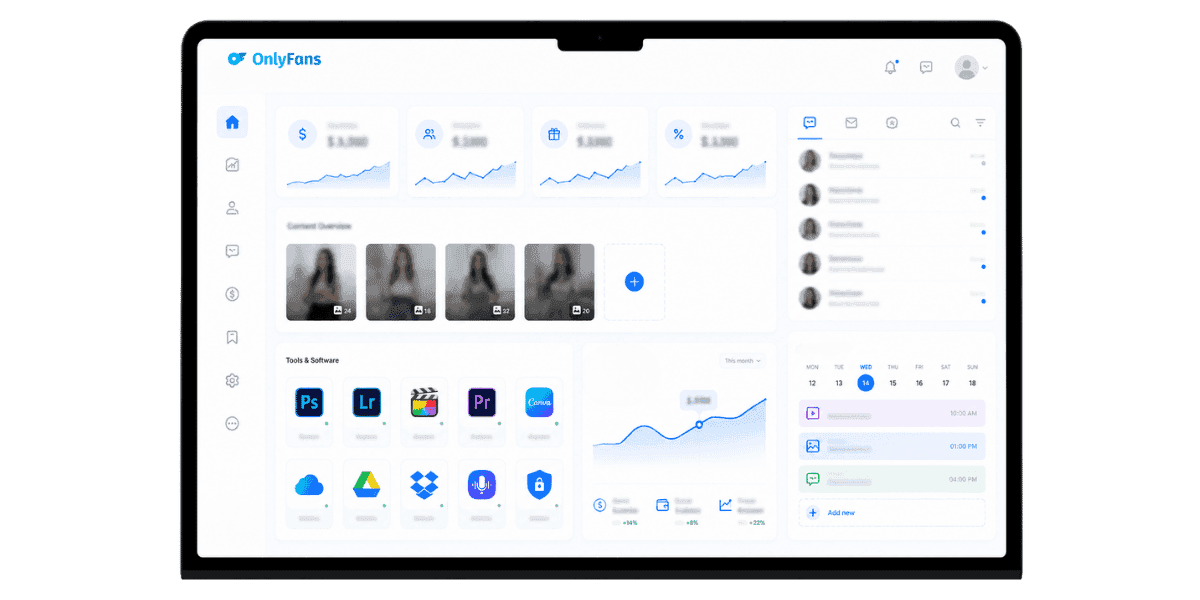
Ferramentas e software essenciais para criadores de OnlyFans determinam se seu negócio cresce ou estagna, e a diferença quase nunca é o talento. Construir uma operação sustentável significa fazer com que o equipamento, o software e a camada de proteção certos trabalhem juntos. As ferramentas certas encurtam o caminho desde a ideia até a postagem publicada, aumentam o valor da produção pelo qual os assinantes pagarão mais e mantêm seu conteúdo fora de sites de pirataria no momento em que for ao ar. Este guia divide cada categoria em ordem de impacto: câmeras, iluminação, edição, agendamento, análise, bate-papo e proteção de conteúdo.
Câmeras e dispositivos de captura
Sua câmera é o investimento mais visível da sua pilha, mas não precisa ser o mais caro. O objetivo é uma qualidade de imagem consistente e lisonjeira nas resoluções que OnlyFans realmente exibe, qualquer coisa além disso é um exagero, a menos que você também publique no YouTube ou venda conteúdo de estoque.
Câmeras de smartphone vs. câmeras dedicadas
Um telefone carro-chefe moderno (iPhone 15 Pro, Pixel 8 Pro, Galaxy S24 Ultra) é o suficiente para começar. Corpos sem espelho dedicados, como o Sony ZV-E10 ou o Sony A7C, valem a atualização quando você precisa de profundidade de campo rasa, lentes trocáveis ou gravação mais longa sem superaquecimento. Para uma comparação lado a lado de modelos específicos,melhor câmera para criadores de OnlyFans A página detalha o que realmente importa para os fluxos de trabalho dos criadores.
Webcams para streaming e câmeras
Se você acompanhar OnlyFans, o Logitech Brio 4K e o Insta360 Link cobrem a maioria dos casos de uso. Para streamers de última geração, um Elgato Camlink com corpo sem espelho oferece um grande salto de qualidade pelo mesmo dinheiro que uma webcam de primeira linha.
Estabilização e montagens
Um pequeno gimbal (DJI Osmo Mobile 6) mais um braço de mesa de fixação cobre 80% das fotos estáticas e manuais. Para tirar fotos na cama ou no banheiro, um tripé Joby flexível e um controle remoto do obturador Bluetooth eliminam a necessidade de definir temporizadores.
Iluminação, áudio e cenários
A iluminação e a qualidade do áudio separam o conteúdo amador do conteúdo premium muito mais do que o tamanho do sensor da câmera. Um investimento modesto aqui tem retorno mais rápido do que qualquer outra categoria de equipamento.
Principais opções de iluminação
Um único anel de luz de 18 polegadas é adequado para iniciantes, mas uma configuração de dois pontos com softboxes (Neewer ou Godox 60×60) produz tons de pele e sombras dramaticamente melhores. Painéis RGB (Aputure MC, Godox KNOWLED M200Bi) adicionam flexibilidade de cores para fotos temáticas.
Microfones que realmente soam premium
Para conteúdo de talk-head e bate-papo, um Rode Wireless GO II ou um microfone DJI preso à roupa supera qualquer microfone de câmera embutido. Para configurações de mesa, um microfone Shure MV7 ou Elgato Wave:3 USB oferece qualidade de estúdio sem interface de áudio.
Cenários e Cenografia
Cenários pop-up pré-construídos, remendos de tecido e divisórias baratas transformam qualquer canto de uma sala em um cenário controlado. A mesma lógica de preparação se aplica quer você tire fotos ou grave vídeos, e combina bem com o mais amplo Equipamento OnlyFans decisões que você toma desde o início.
Definir o cenário certo também significa pensar na continuidade de seu calendário de conteúdo. Os fãs percebem quando o ambiente de filmagem muda inesperadamente, então escolher duas ou três configurações exclusivas e alternar entre elas dá ao seu feed uma identidade visual consistente sem parecer repetitivo. Documente suas posições de iluminação e distâncias de câmera para cada configuração para que você possa recriá-las em minutos, em vez de reconstruí-las do zero a cada sessão. Pequenos detalhes, como temperatura de cor consistente nas fotos, fazem a diferença entre um feed sofisticado e outro que parece montado por diferentes criadores.
Software de edição de fotos e vídeos
A edição refinada transforma fotos brutas no tipo de conteúdo que os fãs recomendam ativamente. O software certo depende da sua plataforma, nível de conforto e quanto você produz em lote por sessão.
Edição que prioriza dispositivos móveis
O Lightroom Mobile e o Snapseed lidam com edições de fotos de maneira limpa em um telefone. CapCut e InShot dominam as edições verticais rápidas de vídeo, com modelos, legendas e efeitos integrados que correspondem às tendências de formato curto sem a necessidade de software de desktop.
Ferramentas elétricas de mesa
DaVinci Resolve (gratuito) é um editor de vídeo sério com gradação de cores para transmissão. Adobe Premiere Pro mais After Effects ainda é o padrão da indústria se você deseja compatibilidade com editores e designers de movimento. Para fotos, o Lightroom Classic mais o Photoshop são difíceis de superar para retoques de pele.
Ferramentas assistidas por IA que economizam horas
Ferramentas como Topaz Photo AI (aumento de escala, remoção de ruído) e Runway (remoção de fundo, apagamento de objetos de vídeo) reduzem visivelmente o tempo de edição. Use-os como aceleradores, não como substitutos criativos; a edição excessiva mata a autenticidade que os fãs desejam.
Construir um fluxo de trabalho de edição repetível é tão importante quanto as próprias ferramentas. Crie predefinições de exportação no Lightroom, salve modelos de sequência no Premiere ou DaVinci e armazene os efeitos CapCut mais usados como favoritos. Um fluxo de trabalho que leva 45 minutos na primeira vez deve levar 10 minutos na décima sessão. A edição em lote é particularmente importante para sessões de fotos: processe todas as imagens de uma sessão em uma única passagem, em vez de retornar a arquivos individuais ao longo de vários dias. A consistência na classificação de cores também treina os assinantes a associarem um visual específico à sua marca, o que reforça o reconhecimento em todas as plataformas.
Agendamento, postagem e análise
Criadores de sucesso administram seu feed com base em um calendário, e não apenas com base na inspiração. Ferramentas de agendamento e análise transformam a postagem ad hoc em um sistema repetível com resultados mensuráveis.
Agendamento de OnlyFans nativos
OnlyFans inclui um agendador integrado para postagens, DMs em massa e quedas de pay-per-view. Use-o como sua fonte de verdade, pois ferramentas de agendamento de terceiros podem atrasar ou quebrar quando a plataforma altera sua API.
Programadores de promoção multiplataforma
Para promoção no Twitter, Reddit e Telegram, ferramentas como Hypefury, Buffer e Postpone (focadas no Reddit) automatizam a cadência diária. Trate cada plataforma como uma disciplina separada, as melhores maneiras de promover OnlyFans no Twitter, Reddit e Telegram diferem significativamente em tempo e formato.
Análise para decisões reais
As análises integradas do OnlyFans mostram o crescimento de assinantes, rotatividade e receita por fonte, leia-as semanalmente. Para análises mais profundas, os painéis baseados em planilhas funcionam melhor do que a maioria dos rastreadores pagos; combine as exportações CSV do OnlyFans com uma planilha simples para construir o tipo de imagem que Análise de OnlyFans sozinho não vem à tona.
Além da contagem de assinantes, preste muita atenção à receita por assinante e às taxas de conversão de mensagens. Uma base menor de assinantes que converte em pay-per-view e solicitações personalizadas supera uma base grande que nunca gasta além da taxa de assinatura. Rastreie quais tipos de conteúdo geram mais respostas de DM em 24 horas, já que o alto engajamento no primeiro dia é um dos sinais mais fortes do que seu público deseja mais. Revise esses números mensalmente e corte formatos de conteúdo que apresentam desempenho consistentemente inferior, independentemente de quanto esforço de produção eles exigiram.
Ferramentas de bate-papo, mensagens diretas e experiência do cliente
DMs em massa e bate-papo individual geram uma grande porcentagem da receita dos criadores. As ferramentas que você usa para dimensionar as conversas decidem se você pode atender 100, 1.000 ou 10.000 fãs sem perder a personalidade.
DM em massa e fluxos de boas-vindas
Use a ferramenta nativa de DM em massa OnlyFans com listas segmentadas (novos assinantes, assinantes expirados, maiores gastadores). Combine-o com uma biblioteca de mensagens de boas-vindas, o OnlyFans gerador de mensagens de boas-vindas acelera a construção de dezenas de variantes sem parecer padronizado.
Subcontas e bots do Chatter
OnlyFans oferece suporte a subcontas de bate-papo autorizadas para que você possa delegar sem compartilhar logins. Para fluxos de resposta automatizados, as ferramentas oficiais da plataforma são mais seguras do que alternativas de terceiros se você as utilizar, entendendo como Bots de mensagens OnlyFans interagir com os termos da plataforma evitará sinalizações de conta no futuro.
CRM e valor da vida do cliente
Mesmo um simples identificador de banco de dados Notion ou Airtable, gasto vitalício, última interação e preferências transformam uma caixa de entrada caótica de DMs em um CRM real. Os principais criadores enviam check-ins personalizados sobre marcos mensais, e o impacto do LTV é significativo.
A ferramenta de bate-papo mais subestimada é simplesmente um padrão de tempo de resposta. Os fãs que recebem uma resposta duas horas após a mensagem têm uma probabilidade significativamente maior de comprar novamente do que aqueles que esperam 24 horas. Se você usar OnlyFans conversa ou delegue mensagens diretas para uma subconta, defina uma janela de resposta clara em seu processo interno e audite-o semanalmente. A disponibilidade dos sinais de velocidade, e a disponibilidade, é um importante impulsionador da fidelidade nas plataformas de assinatura.
Software de proteção de conteúdo e antipirataria
Todas as ferramentas e softwares essenciais para criadores de OnlyFans perdem valor se seu conteúdo for espelhado gratuitamente 24 horas após o lançamento. A proteção de conteúdo não é mais opcional, é a camada que protege cada dólar ganho antes dele.
Monitoramento Contínuo e Remoção de DMCA
O trabalho manual do DMCA não é escalonável. Uma plataforma que rastreia sites de vídeos, canais de Telegram, armários de arquivos e hosts de imagens continuamente detecta infrações em horas, não em semanas. Profissional Proteção de conteúdo OnlyFans lida com esse rastreamento e arquivamento automaticamente, para que as infrações sejam removidas em horas, em vez de semanas.
Captura de tela e dissuasão de vazamento
Emparelhando marcas d'água com um sólido Proteção de captura de tela OnlyFans A estratégia torna os vazamentos rastreáveis e desencoraja o compartilhamento casual de capturas de tela. Use um identificador exclusivo por ventilador incorporado em cada arquivo para que você possa identificar rapidamente a origem de qualquer vazamento.
Proteção de Identidade
Ferramentas como serviços de remoção de corretores de dados (DeleteMe, Optery) e VPNs com foco na privacidade cobrem o vetor de risco de doxxing. Combinado com uma compreensão clara de como OnlyFans protege sua identidade no nível da plataforma, eles mantêm seu nome legal fora das pesquisas de fãs e assediadores.
O argumento financeiro para a proteção de conteúdo é simples: o conteúdo vazado suprime o valor percebido da sua assinatura. Quando os fãs podem acessar seu material gratuitamente em sites de pirataria, as taxas de conversão de seguidores gratuitos caem e o risco de estorno aumenta. A carga de trabalho de monitoramento e remoção aumenta rapidamente em escala, e é por isso que as ferramentas automatizadas se pagam mais rápido do que a maioria dos criadores espera.
Ferramentas de produtividade, finanças e administração
OnlyFans é um negócio, e as ferramentas enfadonhas costumam ser o que separa os criadores que se esgotam daqueles que crescem. Uma pilha de administração limpa libera energia criativa para as partes do trabalho que realmente geram receita. Do lado fiscal, os criadores baseados nos EUA devem manter registros detalhados de todas as despesas comerciais ao longo do ano, em vez de reconstruir os recibos no momento do arquivamento. Equipamentos, assinaturas de software, acessórios e uma parte da sua conta de Internet doméstica são potencialmente dedutíveis. O que OnlyFans realmente reporta ao IRS e como reconciliar os números está documentado no Formulário OnlyFans 1099 processo de arquivamento. A execução de uma revisão trimestral de despesas leva menos de uma hora e evita a confusão que mata a produtividade todo mês de abril.
Banca e Faturação
Separe contas comerciais e pessoais desde o primeiro dia. Ferramentas como Wise (para pagamentos em várias moedas) e FreshBooks ou QuickBooks lidam com faturamento, rastreamento de impostos e reconciliação 1099.
Gestão de Projetos e Calendários de Conteúdo
Notion, ClickUp e Trello funcionam para calendários de conteúdo. A chave é ter um lugar onde ideias de filmagem, roteiros, prazos e locais de ativos residam, e não sete arquivos do aplicativo Notes. Uma revisão semanal do calendário evita lacunas de conteúdo que prejudicam a retenção.
Gerenciadores de senhas e 2FA
1Password ou Bitwarden mais chaves 2FA de hardware (YubiKey) aumentam drasticamente o nível de risco de aquisição de contas. Dado o quão lucrativas são as contas OnlyFans, tratá-las com segurança de nível bancário é a base certa.
Considerações Finais
As ferramentas e softwares essenciais certos para OnlyFans se pagam em semanas: melhor qualidade de produção desbloqueia preços mais altos, melhor agendamento desbloqueia mais postagens por semana e melhor proteção desbloqueia receita composta de conteúdo que não vaza. Empilhe as categorias; câmera, iluminação, áudio, edição, agendamento, bate-papo, proteção, administração e revisite cada um deles trimestralmente conforme suas necessidades aumentam.
Comece com a categoria que atualmente causa gargalos mais difíceis, e não a mais emocionante. Um criador com iluminação fraca e uma câmera 4K parece pior do que um criador com ótima iluminação e um telefone.
Pronto para proteger seu conteúdo valioso?Comece a proteger seu conteúdo com Enforcity.
Proteja Seu Conteúdo
- Detecção de vazamentos 24/7
- Remoções DMCA automatizadas
- Proteção específica para OnlyFans
- Alertas de monitoramento em tempo real
Perguntas Frequentes
Não encontrou a resposta?
Emily
Estrategista de Conteúdo Digital
Emily é uma especialista em proteção de conteúdo digital com mais de 5 anos de experiência ajudando criadores a proteger seu trabalho online. Ela é especializada em aplicação de DMCA e estratégias de remoção específicas por plataforma.
Proteja Seu Conteúdo
- Detecção de vazamentos 24/7
- Remoções DMCA automatizadas
- Proteção específica para OnlyFans
- Alertas de monitoramento em tempo real
Artigos Relacionados

Usar um segundo celular desbloqueado para OnlyFans: por que e como
Usar um segundo celular desbloqueado para OnlyFans separa o trabalho de criador da vida pessoal. Aqui está como configurar, o que instalar e como manter seguro.
Ler Publicação
«Detected, opinion rejected» no OnlyFans: o que significa e como resolver
«Detected, opinion rejected» no OnlyFans explicado: o que o erro significa, o que dispara, como recorrer e como evitar que o mesmo conteúdo seja marcado de novo.
Ler Publicação
Melhor serviço online de proteção de conteúdo para criadores do OnlyFans
Melhor serviço online de proteção de conteúdo para OnlyFans: o que olhar, principais recursos, modelos de preço e como escolher o parceiro antipirataria certo em 2026.
Ler PublicaçãoRecursos Gratuitos

Protegendo Seu Bem-Estar Mental
Essenciais de saúde mental para criadores de conteúdo.

Manual Definitivo para Criadores OnlyFans
Recurso completo para todos os aspectos do sucesso no OnlyFans.

Como Proteger Seu Conteúdo 🌶️?
Como proteger seu conteúdo digital em múltiplas plataformas.

Como Se Manter Seguro como Criador?
Dicas essenciais de segurança para criadores de conteúdo.

O Que Todo Criador Precisa Saber Sobre Seus Direitos?
Noções básicas legais e direitos para criadores.

Como Proteger Sua Criatividade?
Um guia essencial para criadores do OnlyFans.

Glossário para Criadores de Conteúdo
Termos-chave que todo criador de conteúdo deve conhecer.

Checklist de Segurança de Conteúdo para Lucro Máximo
Checklist para proteger conteúdo e otimizar ganhos.

Como Parar Vazamentos Instantaneamente?
Proteja seu trabalho, assuma o controle e evite compartilhamento não autorizado em todas as plataformas instantaneamente.