How OnlyFans Works for Viewers: A Complete Subscriber's Guide
A complete viewer's guide to OnlyFans; signup, finding creators, subscriptions, PPV, privacy, and avoiding common pitfalls.
In this article
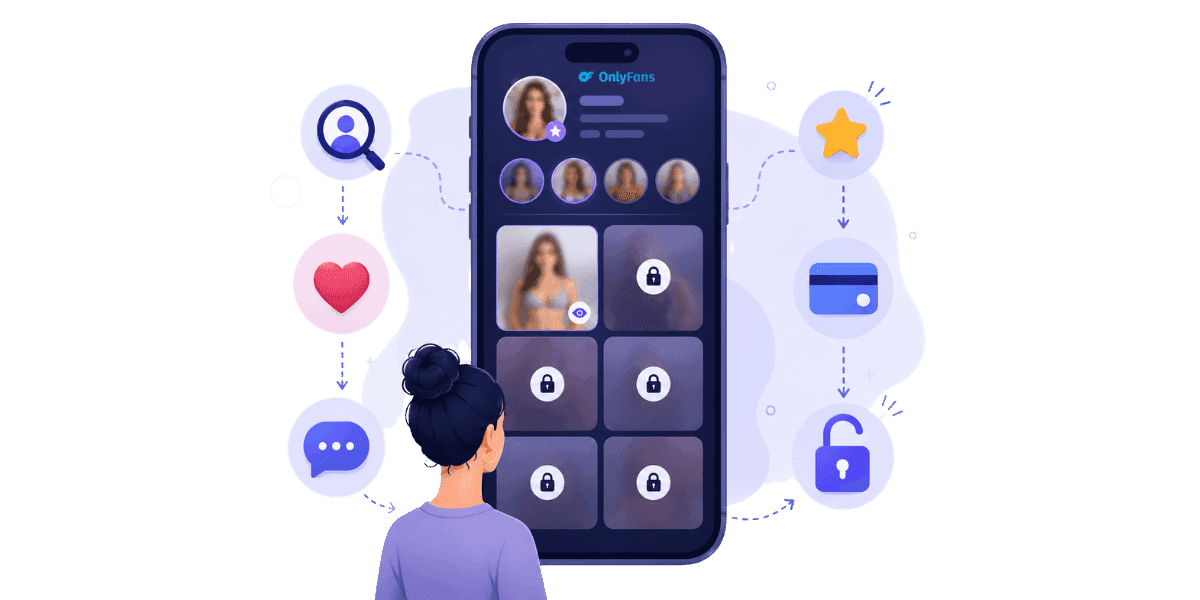
How OnlyFans works for viewers is straightforward once you understand the core mechanics, but a few details around billing, privacy, and safety are worth knowing before you subscribe to your first creator. OnlyFans is built primarily for creators, but it is just as much a platform for the fans who subscribe, unlock pay-per-view content, send tips, and exchange messages. This guide walks through the entire viewer experience: signing up, finding creators safely, how subscriptions and PPV work, what your billing looks like, how to protect your privacy, and how to handle issues if something goes wrong.
Signing Up as a Viewer
Joining OnlyFans as a viewer is fast, but a few small decisions during signup pay off later in privacy and account flexibility.
Account Creation and Privacy-First Choices
Sign up with an email, set a password, and verify the email address before doing anything else. OnlyFans does not require viewers to submit ID, only creators have that verification obligation. Use an email you check regularly because important account notifications, billing receipts, and support replies all go there. Consider using a dedicated email address that is not linked to your primary identity, and a privacy-focused payment method such as a virtual card from Privacy.com or Revolut Disposable. The merchant descriptor that appears on your bank statement varies by region and processor, with common examples including "OFL Adult International" and "OF.LF", so a dedicated card keeps OnlyFans charges separate from your main statements and avoids any billing surprises.
Profile Settings
Your username and display name are visible to every creator you interact with through subscriptions, tips, or DMs. Choose something neutral if privacy matters to you. You can also set a custom DM tip default, adjust messaging preferences, and enable two-factor authentication from the Settings menu. Setting up 2FA at the account creation stage rather than after the fact takes two minutes and significantly reduces the risk of account compromise.
Finding Creators Safely
OnlyFans does not have a strong on-platform discovery surface. Most viewers find creators through external channels, which means knowing the safe paths protects you from impersonators and scams before you ever spend money.
Direct Links and Spotting Impersonators
The safest way to find a creator is via a direct link from their verified social media (verified X/Twitter, Instagram, TikTok, or personal website). Bookmark the link to avoid mistyping the URL into a fake login page. OnlyFans impersonation and catfishing on OnlyFans are common enough that cross-checking before subscribing is worth making a habit.
Avoiding Off-Platform Scams
If someone claiming to be a creator messages you off-platform asking for payment via Venmo, Cash App, PayPal Friends and Family, or cryptocurrency, it is a scam. All legitimate OnlyFans transactions happen inside the platform, which provides the billing records and support escalation path that off-platform payments completely lack. Creators who ask for payment outside OnlyFans are either running a scam or violating platform terms; either way, there is no legitimate reason to pay outside the platform. Off-platform payment requests are one of the common OnlyFans scams viewers should recognize before sending money.
How Subscriptions Work
The subscription model is the core of the OnlyFans viewer experience. Understanding the mechanics prevents surprise charges and helps you manage your spending across multiple creators.
Subscription Pricing and Auto-Renewal
Creators set their own subscription price, typically ranging from free to $25 per month, with some charging more for premium content. Some creators offer multi-month bundles at a discount. The subscription unlocks the creator's subscription-tier content, but does not include PPV content, which is purchased separately. Subscriptions default to auto-renewal, which means you will be charged again at the end of each billing period unless you manually disable it. You can turn off auto-renewal in Settings under Subscriptions while keeping access until the current period ends. The main difference between free and paid OnlyFans subscriptions is how much content is included upfront versus sold separately through PPV, tips, or locked messages.
Free Subscriptions and What They Include
Many creators offer free subscriptions and monetize primarily through PPV content and tips rather than a monthly fee. A free subscription gives you access to the creator's free-tier posts and the ability to send messages, but premium content still requires individual unlocks. If you are new to a creator, a free subscription is often the lowest-risk way to evaluate whether their content is worth paying for before committing to a paid tier or PPV purchases.
Pay-Per-View, Tips, and Messages
Beyond the base subscription, creators monetize through PPV content unlocks, tips, and paid DMs. These optional spends are where many viewers end up spending most of their OnlyFans budget, so understanding how each works helps you stay in control of your spending.
PPV Content and Tips
Pay-per-view posts and DMs unlock individual pieces of content for a one-time fee set by the creator. Prices range from a few dollars to several hundred for premium or custom drops. Each PPV unlock is permanent; once you pay, you keep access to that content regardless of whether you remain subscribed. Tips are voluntary one-time amounts that viewers send to show appreciation or to request something specific. Many creators offer custom content, personalized shoutouts, or exclusive messaging in exchange for tips at specific tiers. Always confirm what a tip includes before sending, since expectations vary significantly between creators.
Paid DMs and Custom Content
Creators can charge per message thread or for specific custom requests including videos, photos, or extended messaging experiences. Pricing for custom content is set by the creator and can vary widely. Confirm the price and exactly what will be delivered before any custom work begins to avoid disputes later. If a creator promises custom content and does not deliver, that is a legitimate case for OnlyFans support escalation rather than a chargeback, which carries its own risks.
Billing, Refunds, and Disputes
Knowing your billing options and refund rights keeps surprises minimal and helps you resolve issues efficiently when they arise.
What Appears on Your Statement and Refund Policy
Charges typically appear on your bank or card statement as merchant descriptors like "OF.LF", "OnlyFans", or "OFL Adult International". The exact wording varies by region and payment processor. Save your OnlyFans wallet history and transaction receipts for personal records, especially if you use a shared payment method. OnlyFans refunds are handled case by case. Most subscriptions are non-refundable once charged. PPV content that was never delivered, content that materially misrepresented what was advertised, or accidental double-charges are the most common refund-eligible situations. If one of these issues applies, check the OnlyFans chargeback and refund process before contacting support or disputing the charge through your bank.
Why Chargebacks Are a Bad Idea
Issuing a chargeback through your bank instead of going through OnlyFans support typically results in your account being banned platform-wide, sometimes permanently. The platform treats chargebacks as a terms violation regardless of the underlying reason. Always try the OnlyFans support route first; chargebacks should be a last resort reserved for cases of actual fraud where support has failed to resolve the issue. If you are dealing with a billing dispute, document everything before escalating.
Privacy and Safety as a Viewer
OnlyFans does not share viewer identities with creators by default, but your own privacy habits matter more than the platform's built-in protections.
What Creators See and Best Privacy Practices
Creators see your username, display name if you set one, your interaction history with their account, and your tipping and PPV purchase history on their page. They do not see your real name, email address, or billing information unless you voluntarily share it in DMs. Use a username that is not connected to your other social media accounts or your real identity. Never share your real name, address, or phone number in DMs regardless of how well you feel you know a creator. Avoid sending photos or videos that reveal identifying details such as your face, distinctive tattoos, or recognizable locations. Subscriber privacy depends on what OnlyFans creators can see when you subscribe, including account details, interaction history, and what stays hidden from the creator.
Account Security
Enable two-factor authentication on both your OnlyFans account and the email address linked to it. Use a unique password generated by a password manager rather than reusing a password from another account. The same basic security hygiene that protects creators applies to viewers, even though the stakes are different. Strong OnlyFans cybersecurity habits start with account access, email security, password hygiene, and careful control over connected devices.
Common Viewer Mistakes to Avoid
A few avoidable mistakes consistently cause headaches for viewers. Knowing them in advance makes the experience smoother and more enjoyable.
Subscribing to Fakes and Paying Off-Platform
Impersonator accounts are a persistent problem on OnlyFans. Always cross-check a creator's profile against their verified social media before subscribing. Profiles created recently, with very few posts, unusually low pricing, or follower counts that do not match their social media presence are all red flags. Never pay a creator outside OnlyFans regardless of what they promise. Off-platform payment leaves you with no chargeback rights, no fraud protection, and no support escalation path. Legitimate creators keep all transactions inside the platform.
Ignoring Auto-Renewal and Sharing Credentials
Subscriptions auto-renew by default. If you only wanted a single month of access, disable auto-renewal immediately after subscribing; you keep full access for the remainder of the billing period and avoid the next charge. Many viewers discover unexpected charges weeks later because they forgot to disable auto-renewal on accounts they no longer actively follow. Sharing your OnlyFans login credentials with anyone, including friends, partners, or family members, violates the platform's Terms of Service and can result in account suspension. If multiple people want access to the same creator's content, separate subscriptions are the only compliant approach.
Use OnlyFans Safely and With Confidence
How OnlyFans works for viewers comes down to a few core mechanics: subscriptions with auto-renewal, PPV content unlocks, tips, and private messaging, all flowing through the platform's billing system. The keys to a good experience are using verified creator links, paying only on-platform, managing your auto-renewal settings, and applying basic privacy hygiene to your account and payment method.
Most issues viewers run into are preventable with a few habits: a dedicated payment method, disabled auto-renewal where appropriate, and healthy skepticism toward anyone asking for payment outside the platform. With those in place, the platform delivers exactly what most subscribers want, direct access to content from creators they actively support.
Ready to protect your valuable content? Start protecting your content with Enforcity.
Protect Your Content
- 24/7 leak detection
- Automated DMCA takedowns
- OnlyFans-specific protection
- Real-time monitoring alerts
Frequently Asked Questions
Couldn't find an answer?

Emily
Digital Content Strategist
Emily is a digital content protection specialist with over 5 years of experience helping creators safeguard their work online. She specializes in DMCA enforcement and platform-specific takedown strategies.
Protect Your Content
- 24/7 leak detection
- Automated DMCA takedowns
- OnlyFans-specific protection
- Real-time monitoring alerts
Related Articles

How to Withdraw Money from OnlyFans: A Human-Friendly Guide for Creators
Learn how to withdraw money from OnlyFans with this complete guide. Discover payout options, processing times, common issues, and how to keep your earnings secure.
Read Post
Wheelchair OnlyFans Success Guide
Discover how disabled creators thrive on OnlyFans, breaking stereotypes, inspiring communities, and promoting inclusivity. Learn Wheelchair OnlyFans niche details.
Read Post
What You Need to Know Before Starting OnlyFans: Essential Tips and Strategies
Thinking about joining OnlyFans? Discover What You Need to Know Before Starting OnlyFans? Essential tips, strategies, and insights to maximize your success, protect your content, and grow your fanbase effectively. Start your journey with confidence!
Read PostFree Resources

Protecting Your Mental Wellness
Mental health essentials for content creators.

Ultimate Handbook for OnlyFans Creators
Comprehensive resource for all aspects of OnlyFans success.

How to Safeguard Your 🌶️ Content?
How to safeguard your digital content across multiple platforms.

How to Stay Safe as a Creator?
Essential safety tips for content creators.

What Every Creator Needs to Know About Their Rights?
Legal basics and rights for creators.

How to Protect Your Creativity?
A must-have guide for OnlyFans creators.

Glossary for Content Creators
Key terms every content creator should know.

Content Security Checklist for Maximum Profit
Checklist for securing content and optimizing earnings.

How to Stop Leaks Instantly?
Protect your work, take control, and prevent unauthorized sharing across platforms instantly.