What Can OnlyFans Creators See When You Subscribe: Complete Privacy Guide
What can OnlyFans creators see when you subscribe, including your username, payment details, and activity data, plus what remains completely hidden from view.
In this article
What can OnlyFans creators see about you as a subscriber is one of the most common questions before someone hits subscribe, and knowing the exact answer helps you set up your account to protect your identity from the start. Before entering your payment information and clicking subscribe, you want to know exactly what the creator on the other end can see about you. The good news is that OnlyFans has built privacy protections into the platform, but understanding the boundaries of those protections helps you make informed decisions about your account and behavior on the platform.
Information Creators Can See About Their Subscribers
OnlyFans creators have access to certain subscriber information through their dashboard. Knowing exactly what is visible helps you set up your account in a way that protects your privacy.
Your Username and Display Name
The most visible piece of information is your username and display name. Creators can see your OnlyFans username whenever you subscribe, send a message, leave a comment, or tip. This is why choosing a username that does not contain your real name, birth year, or other identifying information is critical for privacy. Your display name is also visible and can be changed at any time through your account settings. Many privacy-conscious subscribers use completely random usernames and generic display names to prevent any connection to their real identity. Remember that your username appears in the creator's subscriber list, transaction history, and message inbox.
Your Profile Picture and Bio
Creators can view your profile picture and any information you have added to your OnlyFans bio. If you have uploaded a photo of yourself or included personal details in your bio, creators can see all of it. For maximum privacy, use a generic avatar or leave your profile picture blank, and keep your bio empty or minimal. Some subscribers mistakenly add personal social media links or identifying information to their profiles without realizing that every creator they subscribe to can view it. Review your profile from a privacy perspective and remove anything that could identify you.
Subscription and Spending Activity
Creators can see your subscription status including when you subscribed, whether your subscription is active or expired, and whether auto-renew is enabled. They can also see your spending history on their specific page, including tips sent, pay-per-view purchases, and custom content payments. This financial activity is visible only to the specific creator it involves. A creator cannot see how much you spend on other creators' pages or even which other creators you subscribe to. Your total spending on a particular creator's page may influence how they interact with you, as many creators prioritize communication with higher-spending subscribers.
What OnlyFans Creators Cannot See About You?
Equally important is understanding the information that OnlyFans keeps hidden from creators. The platform has strong privacy boundaries that protect subscriber identities. For a comprehensive overview of subscriber anonymity, check out guide on whether OnlyFans is anonymous for subscribers.
Your Real Name and Payment Details
Creators cannot see your real name, credit card number, billing address, or any payment method details. OnlyFans processes all payments through its own system and only shows creators the transaction amount and your username. Your bank statement will show a charge from OnlyFans or its payment processor, but the creator never receives your financial information directly. This payment privacy is one of the strongest subscriber protections on the platform. Even if a creator wanted to find out who you are through payment information, OnlyFans does not provide that data to them under any circumstances during normal platform use.
Your Email Address and Phone Number
The email address and phone number associated with your OnlyFans account are not visible to creators. This information is used solely for account verification, login, and communication from OnlyFans itself. Creators cannot access your contact information through the platform. However, be aware that if you communicate with a creator through channels outside of OnlyFans such as email, social media, or messaging apps, you may inadvertently reveal this information. Keep all communication within the OnlyFans platform to maintain this privacy boundary.
Your IP Address and Physical Location
OnlyFans does not share your IP address or geographic location with creators. While OnlyFans itself collects this data for security and fraud prevention purposes, it is not passed along to content creators. A creator cannot determine your city, country, or region through the OnlyFans platform. This means even if a creator is technically sophisticated, they cannot use OnlyFans tools to locate you. However, if you share location data through messages, photos with metadata, or by mentioning your area in conversation, you are voluntarily providing that information outside of the platform's privacy protections.
Your Activity and Browsing Behavior
A common concern among subscribers is whether creators can track their browsing habits and activity patterns on the platform.
Can Creators See When You Are Online?
OnlyFans does not have a traditional online status indicator like some social media platforms. Creators cannot see when you are actively browsing the platform or viewing their content in real time. There is no read receipt feature for posts, so creators do not know when or whether you have viewed specific content. However, if you interact with content through likes, comments, or tips, the creator receives a notification tied to your username. The absence of real-time tracking means you can browse content at your own pace without the creator knowing your viewing habits.
Other Subscriptions and Creator Interactions
Creators cannot see which other creators you subscribe to or interact with. Your subscription list is completely private. A creator has no way to know whether you follow competing creators, how many subscriptions you maintain, or how you divide your spending across the platform. This privacy extends to your likes and comments on other creators' pages. The only exception is if your profile is public and you have a visible following list, which is why privacy-conscious subscribers keep their profiles set to private. Each creator-subscriber relationship is siloed from all others on the platform.
Privacy Considerations for Creators Too
Privacy on OnlyFans is a two-way street. While this guide focuses on subscriber privacy, creators also have significant privacy protections and concerns that affect the subscriber experience. Understanding the creator perspective on anonymity helps explain how the platform is designed.
How Creator Analytics Work?
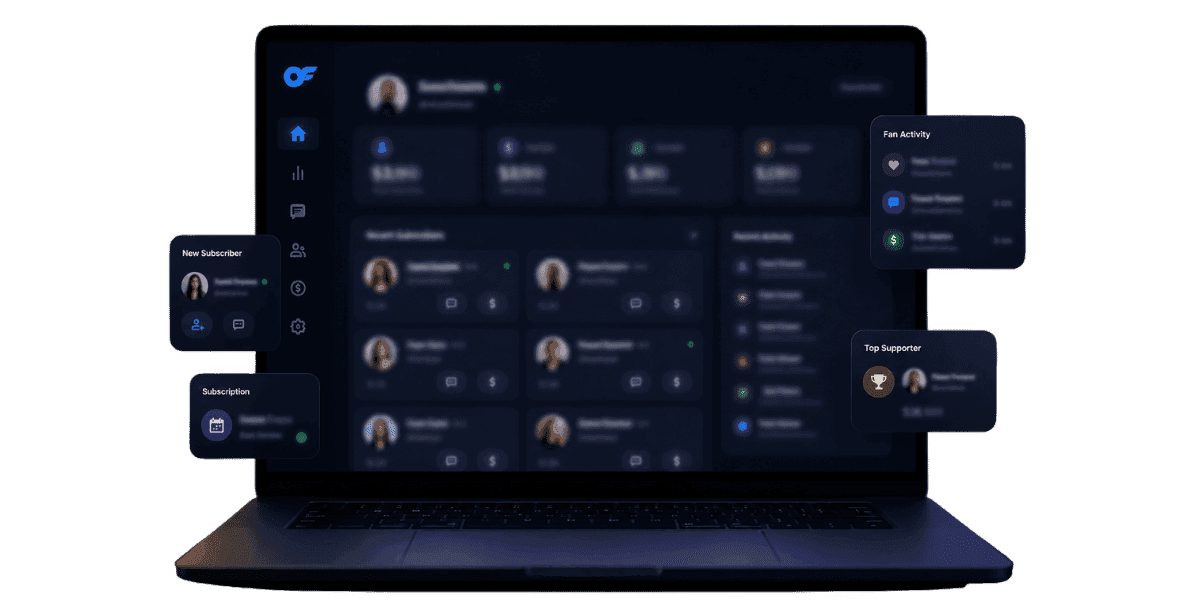
OnlyFans provides creators with analytics that show aggregate data about their subscriber base. This includes total subscriber counts, revenue metrics, and engagement statistics. However, these analytics do not allow creators to drill down into individual subscriber behavior beyond what is already visible through direct interactions. Creators see top fans based on spending, new subscriber notifications, and expiring subscription alerts. The analytics dashboard is designed to help creators understand their business performance without compromising individual subscriber privacy.
Subscription Price and Payment Transparency
Creators set their own subscription prices and can offer promotional rates, bundles, and discounts. As a subscriber, you can always see the current price before subscribing. Creators can see which price tier or promotion you subscribed through, which means they know if you used a discounted offer rather than paying full price. This is generally used for business analytics rather than individual subscriber tracking. For a detailed look at how OnlyFans pricing works, visit OnlyFans pricing guide.
Tips for Privacy-Conscious OnlyFans Subscribers
Even with OnlyFans built-in privacy protections, there are additional steps you can take to maximize your anonymity on the platform.
Setting Up a Privacy-First Account
Start by creating your OnlyFans account with privacy in mind from the beginning. Use a dedicated email address that does not contain your real name and is not linked to your other online accounts. Choose a username that is completely random and cannot be traced to your identity — an OnlyFans username generator creates a memorable alias with no connection to your real name. Leave your profile picture blank or use a generic avatar. Keep your bio empty. Set your profile to private so other users cannot see your following list. These steps ensure that even if a creator tries to learn more about you, they find nothing beyond your anonymous username.
Managing Your Digital Footprint
Be careful about what you share in messages and comments on the platform. Avoid mentioning personal details such as your job, city, daily routine, or relationship status. Do not share photos of yourself or screenshots that might contain identifying information. If you communicate with creators, keep conversations within the OnlyFans platform rather than moving to external messaging services. Review your bank statements to ensure the OnlyFans charge description is something you are comfortable with appearing on shared statements. Consider using a virtual credit card service for additional payment privacy. Be cautious of creators who pressure you to communicate off-platform or request personal information, these are common patterns in OnlyFans scams that target subscribers specifically.
Understanding Platform Safety as a Subscriber
While most creators on OnlyFans are legitimate professionals, subscribers should be aware of potential risks. Be cautious of creators who pressure you to communicate off-platform, request personal information, or ask for payment outside of the OnlyFans system. These could be signs of scam activity. OnlyFans provides subscriber protections including payment processing through the platform, the ability to block creators, and customer support for reporting issues. Understanding these protections helps you use the platform safely and confidently. For more on platform safety, read guide on whether OnlyFans is safe.
Your Privacy as an OnlyFans Subscriber
When you subscribe to an OnlyFans creator, they can see your username, display name, profile picture, bio, subscription status, and spending activity on their page. They cannot see your real name, email, phone number, payment details, IP address, location, or subscriptions to other creators. OnlyFans has built robust privacy protections into the platform, but your own behavior matters too. By setting up a privacy-first account, keeping personal details out of messages, and staying within the platform for all communication, you can enjoy OnlyFans content with confidence that your identity remains protected.
Are you a creator looking to protect your content from unauthorized sharing? Try Enforcity's content protection platform to automatically detect and remove leaked content across the web.
Protect Your Content
- 24/7 leak detection
- Automated DMCA takedowns
- OnlyFans-specific protection
- Real-time monitoring alerts
Frequently Asked Questions
Couldn't find an answer?

Emily
Digital Content Strategist
Emily is a digital content protection specialist with over 5 years of experience helping creators safeguard their work online. She specializes in DMCA enforcement and platform-specific takedown strategies.
Protect Your Content
- 24/7 leak detection
- Automated DMCA takedowns
- OnlyFans-specific protection
- Real-time monitoring alerts
Related Articles

How to Withdraw Money from OnlyFans: A Human-Friendly Guide for Creators
Learn how to withdraw money from OnlyFans with this complete guide. Discover payout options, processing times, common issues, and how to keep your earnings secure.
Read Post
Wheelchair OnlyFans Success Guide
Discover how disabled creators thrive on OnlyFans, breaking stereotypes, inspiring communities, and promoting inclusivity. Learn Wheelchair OnlyFans niche details.
Read Post
What You Need to Know Before Starting OnlyFans: Essential Tips and Strategies
Thinking about joining OnlyFans? Discover What You Need to Know Before Starting OnlyFans? Essential tips, strategies, and insights to maximize your success, protect your content, and grow your fanbase effectively. Start your journey with confidence!
Read PostFree Resources

Protecting Your Mental Wellness
Mental health essentials for content creators.

Ultimate Handbook for OnlyFans Creators
Comprehensive resource for all aspects of OnlyFans success.

How to Safeguard Your 🌶️ Content?
How to safeguard your digital content across multiple platforms.

How to Stay Safe as a Creator?
Essential safety tips for content creators.

What Every Creator Needs to Know About Their Rights?
Legal basics and rights for creators.

How to Protect Your Creativity?
A must-have guide for OnlyFans creators.

Glossary for Content Creators
Key terms every content creator should know.

Content Security Checklist for Maximum Profit
Checklist for securing content and optimizing earnings.

How to Stop Leaks Instantly?
Protect your work, take control, and prevent unauthorized sharing across platforms instantly.