OnlyFans Impersonation: How to Find and Remove Fake Accounts?
OnlyFans impersonation occurs when someone creates a fake account using your identity to scam subscribers, but reporting typically results in removal within 24-72 hours.
In this article
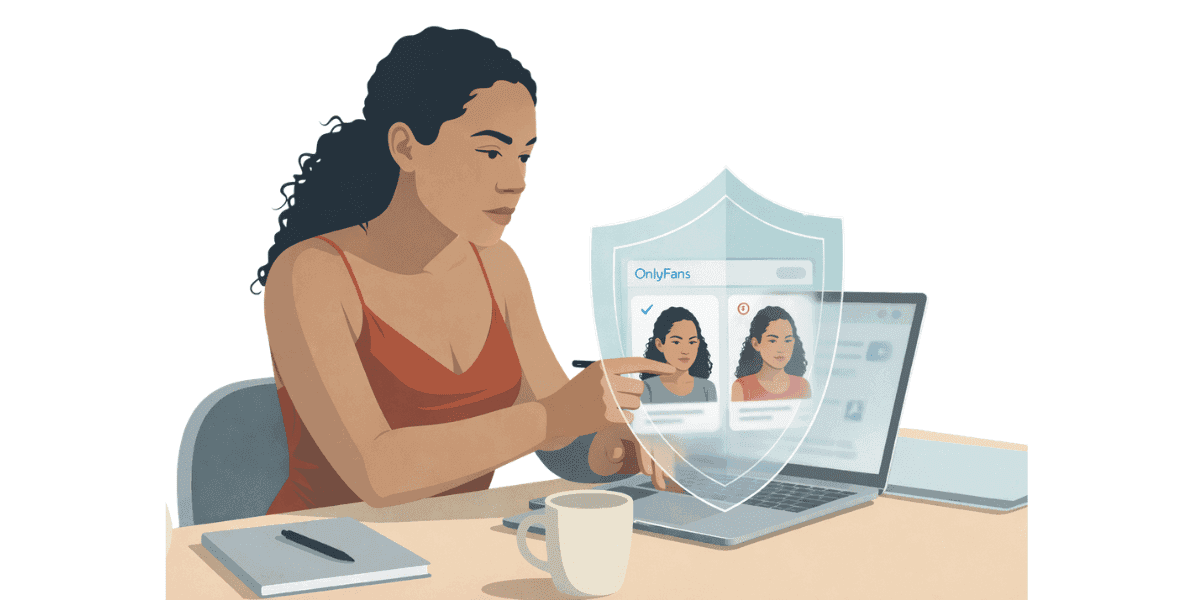
OnlyFans impersonation is a form of identity theft where someone creates a fake account pretending to be you, using your photos, name, or brand to deceive subscribers. Impersonators aim to steal subscribers (and their money), scam people by taking payment for content they won't deliver, damage your reputation through inappropriate behavior under your name, or harass and troll you by creating negative associations. Unlike simple content piracy (where your content is shared without permission), impersonation specifically involves someone claiming to be you.
Why Impersonation Happens?
Several motivations drive impersonators: financial gain, competition (other creators stealing your subscribers), harassment (ex-partners or trolls damaging your reputation), and opportunism. Understanding motivations helps identify impersonators and predict their behavior. Creators who also face content leaks alongside impersonation should explore OnlyFans content protection options that cover both threats simultaneously.
Impact on Creators
Impersonation causes multiple harms: lost income (subscribers paying fake accounts instead of yours), reputation damage (if impersonators behave badly under your name), subscriber confusion and distrust, time and effort spent finding and removing fake accounts, and emotional distress from violation. Quick action minimizes these impacts by removing fake accounts before they gain significant subscriber bases. Creators dealing with both impersonation and leaks simultaneously should review stolen OnlyFans content recovery steps alongside impersonation reporting.
This Guide's Coverage
This article provides comprehensive impersonation defense: identifying impersonation accounts, gathering evidence for reports, reporting to OnlyFans and other platforms, legal options for persistent impersonators, and proactive protection to prevent future impersonation. Whether you've just discovered an impersonator or want to prevent it from happening, this guide provides actionable steps.
Identifying Impersonation Accounts
Finding impersonation accounts quickly enables fast removal before significant damage occurs. Regular monitoring helps catch impersonators early.
Monitoring Your Username
Regularly search for accounts using your name: search your exact username on OnlyFans, check variations and misspellings (YourName vs Your_Name vs YourName_), search your stage name and real name, and use Google to search "[your name] OnlyFans". Impersonators often use similar usernames to appear in searches when people look for you.
Reverse Image Search
Find accounts using your photos: use Google Images reverse search with your profile photos and content, try TinEye and Yandex reverse search (finds images Google misses), and regularly reverse search your most popular images. If your photos appear on accounts you don’t control, it may indicate impersonation. Adding a DMCA protection badge to your official profiles makes it easier for subscribers to distinguish real accounts from fakes.
Subscriber Reports
Your real subscribers often discover impersonators: subscribers message you about "interactions" you didn't have, people mention seeing your "other account", or subscribers warn you about fake accounts. Take these reports seriously—investigate immediately. Thank subscribers who alert you and confirm which accounts are real.
Social Media Monitoring
Impersonators often create fake social media to support fake OF: search your name on Instagram, Twitter, TikTok, check for fake accounts using your photos and linking to fake OnlyFans, and monitor tags and mentions of your name. Impersonation often spans multiple platforms, not just OnlyFans.
Warning Signs
Common impersonation indicators: accounts created recently with professional content (real creators build libraries over time), usernames very similar to yours with small changes, bios or content copied directly from yours, and accounts that appear in searches for your name despite not being you. Trust your instincts—if an account looks suspiciously similar to yours, investigate thoroughly.
Reporting Impersonation to OnlyFans
OnlyFans takes impersonation seriously and removes fake accounts when provided with clear evidence. Proper reporting increases success rates and speeds removal.
Gathering Evidence
Before reporting, collect comprehensive documentation: screenshot the fake account's profile, save URLs of the impersonating account, screenshot examples of your stolen content, document your own account proving you're the original, and note any subscriber reports or communications. Thorough evidence makes verification easy for OnlyFans support.
Contacting OnlyFans Support
Report through official channels: use OnlyFans support contact form, select "Impersonation" or "Copyright Violation" category, provide all evidence gathered, explain clearly how the account impersonates you, and include your verified creator account link for comparison. Clear, detailed reports get processed faster than vague complaints. Creators concerned about how much their real identity is exposed should also check does OnlyFans protect your identity, understanding platform-level protections helps assess total risk.
Expected Timeline
OnlyFans typically processes impersonation reports within 24-72 hours for clear cases. Complex cases requiring investigation may take longer. If no response after 5 days, follow up with support referencing your original report. Persistence gets results—don't assume one report is sufficient if you don't see action.
What OnlyFans Will Do?
For confirmed impersonation: terminate the fake account immediately, prevent that individual from creating new accounts (though determined impersonators use different information), and potentially pursue legal action in egregious cases.
Reporting to Other Platforms
Impersonators often operate across multiple platforms. Comprehensive reporting removes their entire operation, not just OnlyFans accounts.
Social Media Reporting
Report fake accounts on every platform: Instagram - Report as "Pretending to be someone else", Twitter/X - Use impersonation report form, TikTok - Report as "Impersonation", Reddit - Report to subreddit mods and Reddit admins. Each platform has impersonation policies and removes fake accounts when reported with evidence.
Search Engine Removal
Remove impersonation accounts from search results: file removal requests with Google if fake accounts appear when people search your name, submit to Bing and other search engines, and request removal of cached pages. Even after platforms remove accounts, cached pages may remain discoverable.
Coordinated Reporting
For impersonators operating at scale: report to all platforms simultaneously, document evidence consistently, and act quickly. Coordinated multi-platform reporting is more effective than handling platforms one by one.
Proactive Protection Strategies
Preventing impersonation is easier than dealing with it after it happens. Proactive measures reduce frequency and effectiveness of impersonation attempts.
Claim Your Username Everywhere
Prevent username squatting: register your username on OnlyFans, Fansly, Fanvue, other OF alternatives, Instagram, Twitter, TikTok, Reddit, and relevant domain names. This prevents impersonators from using your exact username on other platforms, forcing them to use variations that are more obviously fake.
Verify and Badge Your Accounts
Make authentic accounts identifiable: get verified (blue checkmark) on platforms offering it, link all your official accounts together (Instagram bio links to Twitter, Twitter links to OnlyFans), and clearly communicate official accounts in OnlyFans bio.
Educate Your Subscribers
Make your audience aware of impersonation risks: warn about fake accounts in your OnlyFans posts, tell subscribers your official account usernames, explain you'll never ask for payment outside OnlyFans or demand specific payment methods, and encourage subscribers to report suspicious accounts. Informed subscribers are less likely to fall for impersonators and more likely to alert you.
Taking Action Against OnlyFans Impersonation
Early detection enables fast removal: monthly searches for your username variations, quarterly reverse image searches on your content, Google Alerts for your name and username, and subscriber community communication encouraging reports. Catching impersonators early (when they have 0-10 subscribers) prevents them from gaining traction. Creators wanting automated monitoring across platforms should consider anti-piracy services that scan for unauthorized use of your name and content simultaneously.
Protect both your content and identity from impersonation and piracy. Enforcity monitors impersonation and removes fake accounts to protect your OnlyFans identity and brand.
Protect Your Content
- 24/7 leak detection
- Automated DMCA takedowns
- OnlyFans-specific protection
- Real-time monitoring alerts
Frequently Asked Questions
Couldn't find an answer?

Emily
Digital Content Strategist
Emily is a digital content protection specialist with over 5 years of experience helping creators safeguard their work online. She specializes in DMCA enforcement and platform-specific takedown strategies.
Protect Your Content
- 24/7 leak detection
- Automated DMCA takedowns
- OnlyFans-specific protection
- Real-time monitoring alerts
Related Articles

How to Withdraw Money from OnlyFans: A Human-Friendly Guide for Creators
Learn how to withdraw money from OnlyFans with this complete guide. Discover payout options, processing times, common issues, and how to keep your earnings secure.
Read Post
Wheelchair OnlyFans Success Guide
Discover how disabled creators thrive on OnlyFans, breaking stereotypes, inspiring communities, and promoting inclusivity. Learn Wheelchair OnlyFans niche details.
Read Post
What You Need to Know Before Starting OnlyFans: Essential Tips and Strategies
Thinking about joining OnlyFans? Discover What You Need to Know Before Starting OnlyFans? Essential tips, strategies, and insights to maximize your success, protect your content, and grow your fanbase effectively. Start your journey with confidence!
Read PostFree Resources

Protecting Your Mental Wellness
Mental health essentials for content creators.

Ultimate Handbook for OnlyFans Creators
Comprehensive resource for all aspects of OnlyFans success.

How to Safeguard Your 🌶️ Content?
How to safeguard your digital content across multiple platforms.

How to Stay Safe as a Creator?
Essential safety tips for content creators.

What Every Creator Needs to Know About Their Rights?
Legal basics and rights for creators.

How to Protect Your Creativity?
A must-have guide for OnlyFans creators.

Glossary for Content Creators
Key terms every content creator should know.

Content Security Checklist for Maximum Profit
Checklist for securing content and optimizing earnings.

How to Stop Leaks Instantly?
Protect your work, take control, and prevent unauthorized sharing across platforms instantly.