O pagamento de OnlyFans foi processado, mas não no banco: o que fazer
Por que um pagamento OnlyFans pode aparecer como “processado” sem aparecer no seu banco e como rastreá-lo.
Neste artigo
Quando um pagamento OnlyFans é processado, mas ainda não está no banco, é uma das experiências mais estressantes para o criador. A boa notícia é que a grande maioria desses casos é resolvida em poucos dias úteis; o dinheiro está em trânsito, não perdido. Este guia explica por que os pagamentos podem ser processados sem aparecer ainda, os prazos típicos para cada método de pagamento, como verificar se o pagamento está a caminho, o que verificar em seu banco, quando entrar em contato com o suporte OnlyFans e como evitar atrasos futuros.
O que realmente significa "Processado"
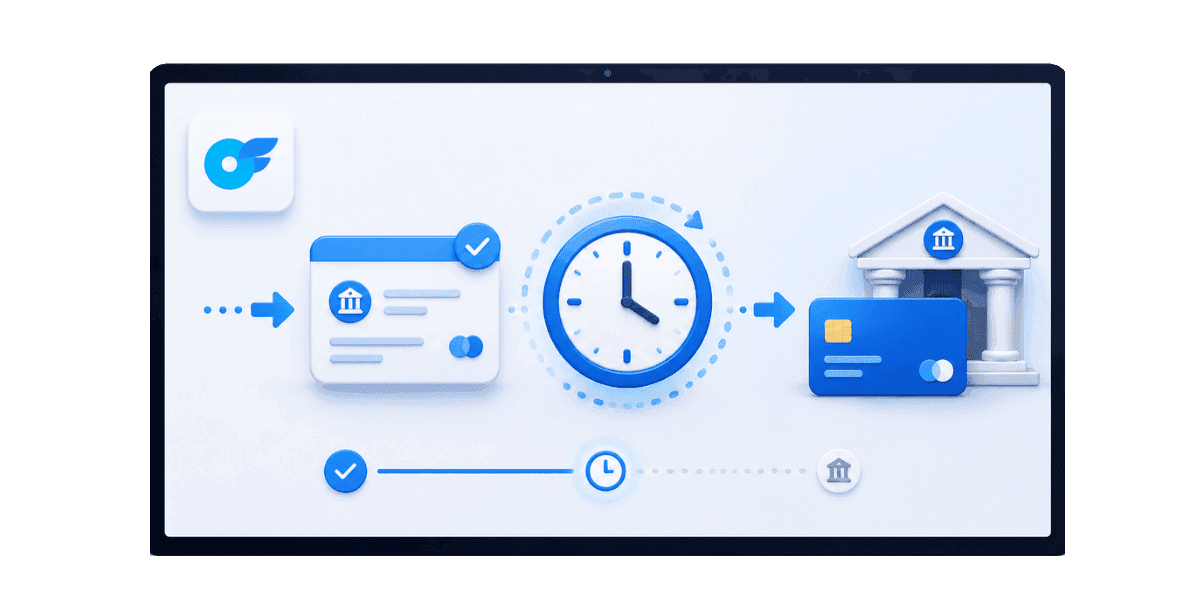
A versão mais comum deste problema: o pagamento de OnlyFans foi processado, mas não no banco, e o painel não oferece mais explicações. “Processado” no painel OnlyFans não significa que o dinheiro já chegou ao seu banco. Compreender as camadas entre OnlyFans e sua conta explica onde ele pode estar e quanto tempo normalmente leva cada camada.
Lado OnlyFans e lado do processador
Assim que um pagamento é marcado como processado, OnlyFans o entrega ao seu provedor de pagamento com todas as instruções bancárias corretas. Do lado de OnlyFans, o trabalho está feito. O provedor de pagamento, seja Paxum, ACH, transferência SWIFT ou uma carteira eletrônica, dependendo da sua configuração, agora movimenta o dinheiro através de seus trilhos de pagamento. Esta etapa leva de minutos para algumas carteiras eletrônicas a vários dias úteis para transferências internacionais. A variação nesta camada intermediária é onde se origina a maior parte da confusão dos criadores, porque o status do painel OnlyFans não é atualizado para refletir o que está acontecendo no lado do processador.
Seu lado bancário: postagem
Mesmo depois que o dinheiro chegar ao seu banco, o banco poderá levar dias úteis adicionais para lançar a transação no seu saldo visível. Alguns bancos exibem ACH recebidos e transferências eletrônicas em uma seção pendente separada antes de aparecerem no saldo principal. Outros só mostram o depósito depois de totalmente compensado, o que pode fazer parecer que nada chegou quando os fundos já estão no banco aguardando o lançamento final.
Cronogramas típicos para cada método de pagamento
Cada método de pagamento tem um cronograma previsível. Saber o que é normal informa quando um atraso realmente precisa de atenção e quando você simplesmente precisa esperar a janela de processamento padrão.
Depósito direto (criadores dos EUA)
Depósito direto ACH padrão: 1–3 dias úteis desde "processado" até a postagem no banco. ACH no mesmo dia (para alguns bancos): menos de 24 horas. Fins de semana e feriados nos EUA não contam para o cronograma.
Transferência Internacional (SWIFT)
As transferências internacionais levam de 2 a 5 dias úteis, dependendo do corredor e dos bancos intermediários. Alguns destinos, especialmente países menores ou moedas de nicho, podem durar uma semana. Em comparação com as opções de depósito direto ou carteira eletrônica, o SWIFT é geralmente o caminho mais lento, então os criadores devem verificar como OnlyFans paga os criadores antes de escolhê-lo como método de pagamento principal.
Paxum, carteiras eletrônicas e cartões
Paxum e carteiras eletrônicas semelhantes normalmente são postadas horas após OnlyFans processar o pagamento. O ponto principal que a maioria dos criadores não percebe é que a retirada da carteira eletrônica para sua conta bancária é uma etapa separada com seu próprio cronograma, geralmente de 1 a 3 dias adicionais. Os pagamentos com cartão, quando suportados, normalmente levam de 1 a 3 dias úteis. Os métodos de pagamento mais recentes ocasionalmente usam janelas de processamento em lote, o que significa que seu pagamento pode ficar em trânsito até o próximo lote agendado, mesmo que o status mostre processado no lado OnlyFans. Nem todos os métodos estão disponíveis em todas as regiões, por isso a escolha prática muitas vezes se resume a qual Opções de pagamento OnlyFans são suportados onde você mora e a rapidez com que cada um deles é eliminado após o processamento.
Primeiras coisas a verificar no seu lado
Antes de entrar em contato com o suporte, faça uma breve lista de verificação. A maioria dos atrasos é resolvida quando você localiza onde realmente está o pagamento, em vez de aumentar prematuramente.
Confirme os dados bancários e verifique as transações pendentes
Abra Configurações e depois Banking on OnlyFans e verifique se seu número de roteamento, número de conta e nome do titular da conta correspondem exatamente ao que seu banco tem registrado. Um único dígito errado envia o pagamento para a conta errada ou o devolve totalmente. Se você mudou recentemente de banco ou atualizou seu endereço, detalhes bancários desatualizados são a causa mais comum de um pagamento que é processado, mas nunca chega. Depois de confirmar que os dados estão corretos, verifique a seção de transações pendentes do seu banco. Muitos bancos listam ACH recebidos e transferências eletrônicas em uma área pendente separada antes de aparecerem no saldo principal. O depósito pode já estar lá, mas não visível no local que você normalmente verifica.
Confirme a data, método e cronograma de pagamento do pagamento
Faça referência cruzada do carimbo de data/hora processado do OnlyFans com o cronograma típico do seu método de pagamento. Se uma transferência foi processada hoje, não é realista esperar que ela chegue ao seu banco até o final do dia; aguarde 2 a 5 dias úteis antes de realizar qualquer ação. Verifique também o cronograma de processamento do seu banco. Os bancos dos EUA raramente fazem depósitos nos finais de semana e feriados federais, e os bancos internacionais têm horários variados. Se hoje for um dia não bancário, o depósito será depositado no próximo dia útil, independentemente de quando OnlyFans o processou.
Quando entrar em contato com o suporte OnlyFans
Se o cronograma padrão já passou e nada chegou, a próxima etapa é entrar em contato com o suporte do OnlyFans. Eles têm visibilidade do lado do processador de pagamento que você não tem apenas no painel.
Aguarde a janela cheia e prepare seu ingresso
ACH: aguarde 5 dias úteis. Transferências internacionais: aguarde 7 dias úteis. Carteiras eletrônicas: aguarde 2 dias úteis. Entrar em contato com o suporte antes dessas janelas normalmente produz uma resposta solicitando que você espere, em vez de qualquer resolução acionável. Ao entrar em contato com o suporte, inclua a data e o valor do pagamento, o método de pagamento, o carimbo de data/hora exato do processamento no painel OnlyFans, os últimos 4 dígitos da sua conta de destino e uma captura de tela da entrada do painel. Informações específicas obtêm respostas mais rápidas do que uma descrição geral do problema.
Faça referência ao ID de rastreamento
Se OnlyFans fornecer um ID de rastreamento, ID de transação ou número de referência de transferência, inclua-o em seu tíquete e guarde-o para sua ligação bancária. Seu banco pode usar esse número de referência para consultar o pagamento recebido, o que geralmente resolve os casos significativamente mais rápido do que esperar que as respostas do e-mail de suporte funcionem na cadeia. Alguns métodos de pagamento geram uma referência automaticamente; outros exigem que você solicite suporte especificamente para o ID de rastreamento após o processamento do pagamento.
Trabalhando com seu banco para rastrear o pagamento
Seu banco costuma ser a fonte de verdade mais rápida para transferências recebidas. Um breve telefonema para o seu banco geralmente produz informações mais úteis do que esperar que as respostas do e-mail de suporte funcionem na cadeia.
Tenha as informações certas em mãos
Ao ligar, diga ao banco que você está esperando uma ACH ou transferência bancária de um valor específico em dólares de OnlyFans ou Fenix International, processada em uma data específica, e pergunte se foi recebida, está pendente ou foi devolvida. Ter o ID de rastreamento ou o número de referência da transferência do suporte OnlyFans torna esta conversa significativamente mais produtiva. O agente do banco pode pesquisar pelo número de referência e dar uma resposta definitiva sobre se os fundos chegaram.
Se o banco não conseguir encontrá-lo
Pergunte especificamente se o banco rejeitou ou devolveu quaisquer transferências recebidas nos últimos dias. Às vezes, os pagamentos recebidos são devolvidos devido a uma incompatibilidade de nome entre sua verificação OnlyFans e o nome do titular da sua conta bancária, ou devido a uma incompatibilidade de tipo de conta, como um pagamento comercial enviado para uma conta pessoal que o banco sinaliza para conformidade. Os pagamentos devolvidos levam alguns dias extras para aparecerem no lado OnlyFans, e é por isso que o painel ainda pode ser exibido como processado enquanto os fundos estão realmente em trânsito de retorno. Documente a ligação: anote o nome do agente, o número de referência que ele forneceu e o que ele confirmou. Essa documentação é importante se você precisar escalar mais tarde.
Causas Comuns de Atrasos Reais
Quando um pagamento OnlyFans foi processado, mas não no banco após o período padrão, a causa geralmente se enquadra em uma de algumas categorias. Cada um tem um caminho de resolução específico que é mais rápido do que esperar que a situação se resolva sozinha.
Incompatibilidade de informações bancárias e retenções de conformidade
Um único dígito errado em seu roteamento ou número de conta, uma conta alterada recentemente ou um nome de titular de conta que não corresponda exatamente à sua verificação OnlyFans pode atrasar totalmente os pagamentos. A solução é atualizar as informações bancárias em OnlyFans e reativar o pagamento assim que os detalhes forem confirmados como corretos. Alguns bancos também impõem retenções de conformidade nas transferências recebidas de processadores de pagamentos da indústria adulta. A transferência eventualmente é concluída, mas leva mais tempo do que a janela padrão. Se isso acontecer repetidamente com o mesmo banco, vale a pena considerar mudar para uma opção bancária mais amigável ao criador. Registros de pagamentos limpos também são importantes posteriormente para relatórios fiscais, especialmente ao combinar a receita da plataforma, os depósitos bancários e seu Formulário OnlyFans 1099.
Verificação de conta e problemas de situação de conta
Se a verificação de identidade do OnlyFans tiver alguma etapa pendente, os pagamentos poderão ser pausados até que a verificação seja concluída. Verifique as configurações e, em seguida, a verificação de quaisquer itens em aberto antes de concluir que o atraso é do lado bancário. As suspensões de conformidade às vezes se manifestam como pagamentos processados que nunca chegam porque a retenção é aplicada após o processamento, e não antes dele. Quando os atrasos nos pagamentos estão vinculados ao status da conta e não ao sistema bancário,Rescisão e suspensão de OnlyFans questões devem ser revisadas antes de reativar saques ou alterar métodos de pagamento.
Prevenir futuros atrasos nos pagamentos
Alguns hábitos reduzem significativamente a chance de futuras situações processadas, mas não alcançadas. Nenhum requer ferramentas complexas ou investimento de tempo significativo.
Use um banco estável e verifique os detalhes após qualquer alteração
Alguns bancos processam pagamentos da indústria adulta de maneira suave e consistente; outros impõem atritos de conformidade que produzem atrasos e retenções repetidas. Depois de encontrar um banco que funcione de maneira confiável com OnlyFans, mantenha seu negócio bancário lá, em vez de mudar com frequência. Sempre que você alterar contas, bancos ou até mesmo endereços de cobrança, verifique novamente suas configurações bancárias do OnlyFans alguns dias após a alteração. A maioria dos atrasos de pagamento evitáveis vem de dados desatualizados ou incompatíveis; se você ainda está escolhendo ou trocando de banco, priorize bancos que funcionam melhor para criadores de OnlyFans com base na confiabilidade com que eles lidam com pagamentos da indústria adulta e configuração de contas.
Construir um buffer de caixa
Operar com duas semanas de despesas esperadas numa conta tampão separada significa que um pagamento atrasado nunca se transforma numa crise financeira. A almofada converte atrasos nos pagamentos decorrentes de emergências em tarefas administrativas que você pode resolver com calma, em vez de com urgência. Os criadores que dependem de cada pagamento chegar num dia específico para cobrir despesas imediatas têm maior probabilidade de contactar o suporte prematuramente, o que não acelera o pagamento e acrescenta stress desnecessário. Uma rotina de fluxo de caixa mais previsível começa sabendo quando e como retirar dinheiro do OnlyFans e, em seguida, criar um buffer em torno da janela de pagamento normal, em vez de planejar despesas em relação a uma única data esperada.
Quando um pagamento do OnlyFans é atrasado
Um pagamento OnlyFans que mostra “processado”, mas não chegou ao seu banco, quase sempre está apenas em trânsito. A resposta certa é verificar o cronograma esperado para o seu método de pagamento, confirmar as transações pendentes do seu banco, verificar os detalhes bancários e entrar em contato com o suporte somente após a janela padrão ter passado. A maioria dos casos é resolvida em poucos dias úteis sem intervenção.
Atrasos persistentes ou repetidos apontam para um problema mais profundo; geralmente incompatibilidade bancária, atrito de conformidade ou situação de conta. A resolução dessas causas restaura a cadência de pagamento previsível em que os criadores confiam para o planejamento de negócios.
Pronto para proteger seu conteúdo valioso?Comece a proteger seu conteúdo com Enforcity.
Proteja Seu Conteúdo
- Detecção de vazamentos 24/7
- Remoções DMCA automatizadas
- Proteção específica para OnlyFans
- Alertas de monitoramento em tempo real
Perguntas Frequentes
Não encontrou a resposta?
Emily
Estrategista de Conteúdo Digital
Emily é uma especialista em proteção de conteúdo digital com mais de 5 anos de experiência ajudando criadores a proteger seu trabalho online. Ela é especializada em aplicação de DMCA e estratégias de remoção específicas por plataforma.
Proteja Seu Conteúdo
- Detecção de vazamentos 24/7
- Remoções DMCA automatizadas
- Proteção específica para OnlyFans
- Alertas de monitoramento em tempo real
Artigos Relacionados

Usar um segundo celular desbloqueado para OnlyFans: por que e como
Usar um segundo celular desbloqueado para OnlyFans separa o trabalho de criador da vida pessoal. Aqui está como configurar, o que instalar e como manter seguro.
Ler Publicação
«Detected, opinion rejected» no OnlyFans: o que significa e como resolver
«Detected, opinion rejected» no OnlyFans explicado: o que o erro significa, o que dispara, como recorrer e como evitar que o mesmo conteúdo seja marcado de novo.
Ler Publicação
Melhor serviço online de proteção de conteúdo para criadores do OnlyFans
Melhor serviço online de proteção de conteúdo para OnlyFans: o que olhar, principais recursos, modelos de preço e como escolher o parceiro antipirataria certo em 2026.
Ler PublicaçãoRecursos Gratuitos

Protegendo Seu Bem-Estar Mental
Essenciais de saúde mental para criadores de conteúdo.

Manual Definitivo para Criadores OnlyFans
Recurso completo para todos os aspectos do sucesso no OnlyFans.

Como Proteger Seu Conteúdo 🌶️?
Como proteger seu conteúdo digital em múltiplas plataformas.

Como Se Manter Seguro como Criador?
Dicas essenciais de segurança para criadores de conteúdo.

O Que Todo Criador Precisa Saber Sobre Seus Direitos?
Noções básicas legais e direitos para criadores.

Como Proteger Sua Criatividade?
Um guia essencial para criadores do OnlyFans.

Glossário para Criadores de Conteúdo
Termos-chave que todo criador de conteúdo deve conhecer.

Checklist de Segurança de Conteúdo para Lucro Máximo
Checklist para proteger conteúdo e otimizar ganhos.

Como Parar Vazamentos Instantaneamente?
Proteja seu trabalho, assuma o controle e evite compartilhamento não autorizado em todas as plataformas instantaneamente.