Como registrar impostos OnlyFans no TurboTax: guia passo a passo
Como declarar impostos OnlyFans no TurboTax exige o relatório de sua renda de criador como rendimentos de trabalho autônomo e a reivindicação de todas as deduções comerciais elegíveis.
Neste artigo
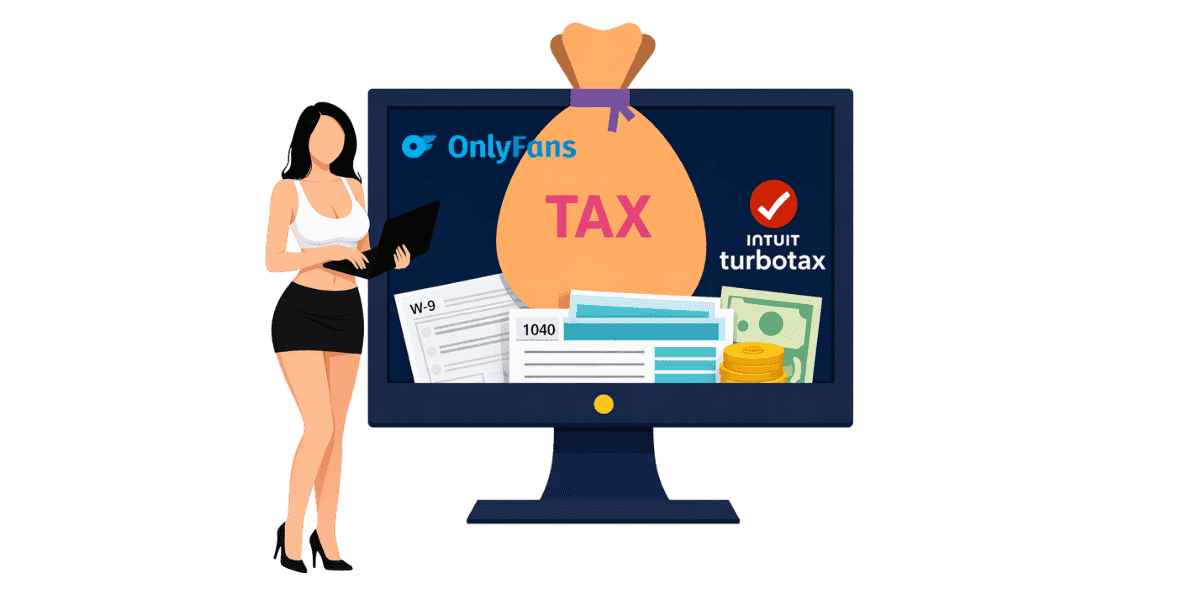
Como declarar impostos OnlyFans no TurboTax exige o relatório de sua renda de criador como rendimentos de trabalho autônomo usando o Anexo C e a reivindicação de todas as deduções comerciais elegíveis para minimizar sua responsabilidade fiscal. A renda de OnlyFans é tributável independentemente do valor ganho, e o TurboTax fornece etapas guiadas que tornam o pedido de trabalho autônomo acessível mesmo para os que registram pela primeira vez. Este guia orienta você em todas as etapas do processo, desde a coleta de documentos até o envio de sua devolução.
Compreendendo as obrigações fiscais do OnlyFans
Por que a renda de OnlyFans é tributável?
Todos os ganhos do OnlyFans são considerados rendimentos de trabalho autônomo pelo IRS. Isso se aplica quer você receba um formulário 1099-NEC ou não. Mesmo que você tenha ganhado uma pequena quantia, ela deve ser informada em sua declaração de imposto de renda. OnlyFans é obrigado a emitir um Formulário OnlyFans 1099 para criadores que ganharam US$ 600 ou mais durante o ano fiscal, mas toda a renda, independentemente do valor, ainda pode ser informada. Muitos criadores ficam surpresos ao saber que a receita proveniente de gorjetas, compras de PPV e taxas de assinatura são tratadas de forma idêntica pelo IRS, não há limite mínimo abaixo do qual os ganhos se tornam não tributáveis.
Noções básicas de imposto sobre trabalho autônomo
Como criador autônomo, você deve imposto de renda e imposto sobre trabalho autônomo. O imposto sobre trabalho autônomo cobre as contribuições para a Segurança Social e o Medicare que um empregador normalmente pagaria em seu nome. A alíquota do imposto sobre trabalho autônomo é de 15,3% sobre o seu rendimento líquido. Isso é um acréscimo à sua taxa normal de imposto de renda, que varia de acordo com sua renda tributável total.
Pagamentos de impostos estimados trimestralmente
Se você espera dever US$ 1.000 ou mais em impostos, o IRS exige pagamentos de impostos estimados trimestralmente. Esses pagamentos vencem em abril, junho, setembro e janeiro referentes aos lucros do trimestre anterior. Deixar de fazer pagamentos trimestrais pode resultar em penalidades, mesmo que você pague o valor total no momento do depósito. Entendendo o seu pleno Obrigações fiscais de OnlyFans ajuda você a planejar pagamentos ao longo do ano, em vez de enfrentar uma conta grande no momento do arquivamento. Uma abordagem simples: reserve 30% de cada retirada para uma conta poupança separada, designada exclusivamente para impostos.
Reunindo seus documentos fiscais
Documentação de Renda
Antes de abrir o TurboTax, reúna todos os documentos necessários. Seu 1099-NEC de OnlyFans mostra o total de ganhos relatados. Se você não recebeu um 1099, use seus demonstrativos de ganhos do OnlyFans para calcular a renda total. Inclua receitas de todas as plataformas se você criar conteúdo em vários sites. Mantenha registros de quaisquer fontes de renda adicionais, como gorjetas recebidas fora do OnlyFans ou vendas de mercadorias.
Registros de despesas e recibos
Colete recibos e registros de todas as despesas relacionadas aos negócios. Isso inclui compras de equipamentos, como câmeras, iluminação e adereços. Contas de Internet e telefone usadas parcialmente para negócios se qualificam. Os custos de assinatura para software de edição, armazenamento em nuvem e outras ferramentas são dedutíveis. Despesas de marketing, incluindo promoções pagas e Cartões de visita OnlyFans conte também. Os registros organizados tornam o arquivamento mais rápido e garantem que você reivindique todas as deduções elegíveis. O sistema mais fácil: fotografe os recibos imediatamente após a compra e guarde-os em uma pasta dedicada organizada por mês.
W-9 e informações bancárias
Verifique se OnlyFans tem o seu correto Formulário W-9 informações em arquivo para garantir relatórios 1099 precisos. Tenha suas informações bancárias em mãos para depósito direto de qualquer reembolso. Se você fez pagamentos estimados de impostos durante o ano, reúna também esses registros de pagamento.
Arquivamento passo a passo no TurboTax
Escolhendo a versão correta do TurboTax
Para obter renda OnlyFans, você precisa do TurboTax Self-Employed ou TurboTax Premium (anteriormente Self-Employed). As versões gratuita e básica não oferecem suporte a relatórios de trabalho autônomo Cronograma C. TurboTax Self-Employed inclui etapas guiadas projetadas especificamente para economia de gig e renda do criador, tornando o processo simples.
Inserindo sua renda OnlyFans
No TurboTax, navegue até a seção Autônomo. Selecione se você tem renda 1099-NEC. Insira o valor do seu 1.099 ou seus ganhos totais, caso você não tenha recebido nenhum. O TurboTax criará automaticamente seu Cronograma C e calculará o imposto sobre trabalho autônomo. Descreva seu tipo de negócio como criação de conteúdo ou entretenimento digital quando solicitado.
Reivindicando deduções comerciais
TurboTax orienta você nas deduções comuns de trabalho autônomo. Insira despesas com equipamentos, software, internet, telefone, marketing e quaisquer outros custos comerciais. Se você usar um espaço dedicado em sua casa para criação de conteúdo, poderá ser aplicada a dedução do escritório em casa. Despesas com veículos para viagens de negócios, como participação em eventos de criação de conteúdo, também são dedutíveis. O Diretrizes de despesas comerciais do IRS fornecer informações detalhadas sobre o que se qualifica.
Deduções comuns para criadores OnlyFans
Equipamentos e Tecnologia
Equipamentos de câmera, smartphones usados para conteúdo, configurações de iluminação, tripés, cenários e adereços são despesas comerciais dedutíveis. Assinaturas de equipamentos de informática e software de edição também se qualificam. Se o equipamento for usado para fins pessoais e comerciais, apenas a porcentagem de uso comercial será dedutível. Guarde os recibos e anote o objetivo comercial de cada compra.
Custos de criação de conteúdo
Guarda-roupas e fantasias adquiridos especificamente para criação de conteúdo são dedutíveis. Produtos de maquiagem e beleza usados no conteúdo se qualificam. As assinaturas de academias podem ser parcialmente dedutíveis se o condicionamento físico for fundamental para o seu nicho de conteúdo. Serviços profissionais como fotógrafos, editores ou Proteção de conteúdo OnlyFans serviços são despesas comerciais, os serviços de monitoramento e remoção DMCA são qualificados como custos comerciais legítimos, uma vez que protegem diretamente seu conteúdo gerador de renda. As taxas de assinatura de outros criadores para fins de pesquisa também podem ser qualificadas.
Marketing e serviços profissionais
Publicidade paga, ferramentas de gerenciamento de mídia social, hospedagem de sites e materiais promocionais, incluindo cartões de visita, são despesas de marketing dedutíveis. Serviços profissionais, incluindo honorários de contador, consultas jurídicas e serviços antipirataria qualificar como despesas comerciais. Se você trabalha com uma agência, as taxas de administração são dedutíveis de sua receita bruta.
Evitando erros fiscais comuns
Não relatando todas as receitas
O erro mais comum é não informar todas as receitas do OnlyFans. Mesmo que você não tenha recebido um 1099, todos os rendimentos são tributáveis. Gorjetas, receitas de PPV, receitas de assinaturas e quaisquer outros pagamentos por meio da plataforma devem ser informados. O IRS pode receber informações de pagamento de OnlyFans independentemente de você receber um 1099, portanto, a subnotificação é um convite ao risco de auditoria. Os criadores que usam múltiplas plataformas Fansly, Fanvue ou Chaturbate junto com OnlyFans devem relatar a receita de todas as fontes, não apenas daquela que enviou um 1099.
Deduções ausentes
Muitos criadores pagam impostos a mais ao perder deduções elegíveis. Acompanhe todas as despesas comerciais ao longo do ano, em vez de tentar lembrá-las na hora do imposto. Use uma conta bancária comercial dedicada ou cartão de crédito para facilitar o rastreamento de despesas. Revise a lista completa de deduções de trabalho autônomo antes de registrar para garantir que nada seja esquecido.
Esquecendo o imposto sobre trabalho autônomo
Os novos criadores são frequentemente surpreendidos pelo imposto de 15,3% sobre o trabalho autônomo, além do imposto de renda normal. Planeje isso reservando 25-35% de todos os ganhos do OnlyFans para impostos ao longo do ano. O TurboTax calcula o imposto sobre trabalho autônomo automaticamente, mas o planejamento antecipado evita estresse financeiro na hora do imposto. Considere usar o Calculadora de renda OnlyFans para projetar seus ganhos após impostos.
Arquivando seus impostos OnlyFans com confiança
A declaração de impostos OnlyFans no TurboTax é simples quando você entende o processo e reúne a documentação adequada. As etapas essenciais incluem:
- Reúna todos os documentos de rendimentos, incluindo formulários 1099-NEC e declarações de rendimentos
- Colete recibos de todas as despesas relacionadas aos negócios ao longo do ano
- Use TurboTax Self-Employed ou Premium para suporte do Cronograma C
- Reivindique todas as deduções elegíveis para equipamentos, marketing e serviços profissionais
- Reserve 25-35% dos rendimentos para trabalho autônomo e imposto de renda
- Faça pagamentos estimados trimestralmente para evitar penalidades
Proteger seu conteúdo protege sua renda e seus relatórios fiscais. Garanta seus ganhos com Enforcity e garantir que a receita informada reflita o valor total do seu conteúdo protegido.
Proteja Seu Conteúdo
- Detecção de vazamentos 24/7
- Remoções DMCA automatizadas
- Proteção específica para OnlyFans
- Alertas de monitoramento em tempo real
Perguntas Frequentes
Não encontrou a resposta?

Emily
Estrategista de Conteúdo Digital
Emily é uma especialista em proteção de conteúdo digital com mais de 5 anos de experiência ajudando criadores a proteger seu trabalho online. Ela é especializada em aplicação de DMCA e estratégias de remoção específicas por plataforma.
Proteja Seu Conteúdo
- Detecção de vazamentos 24/7
- Remoções DMCA automatizadas
- Proteção específica para OnlyFans
- Alertas de monitoramento em tempo real
Artigos Relacionados

Usar um segundo celular desbloqueado para OnlyFans: por que e como
Usar um segundo celular desbloqueado para OnlyFans separa o trabalho de criador da vida pessoal. Aqui está como configurar, o que instalar e como manter seguro.
Ler Publicação
«Detected, opinion rejected» no OnlyFans: o que significa e como resolver
«Detected, opinion rejected» no OnlyFans explicado: o que o erro significa, o que dispara, como recorrer e como evitar que o mesmo conteúdo seja marcado de novo.
Ler Publicação
Melhor serviço online de proteção de conteúdo para criadores do OnlyFans
Melhor serviço online de proteção de conteúdo para OnlyFans: o que olhar, principais recursos, modelos de preço e como escolher o parceiro antipirataria certo em 2026.
Ler PublicaçãoRecursos Gratuitos

Protegendo Seu Bem-Estar Mental
Essenciais de saúde mental para criadores de conteúdo.

Manual Definitivo para Criadores OnlyFans
Recurso completo para todos os aspectos do sucesso no OnlyFans.

Como Proteger Seu Conteúdo 🌶️?
Como proteger seu conteúdo digital em múltiplas plataformas.

Como Se Manter Seguro como Criador?
Dicas essenciais de segurança para criadores de conteúdo.

O Que Todo Criador Precisa Saber Sobre Seus Direitos?
Noções básicas legais e direitos para criadores.

Como Proteger Sua Criatividade?
Um guia essencial para criadores do OnlyFans.

Glossário para Criadores de Conteúdo
Termos-chave que todo criador de conteúdo deve conhecer.

Checklist de Segurança de Conteúdo para Lucro Máximo
Checklist para proteger conteúdo e otimizar ganhos.

Como Parar Vazamentos Instantaneamente?
Proteja seu trabalho, assuma o controle e evite compartilhamento não autorizado em todas as plataformas instantaneamente.