How to Protect OnlyFans Account from Hacking: Complete Security Guide
How to protect OnlyFans account from hacking through two-factor authentication, strong passwords, phishing awareness, and proactive session management to keep your content and earnings safe.
In this article
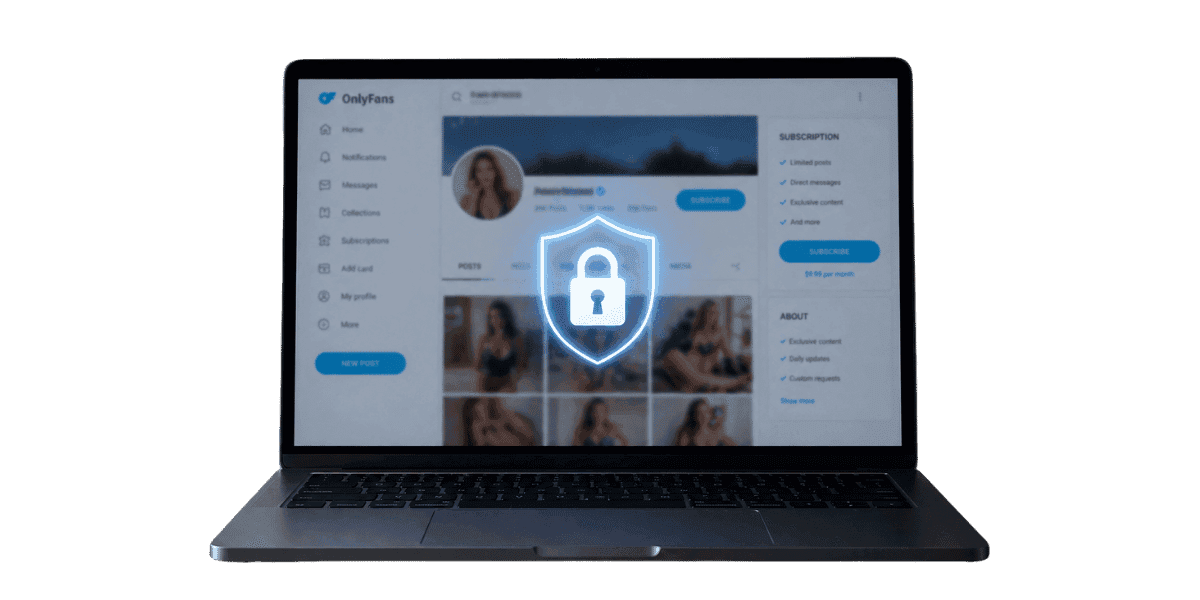
Knowing how to protect your OnlyFans account from hacking is essential for any creator who relies on the platform for income. It holds your content library, subscriber relationships, and earnings. A compromised account can lead to stolen revenue, leaked content, damaged reputation, and loss of your subscriber base. Hacking attempts against OnlyFans creators have increased significantly as the platform has grown, making account security a critical priority for anyone earning income through the platform. This guide walks you through every layer of protection available to keep your account secure.
Setting Up Two-Factor Authentication on OnlyFans
Two-factor authentication is the single most important security measure you can enable on your OnlyFans account. It adds a second verification step beyond your password, meaning that even if someone steals your login credentials, they still cannot access your account without the second factor. Without 2FA enabled, your account is protected only by your password, which is a significant vulnerability.
How to Enable 2FA on OnlyFans?
To enable two-factor authentication, log into your OnlyFans account and navigate to Settings, then Security. Select the option to enable two-factor authentication. OnlyFans supports authentication through both SMS-based codes and authenticator apps. Choose an authenticator app such as Google Authenticator, Authy, or Microsoft Authenticator for stronger security. Scan the QR code displayed on screen with your authenticator app, then enter the generated code to confirm the setup. Save the backup codes provided during setup in a secure location. These backup codes are your recovery method if you lose access to your authenticator app, so treat them with the same care as your password. When setup is complete, save the provided backup codes in multiple secure locations, losing both your authenticator and backup codes could permanently lock you out.
Why Authenticator Apps Are Better Than SMS?
While SMS-based two-factor authentication is better than no 2FA at all, authenticator apps provide significantly stronger protection. SMS codes can be intercepted through SIM swapping attacks, where a hacker convinces your mobile carrier to transfer your phone number to a new SIM card. This type of attack has been used to compromise high-profile social media accounts and is becoming more common. Authenticator apps generate codes locally on your device without relying on your phone number, making them immune to SIM swapping. Additionally, SMS messages can be delayed or fail to deliver, while authenticator apps generate codes instantly even without an internet connection.
Creating and Managing Strong Passwords
A strong unique password is the foundation of your account security. Many account compromises happen because creators reuse passwords from other services that have been breached, use easily guessable passwords, or share passwords insecurely. Your OnlyFans password should be treated as a high-security credential given the financial and personal content it protects.
What Makes a Strong Password?
Your OnlyFans password should be at least 16 characters long and include a mix of uppercase letters, lowercase letters, numbers, and special characters. Avoid using personal information such as your name, birthday, or username. Do not use common words, phrases, or patterns like password123 or qwerty. The most effective approach is to use a passphrase consisting of four or more random unrelated words combined with numbers and symbols. For example, a passphrase like Telescope7!Mountain$River&Clock is both strong and memorable. Never reuse your OnlyFans password on any other website or service. If any other site you use is breached and you share the same password, your OnlyFans account becomes immediately vulnerable.
Using a Password Manager
A password manager generates, stores, and auto-fills strong unique passwords for every account you have. Popular options include 1Password, Bitwarden, and Dashlane. With a password manager, you only need to remember one master password while having a unique complex password for every service you use. This eliminates the temptation to reuse passwords across sites. Password managers also alert you if any of your stored passwords appear in known data breaches, allowing you to change compromised credentials before they can be exploited. Set your password manager to generate passwords of at least 20 characters for maximum security, especially since OnlyFans identity protection starts with credentials only you control.
Recognizing and Preventing Phishing Attacks
Phishing is one of the most common methods hackers use to steal OnlyFans credentials. These attacks come in many forms including fake emails, fraudulent websites, deceptive DMs on social media, and even phone calls. Phishing attacks targeting OnlyFans creators have become increasingly sophisticated, often mimicking official OnlyFans communications with near-perfect accuracy.
Common OnlyFans Phishing Techniques
The most prevalent phishing attacks against OnlyFans creators include fake account verification emails that direct you to a lookalike login page, messages claiming your account will be suspended unless you verify your identity through a provided link, fake collaboration offers from supposed brands or agencies that require you to log in through a custom portal, and DMs on social media platforms from accounts impersonating OnlyFans support. These phishing attempts often create urgency to pressure you into acting quickly without thinking critically. The fake login pages they direct you to can look identical to the real OnlyFans site but are designed to capture your credentials the moment you type them. Learn more about these deceptive practices in our breakdown of common OnlyFans scams that target creators.
How to Verify Legitimate Communications?
Always verify the sender's email address carefully. Official OnlyFans emails come from domains ending in onlyfans.com. Check for subtle misspellings like onIyfans (with a capital I instead of lowercase L) or onlyfan5.com. Never click links in emails or messages claiming to be from OnlyFans. Instead, open a new browser tab and navigate directly to onlyfans.com to access your account. OnlyFans will never ask for your password through email, DM, or phone. Any request for your password outside of the official login page is a phishing attempt. When in doubt about any communication claiming to be from OnlyFans, contact their official support directly through the platform's help center.
Session Management and Device Security
Managing your active sessions and securing the devices you use to access OnlyFans are often overlooked aspects of account security. Even with a strong password and 2FA, poor session management can leave your account exposed. Understanding how sessions work and how to control them adds an important layer of protection.
Monitoring Active Sessions
Protecting your OnlyFans account from hacking also means monitoring who has access at the session level. OnlyFans allows you to view all active sessions on your account through the Security section in Settings. Review this list regularly and look for any sessions from unfamiliar locations, devices, or IP addresses. If you see a session you do not recognize, terminate it immediately and change your password. Make it a habit to check your active sessions at least once a week. After changing your password or if you suspect any unauthorized access, use the option to log out all other sessions. This forces anyone who may have gained access to your account to re-authenticate, which they cannot do without your updated password and 2FA code.
Securing Your Devices
Keep your operating system, browser, and apps updated to patch known security vulnerabilities. Use a reputable antivirus program and keep it current. Lock your phone and computer with strong PINs or biometric authentication. Avoid accessing your OnlyFans account on public computers or public WiFi networks. If you must use public WiFi, always connect through a VPN, the same network hygiene that protects your login also protects the copyright on OnlyFans content you upload from being intercepted in transit. Enable your device's built-in encryption features for both your phone and computer. If a device you use to access OnlyFans is lost or stolen, immediately change your OnlyFans password and terminate all sessions from another device.
Social Engineering Awareness for Creators
Social engineering attacks exploit human psychology rather than technical vulnerabilities. These attacks manipulate creators into revealing sensitive information, granting access to their accounts, or taking actions that compromise their security. Being aware of social engineering tactics is essential because no amount of technical security can protect you if you are tricked into handing over your credentials directly.
Common Social Engineering Tactics
Attackers use several psychological tactics to manipulate creators. Urgency is a favorite tool where they claim your account is about to be deleted or your payment will be frozen unless you act immediately. Authority exploitation involves impersonating OnlyFans staff, payment processors, or law enforcement to pressure you into compliance. Pretexting involves creating a believable scenario such as a fake brand collaboration or media interview to extract information. Reciprocity attacks involve offering something of value such as a large tip or promotional opportunity in exchange for information or actions that compromise your security. Recognizing these patterns is your first line of defense against social engineering attacks. Creators who encounter impersonation during social engineering attacks should also report through OnlyFans impersonation process — fake OnlyFans staff accounts are a reportable violation.
Building Social Engineering Resistance
Develop a personal security policy and follow it without exception. Decide in advance that you will never share your password, 2FA codes, or account recovery information with anyone regardless of who they claim to be. Establish a waiting period for any request that involves account access or financial decisions. Take at least 24 hours before responding to urgent requests to give yourself time to evaluate the situation calmly. Verify the identity of anyone claiming to represent OnlyFans or another organization through official channels before taking any action. Discuss security awareness with other creators in your network and share information about new social engineering tactics as you encounter them. Creators who share security awareness with others in their network can also benefit from understanding OnlyFans AI scams — AI-powered social engineering is becoming increasingly sophisticated and harder to detect.
What to Do If Your OnlyFans Account Is Hacked?
Even with the best security practices, account compromises can happen. Knowing exactly what to do in the event of a hack minimizes the damage and helps you regain control as quickly as possible. Speed is critical because every minute a hacker has access to your account, they can steal content, change payment information, and message your subscribers. Creators who also had content leaked during a hack should simultaneously address stolen OnlyFans content, account recovery and content removal are separate procedures that both need immediate attention.
Immediate Steps After a Hack
Even creators who know OnlyFans terms of service rules inside out can face a breach — acting fast is critical. If you can still access your account, change your password immediately and enable or re-enable 2FA. Terminate all active sessions from the Security settings. Check your payment information and withdrawal settings for any unauthorized changes. Review your recent account activity including messages sent, content posted or deleted, and subscription price changes. If you cannot access your account because the hacker changed your password, use the password reset feature through your registered email. If the hacker also changed your email address, contact OnlyFans support immediately with your identity verification documents and any proof of account ownership such as previous payment receipts or your original verification selfie.
Recovering and Securing Your Account
Once you regain access to your account, conduct a thorough audit. Change the password on the email account associated with your OnlyFans to prevent re-compromise through the same vector. Check whether any content was downloaded or shared during the breach. Review all messages sent to subscribers during the unauthorized access and send a message explaining the situation if the hacker contacted your subscribers. Update your payment information even if it appears unchanged, as the hacker may have recorded your banking details. Use stop content theft services if any of your content was stolen during the breach and distributed on other platforms. File a report with OnlyFans support documenting the full timeline of the hack and all changes the attacker made.
Keeping Your OnlyFans Account Secure for the Long Term
Protecting your OnlyFans account from hacking requires a multi-layered approach combining strong technical security measures with awareness of social engineering and phishing threats. Enable two-factor authentication with an authenticator app, use a unique strong password managed by a password manager, stay vigilant against phishing attempts, monitor your active sessions regularly, and know exactly what to do if a breach occurs. The time you invest in account security protects your income, your content, your reputation, and the trust your subscribers place in you.
Ready to add an extra layer of protection to your OnlyFans business? Create your Enforcity account and let our automated monitoring catch unauthorized content distribution and impersonation attempts before they damage your brand.
Protect Your Content
- 24/7 leak detection
- Automated DMCA takedowns
- OnlyFans-specific protection
- Real-time monitoring alerts
Frequently Asked Questions
Couldn't find an answer?

Emily
Digital Content Strategist
Emily is a digital content protection specialist with over 5 years of experience helping creators safeguard their work online. She specializes in DMCA enforcement and platform-specific takedown strategies.
Protect Your Content
- 24/7 leak detection
- Automated DMCA takedowns
- OnlyFans-specific protection
- Real-time monitoring alerts
Related Articles
How to Withdraw Money from OnlyFans: A Human-Friendly Guide for Creators
Learn how to withdraw money from OnlyFans with this complete guide. Discover payout options, processing times, common issues, and how to keep your earnings secure.
Read Post
Wheelchair OnlyFans Success Guide
Discover how disabled creators thrive on OnlyFans, breaking stereotypes, inspiring communities, and promoting inclusivity. Learn Wheelchair OnlyFans niche details.
Read Post
What You Need to Know Before Starting OnlyFans: Essential Tips and Strategies
Thinking about joining OnlyFans? Discover What You Need to Know Before Starting OnlyFans? Essential tips, strategies, and insights to maximize your success, protect your content, and grow your fanbase effectively. Start your journey with confidence!
Read PostFree Resources
Protecting Your Mental Wellness
Mental health essentials for content creators.

Ultimate Handbook for OnlyFans Creators
Comprehensive resource for all aspects of OnlyFans success.

How to Safeguard Your 🌶️ Content?
How to safeguard your digital content across multiple platforms.
How to Stay Safe as a Creator?
Essential safety tips for content creators.

What Every Creator Needs to Know About Their Rights?
Legal basics and rights for creators.
How to Protect Your Creativity?
A must-have guide for OnlyFans creators.

Glossary for Content Creators
Key terms every content creator should know.
Content Security Checklist for Maximum Profit
Checklist for securing content and optimizing earnings.
How to Stop Leaks Instantly?
Protect your work, take control, and prevent unauthorized sharing across platforms instantly.