Programación de contenido en Onlyfans: Guía de automatización completa para creadores
Programar contenido en Onlyfans ayuda a los creadores a automatizar las publicaciones, mantener la coherencia y maximizar la participación.
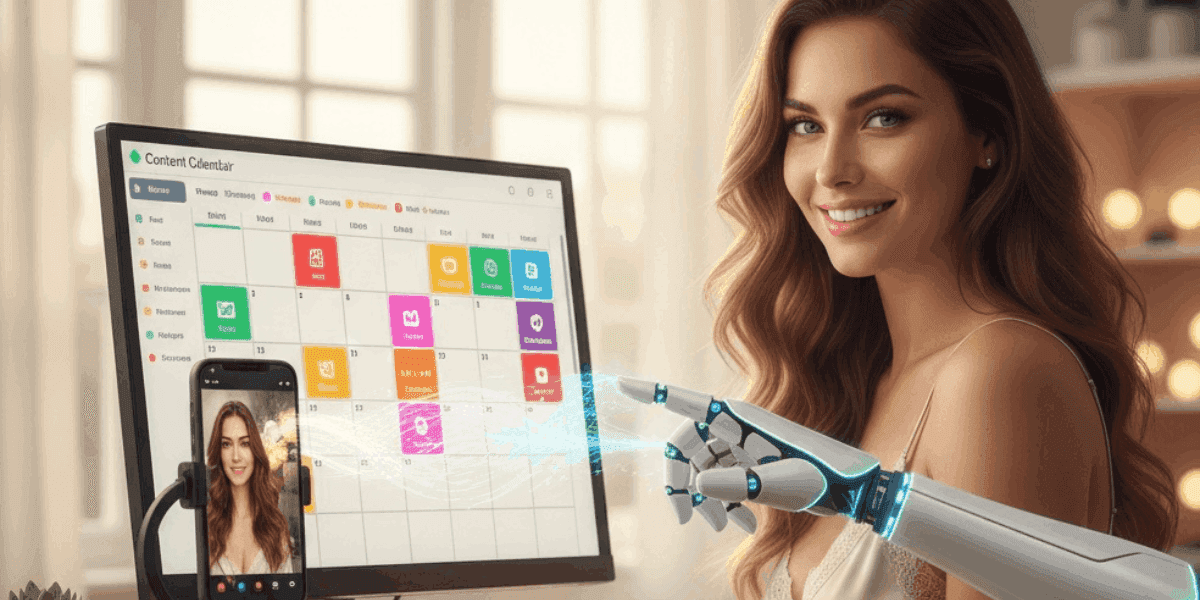
En este artículo
Programar contenido en Onlyfans transforma la forma en que los creadores administran su flujo de trabajo de publicación, lo que permite una participación constante sin la necesidad de una intervención manual constante. Esta poderosa característica de la plataforma le permite planificar, organizar y automatizar la publicación de contenido con días o semanas de anticipación, garantizando que sus suscriptores reciban actualizaciones periódicas incluso durante sus horas sin conexión. Ya sea que administre múltiples fuentes de ingresos, viaje o simplemente busque un mejor equilibrio entre el trabajo y la vida personal, dominar la programación de contenido es esencial para el éxito sostenible de los creadores.
La funcionalidad de programación elimina el estrés de la publicación en tiempo real y al mismo tiempo mantiene la presencia constante que impulsa la retención de suscriptores y el crecimiento de los ingresos. Al planificar estratégicamente su calendario de contenido y automatizar la distribución, puede concentrar más energía en crear contenido de alta calidad en lugar de administrar la logística de publicación. Para los creadores comprometidos con la gestión de cuentas a nivel profesional, comprender las mejores prácticas de programación representa una habilidad fundamental que separa las cuentas exitosas de aquellas que luchan con la coherencia.
¿Qué es la programación de contenido de Onlyfans?
La programación de contenido de Onlyfans es una función integrada de la plataforma que permite a los creadores preparar publicaciones con anticipación y establecer fechas y horas de publicación específicas para la publicación automática. Esta funcionalidad funciona con todo tipo de contenido, incluidas fotos, videos, publicaciones de texto y contenido de pago por evento, lo que le brinda control total sobre cuándo su audiencia ve su material.
Capacidades clave de programación:
- Selección de fecha y hora: Elija los momentos exactos de publicación al minuto
- Todos los tipos de contenido compatibles: Programe fotos, videos, textos, encuestas y mensajes PPV
- Programación por lotes: Ponga en cola varias publicaciones a la vez para una planificación eficiente
- Editar antes de publicar: Modifique las publicaciones programadas en cualquier momento antes de que se publiquen
- Funcionalidad de vista previa: Vea cómo aparecerán las publicaciones antes de la publicación automática
- Opción de eliminación automática: Configurar publicaciones para que se eliminen automáticamente después de un período específico
- Conciencia de zona horaria:Publicacionesse publicansegún la configuración de zona horaria seleccionada
A diferencia de las herramientas de programación de terceros que requieren acceso a API o soluciones alternativas, la programación nativa de OnlyFans está completamente integrada en la plataforma sin costos adicionales ni necesidad de configuración técnica. Esto lo hace accesible para todos los creadores, independientemente de su experiencia técnica o nivel de suscripción.
El sistema de programación mantiene todas las funciones de publicación, incluidos subtítulos, precios del contenido PPV, fechas de vencimiento y configuraciones avanzadas, como restricciones de niveles de suscriptores. Esto garantiza que el contenido programado tenga las mismas opciones de personalización que el contenido publicado manualmente.
¿Cómo acceder a la función de programación de Onlyfans?
Acceder a la función de programación de Onlyfans es sencillo una vez que comprende la interfaz de la plataforma. Sigue esta guía paso a paso para comenzar a programar tu contenido:
Proceso de programación paso a paso:
- Paso 1: Inicie sesión en su cuenta de creador de Onlyfans y navegue hasta su perfil
- Paso 2: Haga clic en el botón "Nueva publicación" para comenzar a crear contenido
- Paso 3: Cargue sus archivos multimedia (fotos, vídeos) o redacte su contenido de texto
- Paso 4: Escriba su título y configure los ajustes de la publicación (precio PPV, vencimiento, etc.)
- Paso 5: En lugar de hacer clic en "Publicar", busque la opción "Programar" debajo del botón de publicación
- Paso 6: Seleccione la fecha de publicación deseada utilizando la interfaz del calendario
- Paso 7: Elija la hora específica en la que desea que se publique la publicación
- Paso 8: Revise los detalles de su publicación programada y haga clic en "Confirmar" o "Programar publicación"
Gestión de publicaciones programadas:
- Accede a tu cola de contenido programada desde la sección "Publicaciones programadas" o "Cola" en tu panel de creador
- Ver todas las próximas publicaciones organizadas cronológicamente por fecha de publicación
- Edite las publicaciones programadas haciendo clic en ellas y modificando el contenido, los subtítulos o el tiempo
- Eliminar publicaciones programadas que ya no sean necesarias o relevantes
- Reprogramar publicaciones cambiando su fecha y hora de publicación
- Publique inmediatamente seleccionando la opción "Publicar ahora" para cualquier elemento programado
La interfaz proporciona indicadores visuales claros que muestran qué publicaciones están programadas y qué publicaciones están publicadas, lo que facilita la administración de su canal de contenido de un vistazo.
Beneficios estratégicos de programar contenido
La implementación de una estrategia de programación coherente ofrece numerosas ventajas que impactan directamente en la sostenibilidad y el potencial de ingresos de su negocio de creadores. Comprender estos beneficios le ayudará a maximizar el valor de la función de programación.
BeneficioImpactoEstrategia de implementaciónPublicación consistenteRetención de suscriptores entre un 40% y un 60% mayorPrograme publicaciones a intervalos regulares para mantener una presencia predecibleAdministración del tiempoAhorre entre 5 y 10 horas por semanaCree contenido en lotes y programe todo a la vezMomento óptimoIncremento del compromiso entre un 25% y un 35%Programe publicaciones durante las horas pico de actividad de la audienciaEquilibrio entre vida personal y laboralReducción del agotamiento del creadorPrograme contenido durante las horas de trabajo para publicación vespertina/nocturnaPresencia profesionalCuenta percibida más alta valorMantener la coherencia en las publicaciones incluso durante viajes o tiempo librePlanificación estratégicaMejor calidad del contenidoPlanifique series de contenido temático y campañas promocionales con anticipación
La programación permite a los creadores separar el tiempo de creación de contenido del tiempo de publicación de contenido, lo que a menudo produce material de mejor calidad, ya que no hay prisa por cumplir con plazos de publicación arbitrarios. Esta separación también permite una mejor alineación con los períodos de máxima participación de su audiencia.
Muchos creadores exitosos combinan la programación con estrategias integrales de contenido y medidas de protección. Comprender cómo programar de manera efectiva va de la mano con saber cómo atraer y retener suscriptores.
Además, la programación proporciona coherencia, algo que los suscriptores valoran mucho. Cuando los seguidores saben que usted publica en momentos o intervalos específicos, es más probable que revisen su página con regularidad, lo que aumenta las tasas de participación y crea patrones de visualización habituales que mejoran el rendimiento general de la cuenta.
Creación de un calendario de contenido eficaz
Un calendario de contenido bien estructurado transforma la publicación aleatoria en una distribución de contenido estratégica que genera una participación e ingresos constantes. Crear este calendario requiere equilibrar la variedad, la coherencia y las expectativas de la audiencia y, al mismo tiempo, adaptarse a su flujo de trabajo creativo.
Marco del calendario de contenidos:
- Publicación mínima diaria: Programe al menos una publicación por día para mantener la visibilidad algorítmica
- Mezcla de contenido semanal: Planifique 3-4 publicaciones regulares, 2-3 publicaciones premium, 1-2 publicaciones de bóveda
- Temas mensuales: cree temas de contenido generales que vinculen las publicaciones
- Planificación estacional: Prepare el contenido de vacaciones y eventos especiales con 2 o 3 semanas de anticipación
- Integración promocional: Programe anuncios de descuentos y ofertas especiales estratégicamente
Ejemplo de programación de contenido semanal:
DíaMañana (9 a.m.)Tarde (8 p.m.)LunesPublicación motivacional + adelantoConjunto de fotos de contenido regularMartesContenido detrás de escenaAnuncio de vista previa de PPVMiércolesNueva publicación de Vault (alto rendimiento)Nuevo contenido de videoJuevesPublicación de apreciación del suscriptorConjunto de fotos de contenido regularViernesAvance de vista previa del fin de semanaLanzamiento de contenido PPV premiumSábadoEncuesta interactiva o preguntas y respuestasContenido destacado (mejor trabajo)DomingoContenido informal/personalVista previa de la semana anterior
Herramientas de planificación del calendario:
- Hojas de cálculo digitales para el seguimiento de publicaciones y temas programados
- Sistema de codificación por colores para diferentes tipos de contenido
- Sección de notas para ideas de publicaciones y comentarios de suscriptores
- Columnas de seguimiento del rendimiento para perfeccionar la programación futura
Los calendarios eficaces equilibran la previsibilidad con la espontaneidad. Si bien mantener una programación constante genera confianza en los suscriptores, dejar espacio para publicaciones oportunas y no programadas hace que su contenido se sienta fresco y receptivo. Comprender los principios fundamentales de planificación tratados en lo que necesitas saber antes de iniciar Onlyfans le ayuda a desarrollar prácticas de programación sostenibles desde el principio.
Programación de estrategias de automatización
Las estrategias de automatización avanzadas aprovechan la funcionalidad de programación para crear sistemas de distribución de contenido autosostenibles que mantienen el compromiso con una mínima intervención diaria. Estas técnicas separan a los creadores profesionales de aquellos que luchan por la coherencia.
Flujo de trabajo de creación de contenido por lotes:
- Días dedicados a la creación: Reserve días específicos para filmar/fotografiar múltiples piezas de contenido
- Programación inmediata: Programe todo el contenido creado inmediatamente después de la producción
- Reserva de dos semanas: Mantener al menos 14 días de contenido preprogramado como margen de seguridad
- Lotes de temas: Cree múltiples variaciones de contenido temático en una sola sesión
- Integración de bóveda: Mezcle contenido nuevo programado con publicaciones estratégicas de la bóveda
Flujos de trabajo de automatización por tipo de creador:
- Creadores a tiempo parcial: Programar la creación de contenido durante el fin de semana para su publicación entre semana
- Creadores a tiempo completo: Cree con 3 o 4 semanas de anticipación para adaptarse a la flexibilidad creativa
- Creadores gestionados por agencias: Implementar canales de programación de 4 a 6 semanas con supervisión del gerente
- Creadores multiplataforma: Coordinar la programación de Onlyfans con los calendarios de otras plataformas
Técnicas avanzadas de automatización:
- Programe diferentes niveles de contenido para varios niveles de suscripción
- Cree patrones de publicación recurrentes que los suscriptores anticipen
- Automatizar ciclos promocionales (anuncios de descuentos, ofertas limitadas)
- Programe publicaciones de secuencia de bienvenida para saludar automáticamente a los nuevos suscriptores
- Configure contenido navideño con semanas de anticipación para evitar el estrés de último momento
Recuerde que la automatización debe mejorar, no reemplazar, la interacción auténtica con el suscriptor. Equilibre la publicación automatizada con una participación genuina a través de mensajes, comentarios y publicaciones espontáneas ocasionales que demuestren su presencia activa.
Errores comunes de programación de contenido que se deben evitar
Si bien la programación ofrece enormes beneficios, ciertos errores pueden socavar su eficacia y dañar las relaciones con los suscriptores. Reconocer y evitar estos obstáculos garantiza que su estrategia de programación apoye, en lugar de obstaculizar, el crecimiento de la cuenta.
Errores críticos de programación:
- Sobreprogramación sin compromiso: Automatizar publicaciones pero nunca responder a los comentarios hace que tu página parezca robótica
- Ignorando las diferencias de zona horaria: Programación basada en su zona horaria cuando los suscriptores son principalmente internacionales
- Sin búfer de contenido: Quedarse sin publicaciones programadas obliga a tener contenido apresurado y de menor calidad
- Olvidar actualizar los subtítulos: Publicaciones programadas con información promocional o referencias desactualizadas
- Programar horarios inadecuados: Publicar contenido confidencial durante el horario laboral del suscriptor en su zona horaria
- Nunca publicar en vivo: La dependencia total de la programación elimina la espontaneidad y la conexión en tiempo real
- Publicación duplicada: Programar accidentalmente el mismo contenido dos veces en momentos diferentes
- Ignorar los datos de rendimiento: Mantener horarios programados que los análisis muestran que funcionan mal
Cómo evitar estos errores:
- Establece recordatorios diarios para consultar la cola de publicaciones programadas y el contenido próximo
- Revise todas las publicaciones programadas semanalmente para asegurarse de que los subtítulos y el tiempo sigan siendo relevantes
- Mantener la interacción del suscriptor separada del programa de publicación automatizado
- Cree plantillas de programación que tengan en cuenta múltiples picos de zonas horarias
- Cree un búfer de contenido de 3 a 4 semanas para evitar lagunas en la programación
- Mezcle publicaciones programadas con al menos 2-3 publicaciones espontáneas semanalmente
- Utilice análisis para perfeccionar continuamente los tiempos de programación y los tipos de contenido
Proteger su contenido programado es igualmente importante. Asegúrese de contar con medidas de seguridad integrales, ya que el contenido filtrado puede socavar su estrategia de programación. ProfesionalProtección de contenido de OnlyfansLos servicios monitorean la distribución no autorizada de material programado y publicado.
Herramientas y alternativas de programación de terceros
Si bien la programación nativa de OnlyFans maneja la mayoría de las necesidades de los creadores, algunas herramientas de terceros ofrecen una funcionalidad ampliada para los creadores que administran estrategias de contenido complejas en múltiples plataformas. Comprender estas opciones le ayudará a elegir el enfoque de programación adecuado para su situación específica.
| Feature | Solo fans nativos | Herramientas de terceros |
|---|---|---|
| Costo | Gratis (incluido) | $10-100+ suscripciones mensuales |
| Complejidad de configuración | No se requiere configuración | Vinculación de cuentas, acceso a API, curva de aprendizaje |
| Multiplataforma | Sólo fanáticos | Programe en múltiples plataformas simultáneamente |
| Analítica | Análisis básico de plataforma | Seguimiento e informes de rendimiento avanzados |
| Apoyo | Soporte de plataforma oficial | Varía según el proveedor de servicios. |
| Seguridad | Acceso directo a la plataforma | Acceso de terceros a las credenciales de la cuenta |
Cuando las herramientas de terceros tienen sentido:
- Administrar varias cuentas de creador simultáneamente
- Coordinación de contenido en Onlyfans y otras plataformas de suscripción
- Requerir análisis avanzados más allá de las ofertas de plataformas nativas
- Colaboración en equipo con varias personas gestionando la programación
- Importación masiva y programación de grandes bibliotecas de contenido
Consideraciones de seguridad:
- Las herramientas de terceros requieren credenciales de acceso a la cuenta, lo que genera riesgos de seguridad
- Las herramientas no oficiales pueden violar los términos de servicio de Onlyfans
- Las credenciales de cuenta compartidas con terceros aumentan la vulnerabilidad a las fugas
- Verifique siempre la legitimidad de la herramienta y lea las reseñas de los usuarios antes de otorgar acceso
Para la mayoría de los creadores, la programación nativa de Onlyfans proporciona una funcionalidad suficiente sin costos adicionales ni preocupaciones de seguridad. Considere únicamente alternativas de terceros cuando tenga necesidades específicas que justifiquen la complejidad y el gasto adicionales. Independientemente de las herramientas que utilice, mantener prácticas de seguridad sólidas sigue siendo fundamental para proteger su contenido y su cuenta.
Programación para audiencias globales y zonas horarias
Los creadores con bases de suscriptores internacionales enfrentan desafíos de programación únicos que requieren enfoques estratégicos que se adapten a múltiples zonas horarias simultáneamente. Una programación global eficaz maximiza el alcance en diversas audiencias geográficas y, al mismo tiempo, mantiene una frecuencia de publicación manejable.
Estrategias de programación de zonas horarias múltiples:
- Enfoque de zona horaria principal: Identifique su mayor concentración de suscriptores y programe sus horas pico
- Ventanas de publicación dual: Programe dos publicaciones diarias dirigidas a diferentes grupos principales de zonas horarias
- Horario rotativo: Varíe los horarios de publicación a lo largo de la semana para llegar a audiencias de diferentes zonas horarias
- Optimización del fin de semana: Utilice los fines de semana cuando las diferencias de zona horaria importan menos debido a los horarios flexibles
- Sincronización basada en análisis: Permitir que los datos de actividad del suscriptor determinen la estrategia de publicación en múltiples zonas horarias
Marco de programación global:
| Target Region | Hora de publicación óptima (local) | Tipo de contenido |
|---|---|---|
| América del norte | 7-9 p.m. hora del Este | Contenido nocturno premium |
| Europa | 20:00-22:00 GMT | Publicaciones regulares de participación |
| Asia-Pacífico | 9-11 p.m. hora local | Contenido matutino para audiencias occidentales |
| Sudamerica | 7-9 p.m. hora local | Contenido de participación nocturna |
Gestión de la complejidad de la zona horaria:
- Utilice herramientas de conversión de zona horaria al planificar horarios de publicación internacional
- Configure la zona horaria de su cuenta de Onlyfans para que coincida con la ubicación de su audiencia principal
- Cree un gráfico de referencia de zona horaria para tomar decisiones rápidas de programación
- Monitorear el crecimiento de suscriptores por región para ajustar las prioridades de programación
- Considere los cambios de horario estacionales (horario de luz diurna) al programar con semanas de anticipación
Recuerde que publicar con más frecuencia para cubrir múltiples zonas horarias puede volverse insostenible rápidamente. Concéntrese en identificar las ventanas horarias 1 o 2 que capturan a la mayoría de su base de suscriptores en lugar de intentar adaptarse a todas las zonas horarias posibles.
Equilibrio de publicaciones programadas con contenido en vivo
Los creadores de OnlyFans más exitosos logran un equilibrio estratégico entre contenido programado automatizado y publicaciones espontáneas en vivo. Este enfoque híbrido mantiene la coherencia al tiempo que preserva la conexión auténtica y en tiempo real que diferencia a OnlyFans de las plataformas de medios tradicionales.
Ratios de equilibrio óptimos:
- Nuevos creadores (0-3 meses): 60% programado, 40% en vivo para construir conexiones auténticas
- Creadores establecidos (3-12 meses): 75 % programado, 25 % en vivo para un flujo de trabajo sostenible
- Creadores profesionales (más de 12 meses): 85% programado, 15% en vivo para máxima eficiencia
- Durante las promociones: 50% programado, 50% en vivo para mantener el impulso de participación
Usos estratégicos de publicación en vivo:
- Anuncios urgentes: Ventas, ofertas limitadas y actualizaciones urgentes requieren publicación inmediata
- Interacción del suscriptor: Responder a solicitudes o comentarios con contenido relevante
- Temas de actualidad: Aprovechar eventos actuales o momentos virales
- Momentos espontáneos: Vislumbres detrás de escena que parecen auténticos e inmediatos
- Probando contenido nuevo: Evalúe la reacción de la audiencia antes de comprometerse con una serie programada
Mantener la autenticidad al programar:
- Programe contenido masivo pero interactúe manualmente con los comentarios diariamente
- Agregue 2-3 "Historias" no programadas o publicaciones casuales semanalmente
- Utilice publicaciones programadas para contenido profesional, publicaciones en vivo para conexión personal
- De vez en cuando mencione "programar esto mientras viaja" para mantener la transparencia
- Responde a los mensajes en tiempo real incluso cuando las publicaciones están automatizadas
Construir relaciones sólidas con los suscriptores a través de estrategias de mensajería efectivas funciona junto con la programación. Explorar probado Técnicas de mensajes de bienvenida de Onlyfans que crean conexiones personales incluso dentro de flujos de trabajo automatizados.
El objetivo es crear la percepción de disponibilidad constante y al mismo tiempo mantener límites de trabajo saludables a través de una programación estratégica. Los suscriptores deben sentir que usted está presente activamente, incluso cuando la mayor parte del contenido se publica automáticamente.
Técnicas avanzadas de programación para una máxima participación
Los creadores de nivel profesional emplean técnicas de programación sofisticadas que van más allá de la automatización básica, utilizando estrategias basadas en datos y principios psicológicos para maximizar el impacto del contenido y la retención de suscriptores.
Marcos de programación avanzados:
- Programación pico-valle: Alternar publicaciones de alto valor con contenido más ligero para mantener un compromiso sostenible
- Secuencias de suspenso: Programe series de contenido que generen anticipación durante varios días
- Programación de escasez: Establecer vencimiento automático en publicaciones programadas para crear urgencia
- Programación de lanzamientos escalonados: Brinde a los suscriptores VIP acceso temprano antes de la publicación general
- Programación optimizada en términos de ingresos: Hora de lanzamiento del contenido PPV cuando las tasas de conversión históricamente alcanzan su punto máximo
Optimización de la programación basada en datos:
- Realice un seguimiento de las métricas de participación publicando el tiempo para identificar sus picos de audiencia específicos
- Prueba A/B con diferentes tiempos de programación para tipos de contenido idénticos
- Monitorear los patrones de crecimiento de suscriptores y ajustar la programación para que coincida con los nuevos datos demográficos
- Analice las tasas de conversión de PPV mediante el tiempo de publicación para optimizar la programación de ingresos
- Utilice datos estacionales para ajustar los horarios de días festivos y eventos especiales
Tácticas de programación psicológica:
- La coherencia crea hábito: Programe publicaciones exactamente al mismo tiempo para crear rutinas de verificación de suscriptores
- Momento de recompensa variable: De vez en cuando publique contenido premium en momentos inesperados para mantener la sorpresa
- Generación de anticipación: Programe publicaciones de vista previa 24-48 horas antes de que salga el contenido principal
- Patrones de finalización: Poner fin a los horarios semanales con contenido sólido para fomentar las decisiones de resuscripción durante el fin de semana
Operaciones de programación de escala:
A medida que su cuenta crece, aumenta la complejidad de la programación. Los creadores profesionales suelen implementar:
- Equipos de creación de contenidos con programadores dedicados que gestionan los calendarios de publicaciones
- Hojas de cálculo de programación detalladas que rastrean el rendimiento de todo el contenido programado
- Seguimiento de ingresos integrado con programación para identificar patrones de publicación de mayor valor
- Sistemas de programación de múltiples niveles para diferentes niveles de abonados
Utilice un completoCalculadora de ingresos de Onlyfanspara comprender cómo su estrategia de programación afecta las ganancias generales, permitiendo mejoras basadas en datos que maximizan los ingresos por publicación.
Recuerde que las técnicas de programación avanzadas deberían mejorar, en lugar de complicar, su flujo de trabajo. Implemente la sofisticación gradualmente a medida que su cuenta crezca e identifique oportunidades de optimización específicas a través de la experiencia y el análisis de datos.
Programación maestra de contenido para el éxito sostenible de los creadores
Programar contenido en Onlyfans representa una de las habilidades más impactantes para la sostenibilidad de los creadores y la gestión profesional de cuentas. Al transformar la publicación caótica y reactiva en una distribución de contenido estratégica y automatizada, se crea la coherencia que impulsa la retención de suscriptores y, al mismo tiempo, se mantiene el equilibrio entre el trabajo y la vida personal necesario para el éxito a largo plazo.
A lo largo de esta guía completa, hemos explorado los fundamentos de la programación, los métodos de acceso, los beneficios estratégicos, el momento óptimo, la creación de un calendario de contenido, los flujos de trabajo de automatización, los errores comunes, las herramientas de terceros, la gestión de audiencia global, el equilibrio del contenido en vivo y las técnicas avanzadas de optimización. Cada elemento contribuye a un enfoque de programación sofisticado que separa a los creadores profesionales de los aficionados.
Una programación eficaz va más allá de simplemente establecer tiempos de publicación: requiere comprender el comportamiento de la audiencia, analizar los datos de rendimiento, mantener una participación auténtica y proteger su inversión en contenido. Cuando se combina con sólidas prácticas de creación de contenido y planificación estratégica, la programación se convierte en un multiplicador de fuerza que amplía el valor de cada contenido que crea.
Las conclusiones clave para el éxito de la programación incluyen mantener patrones de publicación consistentes, optimizar para los picos de audiencia en la zona horaria, crear reservas de contenido sustanciales, equilibrar la automatización con la espontaneidad y perfeccionar continuamente su enfoque en función del análisis de rendimiento. Los creadores que dominan estos principios de programación informan una reducción drástica del estrés, una mejor calidad del contenido y mayores tasas de satisfacción de los suscriptores.
A medida que crea su biblioteca de contenido y su sistema de programación, recuerde que cada publicación programada representa una oportunidad para atraer suscriptores y generar ingresos, pero solo si ese contenido sigue siendo exclusivamente suyo. Los servicios profesionales de protección de contenido garantizan que su material programado se mantenga seguro contra filtraciones y piratería, protegiendo tanto su cronograma de publicación actual como su potencial de ingresos futuros a través de un monitoreo integral y una rápida aplicación de la DMCA.
Comience a implementar estas estrategias de programación hoy para transformar su flujo de trabajo de Onlyfans de reactivo a estratégico. Ya sea que esté comenzando a experimentar con la programación u optimizando un sistema de automatización establecido, los principios y técnicas cubiertos en esta guía brindan una hoja de ruta para una gestión de contenido sostenible, eficiente y rentable que respalda el éxito de los creadores a largo plazo.
¿Listo para automatizar la protección de tu contenido?Inicie una prueba gratuita para proteger su contenidoy obtenga monitoreo las 24 horas del día, los 7 días de la semana, eliminaciones automatizadas de DMCA y protección de contenido profesional.
Protege Tu Contenido
- Detección de filtraciones 24/7
- Eliminaciones DMCA automatizadas
- Protección específica para OnlyFans
- Alertas de monitoreo en tiempo real
Preguntas Frecuentes
¿No encontraste una respuesta?

Emily
Estratega de Contenido Digital
Emily es una especialista en protección de contenido digital con más de 5 años de experiencia ayudando a creadores a proteger su trabajo en línea. Se especializa en la aplicación de DMCA y estrategias de eliminación específicas de cada plataforma.
Protege Tu Contenido
- Detección de filtraciones 24/7
- Eliminaciones DMCA automatizadas
- Protección específica para OnlyFans
- Alertas de monitoreo en tiempo real
Artículos Relacionados

Usar un segundo teléfono desbloqueado para OnlyFans: por qué y cómo
Usar un segundo teléfono desbloqueado para OnlyFans separa el trabajo de creador de la vida personal. Aquí te explicamos cómo configurar uno, qué instalar y cómo mantenerlo seguro.
Leer Artículo
«Detected, opinion rejected» en OnlyFans: qué significa y cómo arreglarlo
«Detected, opinion rejected» en OnlyFans explicado: qué significa el mensaje, qué lo activa, cómo apelar y cómo evitar que el mismo contenido vuelva a marcarse.
Leer Artículo
Mejor servicio de protección de contenido online para creadores de OnlyFans
Mejor servicio de protección de contenido online para OnlyFans: qué mirar, funciones clave, modelos de precio y cómo elegir al partner anti-piratería adecuado en 2026.
Leer ArtículoRecursos Gratuitos

Protegiendo Tu Bienestar Mental
Esenciales de salud mental para creadores de contenido.

Manual Definitivo para Creadores de OnlyFans
Recurso completo para todos los aspectos del éxito en OnlyFans.

¿Cómo Proteger Tu Contenido 🌶️?
Cómo proteger tu contenido digital en múltiples plataformas.

¿Cómo Mantenerte Seguro como Creador?
Consejos esenciales de seguridad para creadores de contenido.

¿Qué Necesita Saber Todo Creador Sobre Sus Derechos?
Fundamentos legales y derechos para creadores.

¿Cómo Proteger Tu Creatividad?
Una guía imprescindible para creadores de OnlyFans.

Glosario para Creadores de Contenido
Términos clave que todo creador de contenido debe conocer.

Lista de Verificación de Seguridad de Contenido para Máximos Beneficios
Lista de verificación para asegurar contenido y optimizar ganancias.

¿Cómo Detener Filtraciones al Instante?
Protege tu trabajo, toma el control y prevén la distribución no autorizada en las plataformas al instante.