Cómo transmitir en Onlyfans: la guía del creador de 2025 para publicar en vivo y mantenerlo seguro
¿Cómo transmitir en Onlyfans? Equipo, configuración, monetización y protección de contenido impulsada por IA.
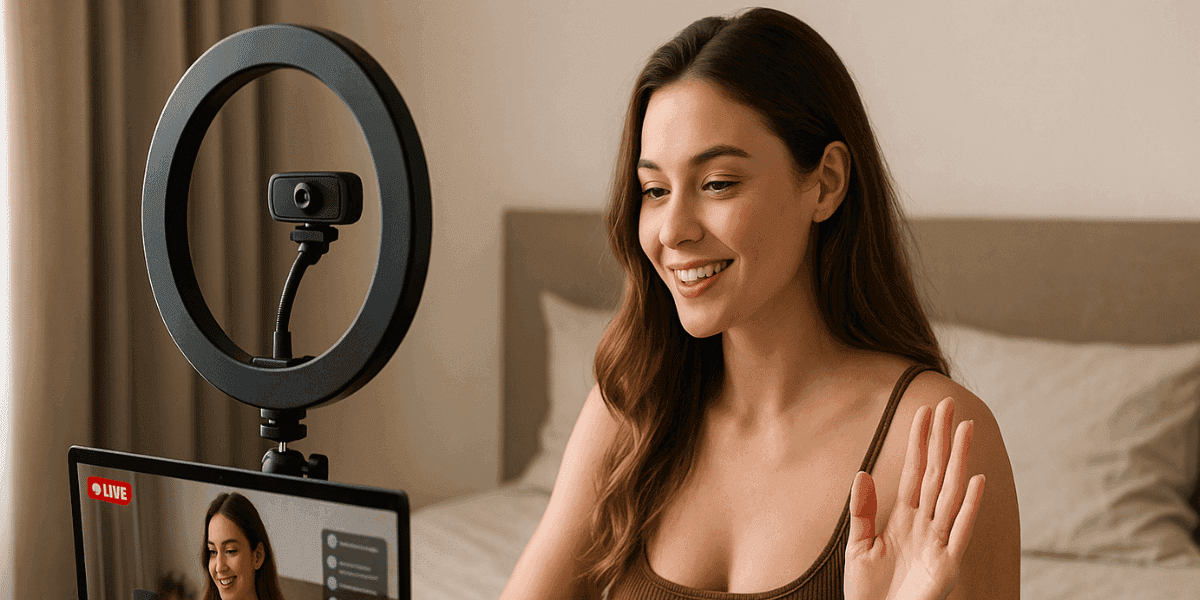
En este artículo
¿Por qué es importante la transmisión en vivo en Onlyfans?
Los espectáculos en vivo se han disparado en toda la economía de los creadores picantes. Desde que Onlyfans lanzó la transmisión nativa,Los ingresos medios de los creadores por sugerencias en directo aumentaron un 38 %—Y ese salto se duplica cuando las transmisiones utilizan objetivos dinámicos. La transmisión en vivo elimina la demora entre tu personalidad y la billetera de un fan; es la versión digital de una sala VIP conComprar ahorabotón.
Consejo interno:NuestroHistorias de éxito de OnlyfansLa página muestra a los creadores que agregaron transmisiones semanales y alcanzaron meses de seis cifras.
Lista de verificación de equipo y tecnología
| Needed | Opción de presupuesto | Opción Pro |
|---|---|---|
| Camera | Teléfono inteligente (1080p) | Best camera for OnlyFans (Sony ZV-E10) |
| Mic | Lavalier (< $30) | Micrófono XLR + interfaz de audio |
| Lighting | Anillo de luz de 18″ | Paneles LED clave y de relleno |
| Encoder | Onlyfans en el navegador | Estudio OBS |
| Connection | Carga de 10 Mbps | Ethernet por cable de 50 Mbps |
¿No estás seguro de que tu equipo sea a prueba de fugas? Nuestroprotección del modelo de levaLa auditoría es gratuita para nuevos registros: 1 mes gratis para nuestroEscudoplan.
Configurando tu primera transmisión
Escritorio (OBS)
- Inicie sesión, haga clic enCrear > Lanzar en vivo.
- Copie la URL RTMP y la clave de transmisión.
- En OBSConfiguración > Transmisión, pegar detalles.
- Agregue fuentes de video/audio.
- GolpearIniciar transmisión—Consulta la vista previa en Onlyfans.
Móvil (aplicación OF)
ToqueEn vivo > Iniciar, establece un título,precios(gratis, solo suscriptores,PPV). Recuerdamejor momento para publicar en onlyfans– picos vespertinos (de 7 a 11 p.m. EST).
Recurso externo:Guía rápida de OBS.
Trucos de compromiso
- Metas dinámicas:"Si alcanzamos las propinas de $200, se revelará un nuevo atuendo".
- Encuestas y juegos:Utilice la encuesta del chat para elegir la velocidad del juguete.
- Nombre Agradecimientos:Agradezca a los que más volcan usando la manija: use unGenerador de nombre de usuario de Onlyfanssi lo suyo es incómodo.
- Macro de bienvenida:UnGenerador de mensajes de bienvenida de Onlyfans gratisEl mensaje envía automáticamente ventas adicionales de PPV justo después de la transmisión.
Protección de contenido de Onlyfans 101
Las transmisiones en vivo se pueden grabar en pantalla en segundos. Aquí está tu fortaleza:
- Recordatorio previo a la transmisión:Muestra una pizarra de derechos de autor hecha con nuestroPlantilla de descargo de responsabilidad de derechos de autor de Onlyfans.
- Marca de agua en tiempo real:Superponga su mango.
- Monitoreo de IA:Enforcity rastrea X, IG y Reddit en minutos; cualquier disparador de clip empuja ungenerador de plantillas de avisos dmcacarga útil.
- Eliminación instantánea:Un clic =x dmca,Eliminación de dmca de instagram,reddit dmcaboletos archivados.
- Insignia de protección de derechos de autor:Insertar nuestroInsignia de protección DMCApara la disuasión.
Llamada a la acción:Listo para transmitirsin¿miedo?Pruebe Enforcity Shield gratisdurante tu primer mes.
Reutilización y promoción posteriores a la transmisión
Graba avances de 30 segundos, marca de agua y luego compártelos en TikTok (ten en cuenta lasprotección de contenido de Tiktokreglas). Cada clip enlaza con su repetición en vivo controlada por PPV. Forma equipo con socios: aprendeconsejos para convertirte en un onlyfans exitosocolaboración.
Solución de problemas comunes
- Retraso:Reduzca la tasa de bits a 2500 kbps.
- Audio silenciado:Verifique la entrada del sistema operativo, luego los filtros OBS.
- Troles:Usosilencio+ prohibición de propiedad intelectual; presentar unEliminación de Discord DMCAsi vuelven a transmitir.
Beneficios rápidos de SEO
- Utilice palabra clave“cómo transmitir en onlyfans”en título, H2, texto alternativo.
- Cree enlaces internos aProtección de contenido de Onlyfans&cómo agregar medios en Onlyfans.
- Diversidad de enlaces externos: enlace una vez a documentos de OBS y una vez aGoogleCalidad de vídeoartículo.
Streaming móvil primero: datos, batería y seguridad
Por qué es importante:Muchos creadores transmiten en vivo desde su teléfono, ya sea mientras viajan o mientras crean contenido IRL. Pero el streaming móvil añade dos puntos débiles: datos poco fiables y filtraciones de privacidad.
- Matemáticas del plan de datos:Una transmisión de 1080p, 30 fps a 2500 kbps consume ≈ 1,1 GB/hora. Vuelve a revisar tu gorra antes de un maratón.
- Punto de acceso frente a Wi‑Fi:El Wi-Fi público puede exponer su IP; La conexión a red a través de un teléfono 5G mantiene su ubicación vaga. Aún así, habilite una VPN si revela puntos de referencia de la ciudad.
- Drenaje de batería:El vídeo en directo y el brillo de la pantalla pueden disminuir un 20 %/h. Tenga a mano un banco de energía de 10,000 mAh.
- Notificaciones en pantalla:UsoNo molestarmodo para que los mensajes directos privados o las alertas de nombres reales no aparezcan a mitad de la presentación.
Nota de seguridad:Cumplimiento desuperposición de marca de agua móville permite marcar imágenes en vivo en la aplicación, sin necesidad de editarlas.
Promoción multiplataforma sin ser baneado
Enviar tráfico a un evento en vivo de Onlyfans no es tan simple como soltar un enlace: plataformas como Instagram limitan los enlaces salientes, mientras que Twitter (X) puede prohibir las publicaciones spam.
- Avances de la historia:En IG, publique un clip de 15 segundos superpuesto con "En vivo en 30 minutos: enlace en la biografía". Mantenga imágenes PG-13 para evitar el derribo.
- Estrategia de tweets fijados:Fija un tweet que explique tu programación en vivo y agregue un GIF teaser de tu marca. Actualice semanalmente para mantener el CTR alto.
- Suscripciones de nicho de Reddit:Comparte un marco censurado en subreddits que permitan la promoción OF. Lea siempre las reglas; combínelo con una insignia de reddit dmca para disuadir a los repetidores.
- Canal de transmisión de Telegram:Eliminar recordatorios de cuenta regresiva; si aparecen fugas, Enforcity dispara un instanteEliminación de Telegram DMCA.
Personalización de su sala en vivo: superposiciones, alertas e insignias de derechos de autor
Las grandes transmisiones no son sólo HD:miraprofesional.
- Paquete de superposición:Añade un tercio inferior con tu @handle y la insignia de protección de derechos de autor para que cada clip grabado en pantalla te anuncie.
- Alertas personalizadas:Utilice OBS Browser Source para recibir alertas de propinas: configure una animación picante cuando alguien cruce los $50.
- Coherencia de antecedentes:Un letrero de neón reconocible o una paleta de colores fortalecen el recuerdo de la marca.
- Descargo de responsabilidad de derechos de autor Diapositiva:Comience cada programa con una pizarra de 5 segundos creada a través de nuestra plantilla de descargo de responsabilidad de derechos de autor de onlyfans.
Análisis profundo: convertir datos en sugerencias más importantes
Después de cada transmisión, extraiga los números:
| Metric | Por qué es importante | Consejo de optimización |
|---|---|---|
| Peak Concurrents | Muestra picos de interés en tiempo real | Programe transmisiones futuras en la marca de tiempo del pico |
| Average Watch Time | Poco tiempo = espectadores aburridos | Introduzca un objetivo a mitad del espectáculo cada 5 minutos. |
| Tip Density / min | Se correlaciona con el compromiso | Activar una encuesta interactiva cuando la densidad baje |
| New Follower % | Mide la salud del embudo | Verificación cruzada con los horarios de las publicaciones promocionales |
Exporta tu OF CSV, colócalo en nuestroCalculadora de retorno de la inversiónpara ver qué segmento (nuevo o recurrente) genera más ingresos y luego adapte sus ventas adicionales de PPV en consecuencia.
Protege Tu Contenido
- Detección de filtraciones 24/7
- Eliminaciones DMCA automatizadas
- Protección específica para OnlyFans
- Alertas de monitoreo en tiempo real
Preguntas Frecuentes
¿No encontraste una respuesta?

Emily
Estratega de Contenido Digital
Emily es una especialista en protección de contenido digital con más de 5 años de experiencia ayudando a creadores a proteger su trabajo en línea. Se especializa en la aplicación de DMCA y estrategias de eliminación específicas de cada plataforma.
Protege Tu Contenido
- Detección de filtraciones 24/7
- Eliminaciones DMCA automatizadas
- Protección específica para OnlyFans
- Alertas de monitoreo en tiempo real
Artículos Relacionados

Usar un segundo teléfono desbloqueado para OnlyFans: por qué y cómo
Usar un segundo teléfono desbloqueado para OnlyFans separa el trabajo de creador de la vida personal. Aquí te explicamos cómo configurar uno, qué instalar y cómo mantenerlo seguro.
Leer Artículo
«Detected, opinion rejected» en OnlyFans: qué significa y cómo arreglarlo
«Detected, opinion rejected» en OnlyFans explicado: qué significa el mensaje, qué lo activa, cómo apelar y cómo evitar que el mismo contenido vuelva a marcarse.
Leer Artículo
Mejor servicio de protección de contenido online para creadores de OnlyFans
Mejor servicio de protección de contenido online para OnlyFans: qué mirar, funciones clave, modelos de precio y cómo elegir al partner anti-piratería adecuado en 2026.
Leer ArtículoRecursos Gratuitos

Protegiendo Tu Bienestar Mental
Esenciales de salud mental para creadores de contenido.

Manual Definitivo para Creadores de OnlyFans
Recurso completo para todos los aspectos del éxito en OnlyFans.

¿Cómo Proteger Tu Contenido 🌶️?
Cómo proteger tu contenido digital en múltiples plataformas.

¿Cómo Mantenerte Seguro como Creador?
Consejos esenciales de seguridad para creadores de contenido.

¿Qué Necesita Saber Todo Creador Sobre Sus Derechos?
Fundamentos legales y derechos para creadores.

¿Cómo Proteger Tu Creatividad?
Una guía imprescindible para creadores de OnlyFans.

Glosario para Creadores de Contenido
Términos clave que todo creador de contenido debe conocer.

Lista de Verificación de Seguridad de Contenido para Máximos Beneficios
Lista de verificación para asegurar contenido y optimizar ganancias.

¿Cómo Detener Filtraciones al Instante?
Protege tu trabajo, toma el control y prevén la distribución no autorizada en las plataformas al instante.