Cómo presentar impuestos de Onlyfans en TurboTax: guía paso a paso
Cómo presentar los impuestos de Onlyfans en TurboTax requiere declarar los ingresos de su creador como ingresos de trabajo por cuenta propia y reclamar todas las deducciones comerciales elegibles.
En este artículo
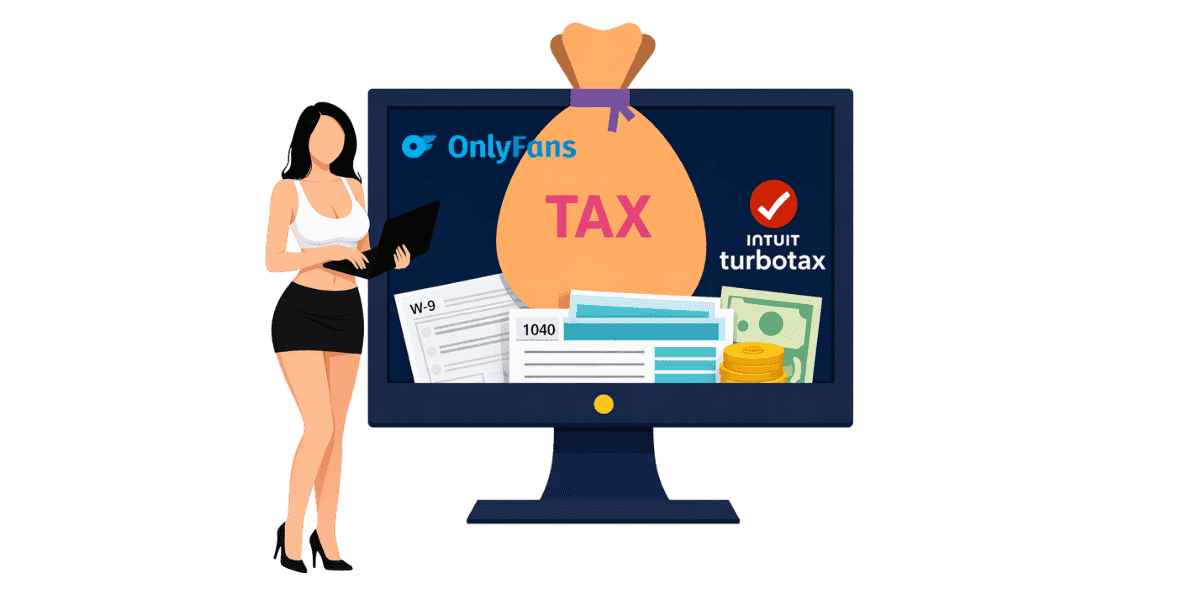
Cómo presentar los impuestos de Onlyfans en TurboTax requiere declarar los ingresos de su creador como ganancias de trabajo por cuenta propia utilizando el Anexo C y reclamar todas las deducciones comerciales elegibles para minimizar su obligación tributaria. Los ingresos de Onlyfans están sujetos a impuestos independientemente de la cantidad ganada, y TurboTax proporciona pasos guiados que hacen que la presentación de declaraciones de trabajo por cuenta propia sea accesible incluso para quienes la presentan por primera vez. Esta guía lo guía en cada paso del proceso, desde la recopilación de documentos hasta la presentación de su declaración.
Comprensión de las obligaciones fiscales de Onlyfans
¿Por qué los ingresos de Onlyfans están sujetos a impuestos?
El IRS considera que todas las ganancias de OnlyFans son ingresos de trabajo por cuenta propia. Esto se aplica tanto si recibe un formulario 1099-NEC como si no. Incluso si ganó una pequeña cantidad, debe declararla en su declaración de impuestos. Se requiere que Onlyfans emita un Formulario 1099 de Onlyfans a los creadores que ganaron $600 o más durante el año fiscal, pero todos los ingresos, independientemente del monto, aún se deben declarar. Muchos creadores se sorprenden al saber que el IRS trata de manera idéntica los ingresos por propinas, compras PPV y tarifas de suscripción; no existe un umbral mínimo por debajo del cual las ganancias no están sujetas a impuestos.
Conceptos básicos sobre impuestos sobre el trabajo por cuenta propia
Como creador autónomo, debe tanto el impuesto sobre la renta como el impuesto sobre el trabajo por cuenta propia. El impuesto sobre el trabajo por cuenta propia cubre las contribuciones al Seguro Social y Medicare que un empleador normalmente pagaría en su nombre. La tasa impositiva para el trabajo por cuenta propia es del 15,3% sobre sus ingresos netos. Esto se suma a su tasa impositiva sobre la renta regular, que varía según su ingreso total imponible.
Pagos trimestrales de impuestos estimados
Si espera deber $1,000 o más en impuestos, el IRS exige pagos de impuestos estimados trimestrales. Estos pagos vencen en abril, junio, septiembre y enero para las ganancias del trimestre anterior. No realizar los pagos trimestrales puede generar sanciones incluso si paga el monto total al presentar la solicitud. Entendiendo tu total Obligaciones fiscales de Onlyfans le ayuda a planificar los pagos durante todo el año en lugar de enfrentar una factura grande al momento de la presentación. Un enfoque simple: reserve el 30% de cada retiro en una cuenta de ahorros separada designada exclusivamente para impuestos.
Reunir sus documentos fiscales
Documentación de ingresos
Antes de abrir TurboTax, reúna todos los documentos necesarios. Su 1099-NEC de Onlyfans muestra las ganancias totales reportadas. Si no recibió un 1099, utilice sus declaraciones de ganancias de Onlyfans para calcular los ingresos totales. Incluya los ingresos de todas las plataformas si crea contenido en varios sitios. Mantenga registros de cualquier fuente de ingresos adicional, como propinas recibidas fuera de Onlyfans o ventas de mercancías.
Registros de gastos y recibos
Recopile recibos y registros de todos los gastos relacionados con el negocio. Esto incluye compras de equipos como cámaras, iluminación y accesorios. Las facturas de Internet y teléfono utilizadas parcialmente para negocios califican. Los costos de suscripción para software de edición, almacenamiento en la nube y otras herramientas son deducibles. Gastos de marketing, incluidas promociones pagadas y Tarjetas de visita de fans contar también. Los registros organizados agilizan la presentación y garantizan que pueda reclamar todas las deducciones elegibles. El sistema más sencillo: fotografía los recibos inmediatamente después de la compra y guárdalos en una carpeta específica organizada por mes.
W-9 e información bancaria
Verifica que Onlyfans tenga tu información correcta formulario W-9 información archivada para garantizar informes 1099 precisos. Tenga lista su información bancaria para el depósito directo de cualquier reembolso. Si realizó pagos de impuestos estimados durante el año, recopile también esos registros de pagos.
Presentación paso a paso en TurboTax
Elegir la versión TurboTax adecuada
Para obtener ingresos de Onlyfans, necesita TurboTax Self-Employed o TurboTax Premium (anteriormente Self-Employed). Las versiones gratuita y básica no admiten informes de trabajo por cuenta propia del Anexo C. TurboTax Self-Employed incluye pasos guiados diseñados específicamente para la economía colaborativa y los ingresos de los creadores, lo que hace que el proceso sea sencillo.
Ingresando sus ingresos de Onlyfans
En TurboTax, navega hasta la sección Trabajo por cuenta propia. Seleccione que tiene ingresos 1099-NEC. Ingrese el monto de su 1099 o sus ganancias totales si no recibió uno. TurboTax creará automáticamente su Anexo C y calculará el impuesto al trabajo por cuenta propia. Describe tu tipo de negocio como creación de contenido o entretenimiento digital cuando se te solicite.
Reclamar deducciones comerciales
TurboTax lo guía a través de las deducciones comunes de trabajo por cuenta propia. Ingrese los gastos de equipo, software, Internet, teléfono, marketing y cualquier otro costo comercial. Si utiliza un espacio dedicado en su hogar para la creación de contenido, es posible que se aplique la deducción de la oficina en el hogar. Los gastos de vehículo para viajes de negocios, como asistir a eventos de creación de contenido, también son deducibles. El Pautas de gastos comerciales del IRS proporcione información detallada sobre lo que califica.
Deducciones comunes para creadores de Onlyfans
Equipos y Tecnología
Los equipos de cámara, los teléfonos inteligentes utilizados para el contenido, las configuraciones de iluminación, los trípodes, los fondos y los accesorios son gastos comerciales deducibles. Las suscripciones a equipos informáticos y software de edición también califican. Si el equipo se utiliza para fines personales y comerciales, solo es deducible el porcentaje de uso comercial. Guarde los recibos y anote el propósito comercial de cada compra.
Costos de creación de contenido
El vestuario y el vestuario adquiridos específicamente para la creación de contenido son deducibles. Los productos de maquillaje y belleza utilizados en el contenido califican. Las membresías de gimnasios pueden ser parcialmente deducibles si el fitness es fundamental para su nicho de contenido. Servicios profesionales como fotógrafos, editores o Protección de contenido de Onlyfans Los servicios son gastos comerciales, los servicios de monitoreo y eliminación de DMCA califican como costos comerciales legítimos ya que protegen directamente su contenido generador de ingresos. También pueden calificar las tarifas de suscripción a otros creadores con fines de investigación.
Servicios profesionales y de marketing
La publicidad paga, las herramientas de administración de redes sociales, el alojamiento de sitios web y los materiales promocionales, incluidas las tarjetas de presentación, son gastos de marketing deducibles. Servicios profesionales que incluyen honorarios de contadores, consultas legales y servicios antipiratería califican como gastos comerciales. Si trabaja con una agencia, sus honorarios de gestión son deducibles de sus ingresos brutos.
Evitar errores fiscales comunes
No declarar todos los ingresos
El error más común es no informar todos los ingresos de Onlyfans. Incluso si no recibió un 1099, todas las ganancias están sujetas a impuestos. Se deben informar las propinas, los ingresos de PPV, los ingresos por suscripciones y cualquier otro pago a través de la plataforma. El IRS puede recibir información de pago de Onlyfans independientemente de si recibe un 1099, por lo que no declarar lo suficiente implica un riesgo de auditoría. Los creadores que utilizan múltiples plataformas Fansly, Fanvue o Chaturbate junto con Onlyfans deben declarar los ingresos de todas las fuentes, no solo de la que envió un 1099.
Deducciones faltantes
Muchos creadores pagan impuestos de más al no realizar deducciones elegibles. Realice un seguimiento de todos los gastos comerciales durante todo el año en lugar de intentar recordarlos en el momento de la declaración de impuestos. Utilice una cuenta bancaria comercial exclusiva o una tarjeta de crédito para facilitar el seguimiento de los gastos. Revise la lista completa de deducciones por trabajo por cuenta propia antes de presentar la solicitud para asegurarse de que no se pase nada por alto.
Olvidar el impuesto al trabajo por cuenta propia
Los nuevos creadores suelen sorprenderse con el impuesto sobre el trabajo por cuenta propia del 15,3%, además del impuesto sobre la renta normal. Planifique esto reservando entre el 25% y el 35% de todas las ganancias de Onlyfans para impuestos durante todo el año. TurboTax calcula automáticamente el impuesto al trabajo por cuenta propia, pero la planificación anticipada evita el estrés financiero a la hora de declarar impuestos. Considere usar el Calculadora de ingresos de fans para proyectar sus ganancias después de impuestos.
Presentar sus impuestos de Onlyfans con confianza
Declarar impuestos de Onlyfans en TurboTax es sencillo cuando comprendes el proceso y reúnes la documentación adecuada. Los pasos esenciales incluyen:
- Reúna todos los documentos de ingresos, incluidos los formularios 1099-NEC y las declaraciones de ganancias.
- Recopile recibos de todos los gastos relacionados con el negocio durante todo el año.
- Utilice TurboTax Self-Employed o Premium para obtener soporte del Anexo C
- Reclame todas las deducciones elegibles por equipos, marketing y servicios profesionales.
- Reservar entre el 25% y el 35% de los ingresos para el trabajo por cuenta propia y los impuestos sobre la renta.
- Realice pagos estimados trimestralmente para evitar sanciones
Proteger su contenido protege sus ingresos y su declaración de impuestos. Asegure sus ganancias con Enforcity y asegúrese de que los ingresos que reporte reflejen el valor total de su contenido protegido.
Protege Tu Contenido
- Detección de filtraciones 24/7
- Eliminaciones DMCA automatizadas
- Protección específica para OnlyFans
- Alertas de monitoreo en tiempo real
Preguntas Frecuentes
¿No encontraste una respuesta?

Emily
Estratega de Contenido Digital
Emily es una especialista en protección de contenido digital con más de 5 años de experiencia ayudando a creadores a proteger su trabajo en línea. Se especializa en la aplicación de DMCA y estrategias de eliminación específicas de cada plataforma.
Protege Tu Contenido
- Detección de filtraciones 24/7
- Eliminaciones DMCA automatizadas
- Protección específica para OnlyFans
- Alertas de monitoreo en tiempo real
Artículos Relacionados

Usar un segundo teléfono desbloqueado para OnlyFans: por qué y cómo
Usar un segundo teléfono desbloqueado para OnlyFans separa el trabajo de creador de la vida personal. Aquí te explicamos cómo configurar uno, qué instalar y cómo mantenerlo seguro.
Leer Artículo
«Detected, opinion rejected» en OnlyFans: qué significa y cómo arreglarlo
«Detected, opinion rejected» en OnlyFans explicado: qué significa el mensaje, qué lo activa, cómo apelar y cómo evitar que el mismo contenido vuelva a marcarse.
Leer Artículo
Mejor servicio de protección de contenido online para creadores de OnlyFans
Mejor servicio de protección de contenido online para OnlyFans: qué mirar, funciones clave, modelos de precio y cómo elegir al partner anti-piratería adecuado en 2026.
Leer ArtículoRecursos Gratuitos

Protegiendo Tu Bienestar Mental
Esenciales de salud mental para creadores de contenido.

Manual Definitivo para Creadores de OnlyFans
Recurso completo para todos los aspectos del éxito en OnlyFans.

¿Cómo Proteger Tu Contenido 🌶️?
Cómo proteger tu contenido digital en múltiples plataformas.

¿Cómo Mantenerte Seguro como Creador?
Consejos esenciales de seguridad para creadores de contenido.

¿Qué Necesita Saber Todo Creador Sobre Sus Derechos?
Fundamentos legales y derechos para creadores.

¿Cómo Proteger Tu Creatividad?
Una guía imprescindible para creadores de OnlyFans.

Glosario para Creadores de Contenido
Términos clave que todo creador de contenido debe conocer.

Lista de Verificación de Seguridad de Contenido para Máximos Beneficios
Lista de verificación para asegurar contenido y optimizar ganancias.

¿Cómo Detener Filtraciones al Instante?
Protege tu trabajo, toma el control y prevén la distribución no autorizada en las plataformas al instante.