¿Cómo verifica Onlyfans a los creadores?
Descubra cómo OnlyFans verifica a los creadores mediante comprobaciones de identificación, selfies y configuración de pagos para garantizar la autenticidad de la cuenta, la seguridad y el cumplimiento de las políticas de la plataforma.
En este artículo
Si te preguntas cómo verifica OnlyFans a los creadores antes de permitirles comenzar a ganar dinero, no estás solo: es una de las primeras grandes preguntas que hacen los nuevos creadores. Ya sea que recién esté comenzando o quiera asegurarse de que su contenido permanezca seguro, comprender cómo funciona el proceso de verificación de Onlyfans es el primer paso para construir una presencia segura, exitosa y profesional en la plataforma. En esta guía, desglosaremos todo lo que necesita saber: desde qué documentos necesita hasta por qué son importantes y cómo mantener su cuenta y su contenido protegidos con la ayuda de Enforcity.
¿Por qué es importante la verificación en Onlyfans?
La verificación no es sólo una formalidad: es una medida de seguridad fundamental. Garantiza que cada creador de la plataforma sea una persona real, legalmente elegible para publicar contenido y que no se haga pasar por otra persona. Esto ayuda a generar confianza entre creadores y fanáticos, al mismo tiempo que mantiene la plataforma cumpliendo con las leyes globales (especialmente con respecto al contenido para adultos). Para los creadores, también significa una capa adicional de protección de identidad, porque una vez que estás verificado, nadie más puede usar tu identidad para lucrar en la plataforma.
¿Cómo funciona el proceso de verificación de Onlyfans?
Esto es lo que puede esperar durante el proceso de verificación:
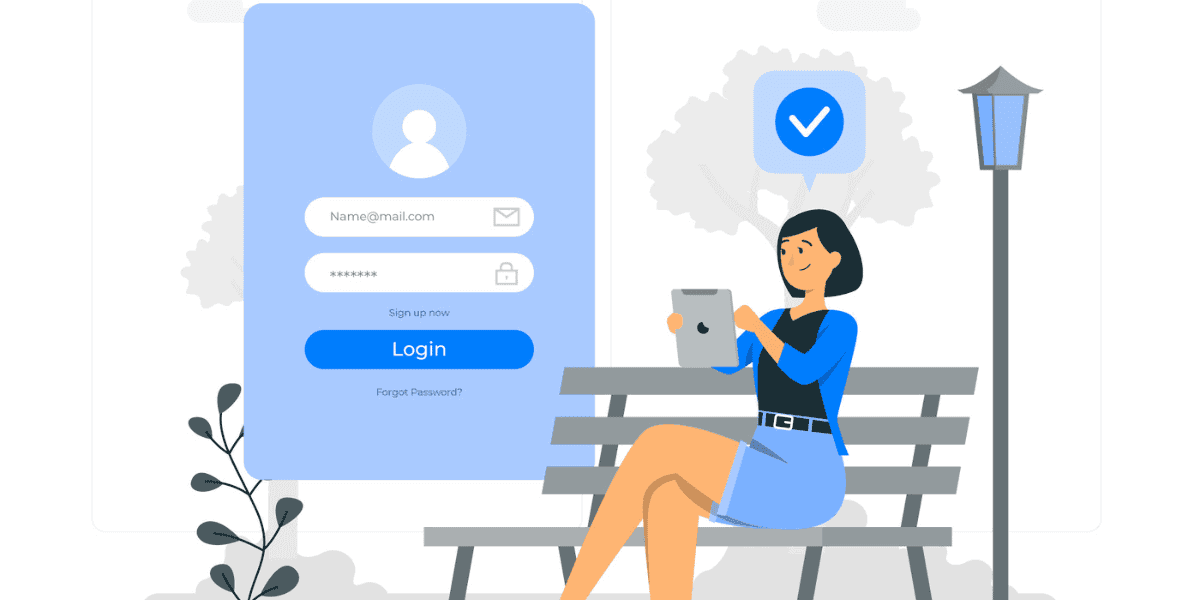
- Regístrese para obtener una cuenta Comience creando su perfil de Onlyfans. Deberá proporcionar información básica como su nombre, dirección de correo electrónico y una contraseña segura. Para obtener consejos sobre cómo empezar sin problemas, consulte lo que necesitas saber antes de iniciar Onlyfans.
- Cargue una identificación gubernamental válida Esto incluye pasaportes, licencias de conducir o documentos de identidad nacionales. Su documento debe ser válido (no caducado) y claramente visible.
- Tome una selfie en vivo sosteniendo su identificación Onlyfans te pide una selfie con tu identificación junto a tu cara; es su manera de asegurarse de que eres la misma persona en la identificación y no usar la identidad de otra persona.
- Agregar detalles de pago Si desea ganar dinero, deberá proporcionar un método de pago. Agregar una cuenta bancaria o una billetera electrónica aceptada (como Paxum) también es parte de verificar su identidad y elegibilidad para ganar.
- Enviar y esperar revisión Después de enviar todos los documentos requeridos, el equipo de Onlyfans los revisará para verificar su exactitud y claridad. La mayoría de las verificaciones se procesan en un plazo de 24 a 72 horas. Si su cuenta es marcada o puesta en espera durante esta etapa, consulte esta guía útil: Onlyfans suspendió mi cuenta para comprender los próximos pasos.
Problemas comunes que retrasan la verificación
A veces las cosas no salen bien. Aquí hay algunos contratiempos comunes y cómo evitarlos:
- Fotos de identificación borrosas o recortadas: Tome siempre fotografías claras y bien iluminadas de su identificación, sin reflejos ni obstrucciones.
- Nombres no coincidentes: Tu nombre de perfil de Onlyfans debe coincidir con el nombre que figura en su identificación emitida por el gobierno durante el proceso de verificación. Una vez que esté verificado, puede actualizar su visualización a un nombre artístico o persona. Si utiliza un nombre diferente desde el principio, el sistema puede marcar su aplicación. Esto también ayuda a prevenir el uso indebido de identidad, especialmente en funciones como mensajería privada en Onlyfans.
- Identificación caducada o no aceptada: Asegúrese de que su documento sea válido y aceptado en su país.
- Restricciones de país: Desafortunadamente, Onlyfans no está disponible en todos los países debido a regulaciones legales o financieras. Si estás intentando registrarte desde una región restringida, es posible que la verificación no sea posible en absoluto.
Si tiene problemas de verificación repetidos, es mejor volver a verificar su documentación y comunicarse con el soporte de Onlyfans. Una vez verificado, puede explorar cómo retirar dinero de Onlyfans y tome medidas para proteger su contenido exclusivo con servicios como Eliminaciones de Onlyfans DMCA.
¿Qué hacer después de estar verificado?
Obtener la verificación en Onlyfans es un primer paso fundamental, pero es solo el comienzo de tu viaje como creador. Una vez que su cuenta esté activa y esté listo para comenzar a publicar, es hora de pensar seriamente en proteger su contenido contra robos o filtraciones.
Desafortunadamente, plataformas como Reddit, Telegrama, y X (anteriormente Twitter) se utilizan a menudo para compartir contenido robado del creador sin permiso. Una vez que se filtra su material exclusivo, no sólo afecta sus ingresos sino también su control sobre su marca. Preguntándose cómo saber si tus fotos se han filtrado? Por lo general, ocurre silenciosamente, a menos que cuente con el control adecuado.
Es por eso que muchos creadores de Onlyfans recurren a Servicios de protección de contenidos de Enforcity, que ofrecen herramientas diseñadas específicamente para creadores como tú. Con Enforcity, usted puede:
- Detectar cargas no autorizadas de su contenido en la web
- Presente solicitudes de eliminación de DMCA rápidas y efectivas en plataformas: Instagram DMCA, Protección de contenido de Reddit, y Discordia DMCA
- Reciba notificaciones instantáneas cuando su contenido se detecte en otro lugar
- Proteja sus ingresos manteniendo contenido exclusivo detrás de muros de pago
Ya seas un creador a tiempo completo o recién estés comenzando, invertir en protección del modelo de cámara web es una de las formas más inteligentes de mantener su éxito a largo plazo.
¿Por qué debería importarle ser verificado?
Ser un creador verificado no sólo mantiene tu cuenta segura, sino que también abre puertas. Así es como:
- Genera confianza en los fans: Un perfil verificado brinda tranquilidad a sus suscriptores, asegurándoles que están interactuando con una persona real, no con una cuenta falsa o fraudulenta. Esta confianza sienta las bases para la lealtad y los ingresos constantes. Si recién estás comenzando, herramientas como Generador de nombre de usuario de Onlyfans puede ayudarle a construir una sólida presencia de marca desde el principio.
- Permite obtener ganancias: Sin verificación, no podrás ganar dinero en la plataforma. Una vez verificado, puede comenzar a aceptar propinas, vender contenido PPV y cobrar tarifas de suscripción. Después de eso, querrás dar la bienvenida a los nuevos fans con una primera impresión sólida: el Generador de mensajes de bienvenida de Onlyfans puede ayudar.
- Desbloquea las características de la plataforma: Funciones como mensajería PPV, contenido programado y mensajería masiva están disponibles solo después de la verificación.
- Apoya el crecimiento a largo plazo: Los creadores verificados parecen más profesionales, lo que puede generar colaboraciones, promociones e incluso exposición en los medios. Siguiendo Consejos para el éxito de Onlyfans puede acelerar aún más su viaje ayudándolo a hacer crecer su base de suscriptores y destacarse en un espacio competitivo.
¿Por qué la verificación del creador de Onlyfans no funciona?
Si estás intentando ser verificado en Onlyfans pero tienes problemas, no estás solo. Muchos creadores nuevos experimentan retrasos o rechazos durante el proceso de verificación, a menudo debido a pequeños errores evitables. Si su estado de verificación parece bloqueado o fue denegado, aquí hay algunos motivos comunes y cómo solucionarlos:
- Fotos de identificación borrosas o de baja calidad Uno de los problemas más frecuentes es la identificación poco clara. Asegúrese de que su identificación esté fotografiada con buena iluminación, con todo el texto y las imágenes claramente visibles, sin sombras, reflejos ni recortes.
- Información no coincidente El nombre de su perfil debe coincidir exactamente con el nombre que figura en su identificación emitida por el gobierno. Si estás usando un nombre artístico o un apodo, eso puede ocurrir más tarde, pero la verificación requiere tu identidad legal.
- Identificación vencida o inaceptable Onlyfans rechazará las identificaciones que estén vencidas o que no sean emitidas por el gobierno. Siempre verifique que su documento sea válido y aceptado en su país.
- Problemas con las selfies La selfie de verificación debe mostrar claramente tu rostro junto a tu documento de identidad. Este paso ayuda a evitar la suplantación de identidad y cualquier falta de claridad o falta de coincidencia puede provocar que la aplicación falle.
- Restricciones técnicas o regionales A veces, los fallos técnicos o las prohibiciones regionales pueden impedir la verificación. Si estás en un país restringido, es posible que no puedas utilizar la plataforma en absoluto.
Si ha verificado todo dos veces y su verificación aún no funciona, el mejor siguiente paso es comunicarse con el soporte de Onlyfans y solicitar cortésmente una aclaración. También puedes intentar volver a cargar tus documentos con una calidad fotográfica mejorada. La paciencia es clave y, una vez que esté verificado, podrá desbloquear todas las herramientas de ingresos en la plataforma.
¿Cuánto tiempo lleva la verificación de Onlyfans?
El proceso de verificación de Onlyfans suele tardar 24 a 72 horas, dependiendo de la calidad de su envío y del volumen actual de solicitudes. Muchos creadores son aprobados en un día, pero pueden ocurrir retrasos, especialmente si hay problemas con su identificación, selfie o si la plataforma necesita documentación adicional para confirmar su identidad.
Para acelerar el proceso:
- Envíe imágenes de alta resolución de su identificación emitida por el gobierno y su selfie.
- Asegúrese de que su nombre y fecha de nacimiento coincidan en su perfil y documentos.
- Evite reflejos o sombras en su foto de identificación y asegúrese de que no esté vencida.
- Siga todas las instrucciones cuidadosamente al cargar sus materiales de verificación.
Si han pasado más de tres días y no has recibido respuesta, puedes contactar con Soporte de fans para verificar el estado de su verificación. Una vez aprobado, obtendrás acceso completo a las herramientas de monetización, por lo que vale la pena hacerlo bien la primera vez.
¿Es segura la verificación de identidad de Onlyfans?
Sí, la verificación de identificación de Onlyfans generalmente es seguro y protegido. La plataforma utiliza cifrado y medidas de privacidad estándar de la industria para proteger su información confidencial, incluida su identificación emitida por el gobierno y su selfie. Este proceso de verificación es necesario para cumplir con las regulaciones internacionales sobre verificación de edad y transacciones financieras, especialmente porque se permite contenido para adultos en la plataforma.
Se utilizan sus documentos de identidad únicamente con fines de verificación y no se comparten públicamente. Onlyfans tampoco muestra su nombre real ni sus datos personales en su perfil público, por lo que una vez verificado, puede usar un nombre artístico o alias para mayor privacidad.
Para mantenerse más seguro:
- Sube siempre tu ID directamente en la plataforma de Onlyfans (nunca a través de servicios de terceros).
- Asegúrate de estar en el sitio web oficial de Onlyfans antes de enviar cualquier información personal.
- Utilice la autenticación de dos factores (2FA) para proteger su cuenta del acceso no autorizado.
Una vez que esté verificado, proteger su contenido se convierte en la siguiente prioridad. Enforcity lo ayuda a proteger su trabajo detectando filtraciones y emitiendo eliminaciones de DMCA en plataformas como Reddit, Telegram e Instagram. Con las herramientas adecuadas, su identidad y su contenido pueden permanecer seguros.
Conclusión
Ser verificado en Onlyfans es un gran hito. Confirma tu identidad, desbloquea tu potencial de ingresos y ayuda a generar confianza con tus fans. Pero no te quedes ahí: proteger tu contenido es el siguiente paso. Con Enforcity, puedes concentrarte en crear mientras nosotros nos encargamos de los derribos.
Toma el control de tu contenido hoy. Inicie una prueba gratuita con Enforcity y asegúrese de que nadie más que usted se beneficie de su éxito.
Protege Tu Contenido
- Detección de filtraciones 24/7
- Eliminaciones DMCA automatizadas
- Protección específica para OnlyFans
- Alertas de monitoreo en tiempo real
Preguntas Frecuentes
¿No encontraste una respuesta?

Emily
Estratega de Contenido Digital
Emily es una especialista en protección de contenido digital con más de 5 años de experiencia ayudando a creadores a proteger su trabajo en línea. Se especializa en la aplicación de DMCA y estrategias de eliminación específicas de cada plataforma.
Protege Tu Contenido
- Detección de filtraciones 24/7
- Eliminaciones DMCA automatizadas
- Protección específica para OnlyFans
- Alertas de monitoreo en tiempo real
Artículos Relacionados

Usar un segundo teléfono desbloqueado para OnlyFans: por qué y cómo
Usar un segundo teléfono desbloqueado para OnlyFans separa el trabajo de creador de la vida personal. Aquí te explicamos cómo configurar uno, qué instalar y cómo mantenerlo seguro.
Leer Artículo
«Detected, opinion rejected» en OnlyFans: qué significa y cómo arreglarlo
«Detected, opinion rejected» en OnlyFans explicado: qué significa el mensaje, qué lo activa, cómo apelar y cómo evitar que el mismo contenido vuelva a marcarse.
Leer Artículo
Mejor servicio de protección de contenido online para creadores de OnlyFans
Mejor servicio de protección de contenido online para OnlyFans: qué mirar, funciones clave, modelos de precio y cómo elegir al partner anti-piratería adecuado en 2026.
Leer ArtículoRecursos Gratuitos

Protegiendo Tu Bienestar Mental
Esenciales de salud mental para creadores de contenido.

Manual Definitivo para Creadores de OnlyFans
Recurso completo para todos los aspectos del éxito en OnlyFans.

¿Cómo Proteger Tu Contenido 🌶️?
Cómo proteger tu contenido digital en múltiples plataformas.

¿Cómo Mantenerte Seguro como Creador?
Consejos esenciales de seguridad para creadores de contenido.

¿Qué Necesita Saber Todo Creador Sobre Sus Derechos?
Fundamentos legales y derechos para creadores.

¿Cómo Proteger Tu Creatividad?
Una guía imprescindible para creadores de OnlyFans.

Glosario para Creadores de Contenido
Términos clave que todo creador de contenido debe conocer.

Lista de Verificación de Seguridad de Contenido para Máximos Beneficios
Lista de verificación para asegurar contenido y optimizar ganancias.

¿Cómo Detener Filtraciones al Instante?
Protege tu trabajo, toma el control y prevén la distribución no autorizada en las plataformas al instante.