Bestes VPN für OnlyFans-Ersteller: Datenschutz, Reisen und Sicherheit
Was OnlyFans-Ersteller tatsächlich in einem VPN benötigen; Funktionen, Anbieter und wie man sie nutzt, ohne Auszahlungen oder Compliance zu verletzen.
In diesem Artikel
Das beste VPN für OnlyFans-Ersteller macht drei Dinge gut: Es schützt Sie in öffentlichen Netzwerken, maskiert Ihren Datenverkehr vor der Protokollierung auf ISP-Ebene und sorgt dafür, dass Ihr Konto auf Reisen zugänglich ist. Das falsche VPN oder die falsche Verwendung eines guten VPN löst Compliance-Flags aus, stoppt Auszahlungen und schafft mehr Probleme als es löst. In diesem Leitfaden wird erläutert, welche VPN-Funktionen für YouTuber tatsächlich wichtig sind, welche Anbieter im Jahr 2026 eine Überlegung wert sind, welche spezifischen Betriebsrisiken zu berücksichtigen sind und wie Sie ein VPN am sichersten in Ihren täglichen Creator-Workflow integrieren können.
Was ein VPN tatsächlich für YouTuber tut
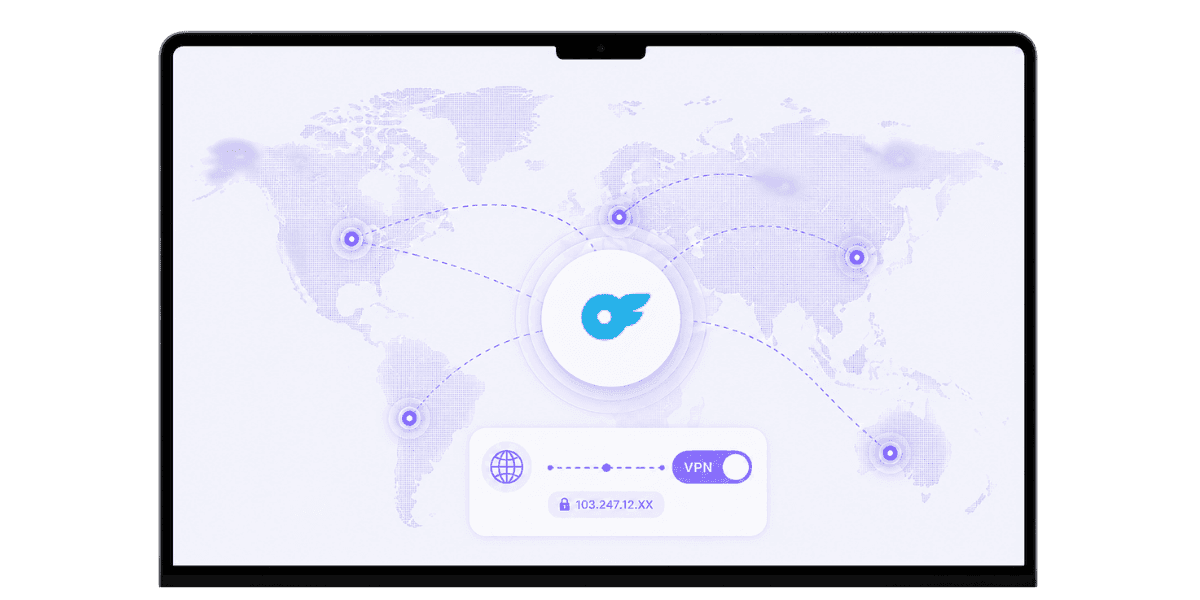
Ein VPN verschlüsselt Ihren Internetverkehr und leitet ihn über einen Server an einem von Ihnen gewählten Standort weiter. Das Ergebnis ist Privatsphäre gegenüber Ihrem ISP und Netzwerkbetreiber sowie die Möglichkeit, an einem anderen geografischen Standort angezeigt zu werden. Für Entwickler sind drei spezifische Anwendungsfälle wichtig: Schutz des öffentlichen Netzwerks, Privatsphäre des heimischen ISP und geografische Flexibilität auf Reisen. Einige Regionen schränken den Zugriff auf OnlyFans vollständig ein, sodass reisende YouTuber mit einem VPN mit einem geeigneten Serverstandort ihre Konten weiterhin ohne Dienstunterbrechung verwalten können.
Datenschutz in öffentlichen Netzwerken
Hotel-WLAN, Cafés, Flughäfen und Wohngemeinschaften sind gefährliche Umgebungen für jeden, der mit sensiblen Logins umgeht. Ein VPN umschließt Ihren Datenverkehr und verhindert unbedeutendes Schnüffeln auf Netzwerkebene. Für einen Ersteller, der sich bei OnlyFans anmeldet, auf Bankgeschäfte zugreift oder Abonnements über eine gemeinsame Verbindung verwaltet, ist dieser Schutz sinnvoll und nicht optional. Das Risiko ist nicht theoretisch: Das Sammeln von Anmeldeinformationen in offenen Netzwerken kommt so häufig vor, dass die Behandlung öffentlicher WLANs als nicht vertrauenswürdig die richtige Standardeinstellung ist.
Datenschutz auf ISP-Ebene zu Hause
Sogar Ihr Heim-ISP kann sehen, welche Dienste Sie besuchen. Ein VPN verbirgt die Ziele vor Ihrem ISP, was in Regionen wichtig ist, in denen ISPs den Datenverkehr auf Websites für Erwachsene aggressiv protokollieren oder Plattformen für Erwachsene drosseln. Für YouTuber, die Vollzeit von zu Hause aus arbeiten, ist der Datenschutz auf ISP-Ebene im Vergleich zu öffentlichen Netzwerken die relevantere Schutzschicht, und ein zuverlässiges VPN, das im Hintergrund läuft, kostet mit modernen Protokollen fast nichts an Leistung.
Funktionen, die wirklich wichtig sind
Viele VPN-Funktionen sind Marketing-Unsinn. Eine kurze Liste von Funktionen ist für Anwendungsfälle von Erstellern wirklich wichtig, und die meisten anderen können ignoriert werden. Zwei wissenswerte Hintergrundfaktoren: Anbieter mit Sitz in datenschutzfreundlichen Gerichtsbarkeiten (Schweiz, Schweden, Panama) unterliegen weniger rechtlichen Verpflichtungen zur Datenweitergabe als in den USA ansässige Anbieter, und die Serverinfrastruktur, die nur auf RAM basiert, bedeutet, dass nichts bestehen bleibt, wenn Server gelöscht oder beschlagnahmt werden. Mullvad, NordVPN und ExpressVPN nutzen alle reine RAM-Architekturen. Keiner der beiden Faktoren ist für sich genommen ein Dealbreaker, aber beide tragen zu einer insgesamt stärkeren Privatsphäre bei.
No-Logs-Richtlinie mit unabhängiger Prüfung
Ein VPN, das Ihre Aktivitäten protokolliert, verfehlt seinen Zweck. Suchen Sie nach Anbietern mit geprüften No-Logs-Richtlinien; Mullvad, ProtonVPN, IVPN und NordVPN verfügen alle über aktenkundige Prüfungen durch Dritte. Die Prüfung ist wichtig, da Behauptungen ohne unabhängige Überprüfung keine Beweise sind. Bei der Datenschutzrichtlinie eines Anbieters handelt es sich um ein rechtliches Dokument und nicht um eine technische Garantie. Das Audit schließt diese Lücke.
Kill Switch und moderne Protokolle
Ein Kill-Switch unterbricht Ihre Internetverbindung, wenn das VPN ausfällt, und verhindert so die versehentliche Offenlegung Ihrer echten IP-Adresse. Dies ist wichtig, wenn Sie vertrauliche Dinge tun: sich anmelden, Bankgeschäfte tätigen oder den OnlyFans-Betrieb verwalten. Auf der Protokollseite ist WireGuard der aktuelle Standard für Geschwindigkeit und Sicherheit. OpenVPN ist immer noch zuverlässig. Vermeiden Sie Anbieter, die an veralteten Protokollen festhalten. Die meisten hochwertigen VPNs unterstützen beides, und der Unterschied in der täglichen Geschwindigkeit zwischen WireGuard und einer gut abgestimmten OpenVPN-Verbindung ist gering genug, dass beides für Ersteller-Workflows funktioniert.
Top-VPN-Anbieter für YouTuber im Jahr 2026
Einige wenige Anbieter schneiden bei den Kriterien, die für YouTuber wichtig sind, durchweg gut ab. Die Unterschiede zwischen ihnen sind geringer, als das Marketing vermuten lässt, aber es lohnt sich, die spezifischen Stärken zu kennen, bevor man sich darauf einlässt.
Mullvad und IVPN
Mullvad bietet einen starken Fokus auf den Datenschutz, einen Pauschalpreis von 5 US-Dollar pro Monat, keine E-Mail-Anmeldung für die Anmeldung erforderlich und akzeptiert Barzahlungen. Das Servernetzwerk ist kleiner als bei der Konkurrenz und es gibt keine Optimierung für die Streaming-Plattform. Dies macht es zur richtigen Wahl, wenn der Datenschutz oberste Priorität hat und die Servervielfalt zweitrangig ist. IVPN ist ähnlich positioniert: geprüfte No-Logs, eine AntiTracker-Funktion, in Gibraltar ansässig und ein transparentes öffentliches Team. Beide verfügen über kleinere Netzwerke als die Mainstream-Optionen, bieten jedoch ein äußerst konsistentes Datenschutzniveau. Für YouTuber, die die stärksten Datenschutzgarantien mit dem geringsten Marketinglärm wünschen, ist beides die richtige Wahl.
ProtonVPN
Hervorragende Erfolgsbilanz im Datenschutz, transparente Eigentümerschaft durch die Proton AG in der Schweiz, ein starkes kostenloses Kontingent und ein breites Servernetzwerk. Eng integriert mit ProtonMail für Ersteller, die zusätzlich zu ihrem VPN eine datenschutzorientierte E-Mail wünschen. ProtonVPN liegt in der Mitte zwischen dem datenschutzorientierten Minimalismus von Mullvad und den Mainstream-Features von NordVPN, was es für die meisten Anfänger zur einfachsten Empfehlung macht.
NordVPN und ExpressVPN
Große Servernetzwerke, umfassende Geräteunterstützung und geprüfte No-Logs-Richtlinien. NordVPN ist derzeit der bessere Wert; ExpressVPN bietet die ausgefeilteste Benutzeroberfläche und konstant hohe Geschwindigkeiten in allen Regionen. Beide eignen sich gut für Reisen und Streaming sowie für den privaten Gebrauch. Die Vorbehalte: NordVPN hatte 2018 einen Serververstoß (transparent gehandhabt, keine Benutzerdaten offengelegt) und ExpressVPN ist jetzt im Besitz von Kape Technologies, das über einen Ad-Tech-Hintergrund verfügt. Beides ist nicht disqualifizierend, aber wissenswert, wenn die Privatsphäre Priorität hat.
Spezifische operative Risiken für die Ersteller von OnlyFans
Die Verwendung eines VPN für OnlyFans birgt Risiken, denen andere Benutzer nicht ausgesetzt sind. Wenn Sie diese im Voraus kennen, werden Kontosperrungen und Auszahlungsunterbrechungen vermieden. Für alle gilt eine Grundregel: Behalten Sie Ihren VPN-Server im selben Land wie Ihre angegebene Adresse, dann verhalten sich die Systeme von OnlyFans vorhersehbar.
Beachten Sie auch, dass OnlyFans nicht in allen Ländern verfügbar ist. Die Verwendung eines VPN für den Zugriff auf die Plattform aus einer eingeschränkten Region verstößt gegen Nutzungsbedingungen von OnlyFans unabhängig von Ihrem Grund. Ein klares Bild von wie OnlyFans mit Identität und Standort umgeht Auf Plattformebene können Sie genaue Erwartungen festlegen, bevor Sie etwas konfigurieren.
Anmeldemuster, die Bewertungen auslösen
Wenn man sich innerhalb kurzer Zeitfenster aus völlig unterschiedlichen Ländern bei OnlyFans anmeldet, werden Überprüfungen zur Betrugserkennung ausgelöst. Dienstag aus Kalifornien, Mittwoch aus Deutschland ist die Art von Muster, das Konten markiert, unabhängig davon, ob ein VPN beteiligt ist. Verwenden Sie für alle Ihre normalen OnlyFans-Vorgänge einen konsistenten VPN-Serverstandort, und das System sieht einen stabilen, vorhersehbaren Anmeldeverlauf.
Auszahlungsüberprüfung und KYC-Sitzungen
Wenn Ihr angegebener Wohnsitz in den USA liegt, Ihr VPN Sie jedoch über Frankreich weiterleitet, können die Compliance-Systeme von OnlyFans die Nichtübereinstimmung melden. Halten Sie Ihren VPN-Server für jede Sitzung, die Banking berührt, im selben Land wie Ihre angegebene Adresse. Deaktivieren Sie für die Erstverifizierung und das Hochladen von KYC-Dokumenten das VPN vollständig.OnlyFans-Verifizierungssysteme Führen Sie strengere Geolokalisierungsprüfungen durch, die mit Ihrer ID abgeglichen werden, und ein VPN ist der häufigste Grund, warum diese Prüfungen fehlschlagen. Sobald die Überprüfung abgeschlossen ist, aktivieren Sie das VPN wieder für die normale Nutzung.
So nutzen Sie ein VPN sicher mit OnlyFans
Ein paar einfache Regeln verhindern die häufigsten VPN-bedingten Probleme. Keine davon ist restriktiv; Sie richten lediglich Ihre VPN-Nutzung daran aus, wie die Systeme von OnlyFans tatsächlich funktionieren. Bevor Sie die Einrichtung Ihres Hauptkontos ändern, testen Sie Ihre VPN-Konfiguration auf einem neuen Nebenkonto. Einige VPN-IP-Bereiche sind auf OnlyFans gekennzeichnet, und das lässt sich viel besser bei einem einmaligen Test herausfinden als bei einem Live-Konto mitten im Auszahlungszyklus.
Konsistenter Serverstandort für den täglichen Gebrauch
Wählen Sie einen Server in Ihrem Heimatland oder dem Land, das Sie bei der Anmeldung angegeben haben, und verwenden Sie ihn konsequent für alle Arbeiten mit OnlyFans. Dadurch bleiben Ihre Anmeldemuster sauber und es wird vermieden, dass Betrugsüberprüfungen ausgelöst werden. Behandeln Sie es genauso wie eine private IP-Adresse: stabil, vorhersehbar und in der richtigen geografischen Lage.
Deaktivieren Sie VPN für Verifizierung und Auszahlungen
Deaktivieren Sie das VPN kurzzeitig, wenn Sie KYC-Dokumente hochladen, Bankdaten aktualisieren oder einen Verifizierungsschritt durchführen. Sobald diese Abläufe abgeschlossen sind, aktivieren Sie sie wieder für die normale Verwendung. Dies ist die einflussreichste Regel in dieser Liste. Die meisten VPN-Probleme bei OnlyFans sind darauf zurückzuführen, dass das VPN während der Verifizierung eingeschaltet blieb, als auf jeden anderen Fehler.
Verwenden Sie eine dedizierte IP, sofern verfügbar
Einige Anbieter bieten dedizierte IP-Adressen an, eine statische IP, die nur Sie verwenden. Dadurch werden die Datenschutzvorteile eines VPN mit der Verhaltenskonsistenz einer normalen Heimverbindung kombiniert. Für jeden Ersteller, der einen ernsthaften Betrieb betreibt, lohnt sich der geringe monatliche Mehraufwand, da dadurch das Risiko der Shared-IP-Flagge vollständig eliminiert wird.
VPN-Anwendungsfälle jenseits von OnlyFans
Ein VPN dient nicht nur der Anmeldung bei OnlyFans. Es spielt eine umfassendere Rolle für die allgemeine Sicherheit und den Betriebsablauf eines Erstellers, und die Gewohnheiten, die Sie rund um die VPN-Nutzung auf OnlyFans entwickeln, übertragen sich auf jedes andere vertrauliche Konto, das Sie verwalten.
Reisen und Roaming
Wenn Sie unterwegs sind, sorgt ein VPN dafür, dass die IP-Adresse Ihres Zuhauses bei OnlyFans, Ihrer Bank und jedem anderen Dienst, der die Geolokalisierung überwacht, konsistent bleibt. Dadurch wird vermieden, dass Betrugsüberprüfungen auf mehreren Plattformen gleichzeitig ausgelöst werden. Für Cybersicherheit von OnlyFans Allgemeiner gesagt ist die konsequente VPN-Nutzung auf Reisen eine der wirkungsvollsten Gewohnheiten, die Sie entwickeln können, denn sie schützt jedes Konto, auf das Sie zugreifen, nicht nur OnlyFans.
Öffentliche WLAN-Sicherheit
Hotel-WLAN, Konferenznetzwerke und Café-Verbindungen sind grundsätzlich nicht vertrauenswürdig. Ein VPN verhindert das unbedeutende Abfangen jeglichen Datenverkehrs, einschließlich OnlyFans-Anmeldungen, Banksitzungen und E-Mails. Das Bedrohungsmodell besteht hier nicht aus hochentwickelten nationalstaatlichen Angreifern; Es handelt sich um opportunistische Credential-Harvester, die billige Tools in gemeinsam genutzten Netzwerken betreiben. Ein VPN bewältigt diese Bedrohung vollständig und kostet dafür ein paar Dollar pro Monat.
Datenschutz durch Profiling auf ISP-Ebene
Selbst zu Hause sieht Ihr ISP jedes Ziel, das Sie besuchen. Ein VPN verdeckt diesen Datenverkehr. Insbesondere für Erotikkünstler ist dies von Bedeutung, da einige ISPs anonymisierte Verkehrsdaten verkaufen oder mit Werbetreibenden zusammenarbeiten, um Benutzer anhand der von ihnen besuchten Websitekategorien zu profilieren. Es lohnt sich, dieses Signal zu verschleiern, unabhängig davon, ob Sie spezifische Bedenken hinsichtlich eines bestimmten ISP haben.
Zu vermeidende VPN-Fehler
Die meisten VPN-Probleme für Entwickler sind auf eine kleine Anzahl vorhersehbarer Fehler zurückzuführen. Am häufigsten kommt es zu einer inkonsistenten Serverauswahl: Der Wechsel zwischen den Ländern löst gleichzeitig eine Betrugserkennung bei OnlyFans, Ihrer Bank und anderen Diensten aus. Wählen Sie ein Land aus und bleiben Sie dort für alle YouTuber-bezogenen Sitzungen.
Kostenlose VPNs
Kostenlose VPNs protokollieren häufig Aktivitäten, verkaufen Benutzerdaten oder schalten Werbung ein. Aus wirtschaftlichen Gründen ist ein kostenloser, sicherer Betrieb ohne Protokolle in keinem sinnvollen Umfang möglich. Wenn Privatsphäre das Ziel ist, zahlen Sie für einen seriösen Anbieter. Die Kosten belaufen sich auf 3 bis 10 US-Dollar pro Monat, was im Vergleich zu den Betriebskosten eines Urhebers nur ein unbedeutender Posten ist. Das Risiko der Verwendung eines Protokollierungs-VPN ist nicht abstrakt; Ihre Verkehrsdaten sind für Werbetreibende und Datenbroker von echtem Wert, und das Geschäftsmodell eines kostenlosen VPN basiert auf der Monetarisierung dieser Daten.
Vergessen, das VPN zur Verifizierung zu deaktivieren
VPNs sind die häufigste Ursache für fehlgeschlagene Verifizierungsversuche bei OnlyFans. Wenn Ihr Konto während der Verifizierung immer wieder abgelehnt wird, sollten Sie als Erstes prüfen, ob ein VPN während des Vorgangs eingeschaltet bleibt. Führen Sie die Überprüfung immer mit deaktiviertem VPN durch; Wenn Sie es während dieses Vorgangs eingeschaltet lassen, prüfen Sie zunächst, ob Ihr Konto weiterhin markiert wird. Sobald die Überprüfung abgeschlossen ist, aktivieren Sie das VPN erneut für alle normalen Sitzungen.
Nur Browser-Erweiterungs-VPNs
Browser-Erweiterungs-VPNs schützen nur den Browserverkehr. Sie gelten nicht für Banking-Apps, die mobile App von OnlyFans oder andere Software, die außerhalb des Browsers ausgeführt wird. Wenn Ihre VPN-Abdeckung Lücken auf Anwendungsebene aufweist, sind genau diese Lücken der Ort, an dem vertrauliche Anmeldeinformationen übertragen werden. Verwenden Sie einen VPN-Client auf Systemebene für eine vollständige Abdeckung aller Apps.
Auswählen und Verwenden eines VPN als OnlyFans-Ersteller
Das beste VPN für OnlyFans-Ersteller ist eines mit einer geprüften No-Logs-Richtlinie, einem Kill-Switch, modernen Protokollen und einem stabilen Server in Ihrem erklärten Heimatland. Mullvad, ProtonVPN, IVPN und mit Vorbehalten auch NordVPN und ExpressVPN erfüllen alle diese Messlatte. Der Anbieter ist weniger wichtig als die Art und Weise, wie Sie ihn nutzen: konsistente Serverauswahl, deaktiviertes VPN während der Überprüfung und eine Installation auf Systemebene statt einer reinen Browser-Erweiterung.
Koppeln Sie das VPN mit dem Rest Ihres OnlyFans-Erstellungstool Stack: ein Passwort-Manager, Hardware-Schlüssel 2FA, eine dedizierte E-Mail-Adresse des Erstellers und ein Inhaltsschutzdienst, der automatisch auf Lecks überwacht. Ein VPN schützt Ihre Verbindung. Es schützt Ihre Inhalte nicht, nachdem sie Ihr Konto verlassen. Die beiden Schichten lösen unterschiedliche Probleme, und ein ordnungsgemäß gesicherter Erstellervorgang erfordert beides. Beginnen Sie mit den VPN-Konfigurationsregeln in diesem Handbuch und bauen Sie dann darauf auf.
Sind Sie bereit, Ihre wertvollen Inhalte zu schützen?Beginnen Sie mit dem Schutz Ihrer Inhalte mit Enforcity.
Schützen Sie Ihre Inhalte
- 24/7 Leak-Erkennung
- Automatisierte DMCA-Entfernungen
- OnlyFans-spezifischer Schutz
- Echtzeit-Überwachungsbenachrichtigungen
Häufig Gestellte Fragen
Keine Antwort gefunden?
Emily
Strategin für Digitale Inhalte
Emily ist eine Spezialistin für den Schutz digitaler Inhalte mit über 5 Jahren Erfahrung darin, Creatorn zu helfen, ihre Arbeit online zu schützen. Sie ist spezialisiert auf DMCA-Durchsetzung und plattformspezifische Takedown-Strategien.
Schützen Sie Ihre Inhalte
- 24/7 Leak-Erkennung
- Automatisierte DMCA-Entfernungen
- OnlyFans-spezifischer Schutz
- Echtzeit-Überwachungsbenachrichtigungen
Verwandte Artikel

Ein zweites entsperrtes Handy für OnlyFans nutzen: warum und wie
Ein zweites entsperrtes Handy für OnlyFans trennt Creator-Arbeit vom Privatleben. Hier ist, wie du eins einrichtest, was installiert werden sollte und wie du es sicher hältst.
Artikel lesen
«Detected, opinion rejected» bei OnlyFans: was es bedeutet und wie du es behebst
«Detected, opinion rejected» bei OnlyFans erklärt: was der Fehler bedeutet, was ihn auslöst, wie du Einspruch einlegst und wie du verhinderst, dass derselbe Content erneut geflaggt wird.
Artikel lesen
Bester Online-Content-Schutz-Dienst für OnlyFans-Creator
Bester Online-Content-Schutz-Dienst für OnlyFans: worauf achten, Kernfunktionen, Preismodelle und wie du 2026 den richtigen Anti-Piracy-Partner wählst.
Artikel lesenKostenlose Ressourcen

Schützen Sie Ihr Mentales Wohlbefinden
Die Grundlagen der psychischen Gesundheit für Content-Creator.

Das Ultimative Handbuch für OnlyFans-Creator
Umfassende Ressource für alle Aspekte des Erfolgs auf OnlyFans.

Wie Schützen Sie Ihren Content 🌶️?
Wie Sie Ihre digitalen Inhalte auf mehreren Plattformen schützen.

Wie Bleiben Sie als Creator Sicher?
Wichtige Sicherheitstipps für Content-Creator.

Was Jeder Creator Über Seine Rechte Wissen Muss
Rechtliche Grundlagen und Rechte für Creator.

Wie Schützen Sie Ihre Kreativität?
Ein unverzichtbarer Ratgeber für OnlyFans-Creator.

Glossar für Content-Creator
Wichtige Begriffe, die jeder Content-Creator kennen sollte.

Checkliste für Inhaltssicherheit und Maximalen Gewinn
Checkliste zur Sicherung von Inhalten und Optimierung der Einnahmen.

Wie Stoppen Sie Leaks Sofort?
Schützen Sie Ihre Arbeit, übernehmen Sie die Kontrolle und verhindern Sie unbefugtes Teilen auf allen Plattformen sofort.