Unverzichtbare Tools und Software für OnlyFans-Ersteller
Die Kameras, die Software und die Tools zum Schutz von Inhalten, die den Erstellern von OnlyFans tatsächlich die Seele baumeln lassen.
In diesem Artikel
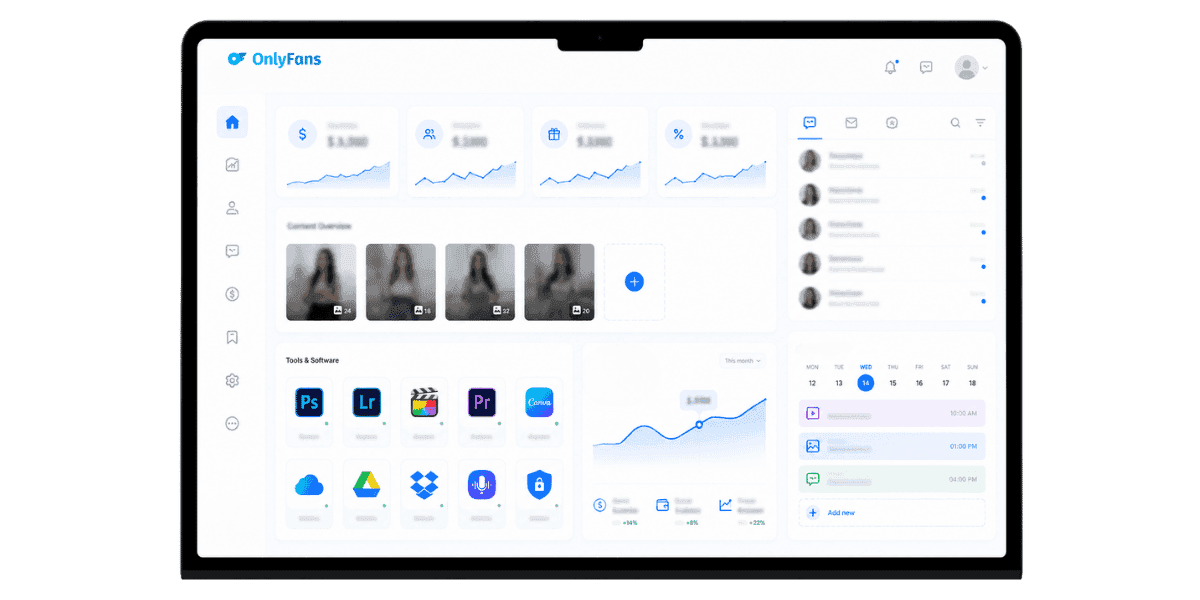
Unverzichtbare Tools und Software für die Ersteller von OnlyFans bestimmen darüber, ob Ihr Unternehmen wächst oder ins Stocken gerät, und der Unterschied liegt fast nie im Talent. Um einen nachhaltigen Betrieb aufzubauen, müssen die richtige Ausrüstung, Software und Schutzschicht zusammenarbeiten. Die richtigen Tools verkürzen den Weg von der Idee bis zum veröffentlichten Beitrag, steigern den Produktionswert, für den Abonnenten eine Prämie zahlen, und halten Ihre Inhalte von dem Moment an, in dem sie online gehen, von Piraterieseiten fern. In diesem Leitfaden werden alle Kategorien in der Reihenfolge ihrer Auswirkungen aufgeschlüsselt: Kameras, Beleuchtung, Bearbeitung, Planung, Analyse, Chat und Inhaltsschutz.
Kameras und Aufnahmegeräte
Ihre Kamera ist die sichtbarste Investition in Ihrem Portfolio, aber sie muss nicht die teuerste sein. Das Ziel ist eine konsistente, schmeichelhafte Bildqualität bei den Auflösungen, die OnlyFans tatsächlich anzeigt. Alles darüber hinaus ist übertrieben, es sei denn, Sie veröffentlichen auch auf YouTube oder verkaufen Aktieninhalte.
Smartphone-Kameras vs. dedizierte Kameras
Für den Anfang reicht ein modernes Flaggschiff-Handy (iPhone 15 Pro, Pixel 8 Pro, Galaxy S24 Ultra). Spezielle spiegellose Gehäuse wie das Sony ZV-E10 oder das Sony A7C sind ein Upgrade wert, wenn Sie eine geringe Schärfentiefe, austauschbare Objektive oder längere Aufnahmen ohne Überhitzung benötigen. Für einen direkten Vergleich bestimmter Modelle beste Kamera für OnlyFans-Ersteller Auf dieser Seite wird aufgeschlüsselt, was für die Arbeitsabläufe der Ersteller tatsächlich wichtig ist.
Webcams für Streaming und Camming
Wenn Sie neben OnlyFans chatten, decken Logitech Brio 4K und Insta360 Link die meisten Anwendungsfälle ab. Für High-End-Streamer bietet ein Elgato Camlink mit spiegellosem Gehäuse einen erheblichen Qualitätssprung für das gleiche Geld wie eine Webcam der Spitzenklasse.
Stabilisierung und Halterungen
Ein kleiner Gimbal (DJI Osmo Mobile 6) plus ein Klemmtischarm decken 80 % der statischen und handgeführten Aufnahmen ab. Für Selbstaufnahmen im Bett oder im Badezimmer machen ein flexibles Joby-Stativ und eine Bluetooth-Auslöserfernbedienung das Einstellen von Timern überflüssig.
Beleuchtung, Audio und Hintergründe
Licht- und Audioqualität unterscheiden Amateurinhalte weitaus stärker von Premiuminhalten als die Größe des Kamerasensors. Eine bescheidene Investition amortisiert sich hier schneller als in jeder anderen Ausrüstungskategorie.
Wichtige Beleuchtungsoptionen
Ein einzelnes 18-Zoll-Ringlicht ist für Anfänger in Ordnung, aber ein Zweipunkt-Setup mit Softboxen (Neewer oder Godox 60×60) erzeugt deutlich bessere Hauttöne und Schatten. RGB-Panels (Aputure MC, Godox KNOWLED M200Bi) bieten Farbflexibilität für thematische Aufnahmen.
Mikrofone, die wirklich erstklassig klingen
Für Talking-Head- und Chat-Inhalte ist ein Rode Wireless GO II oder ein an der Kleidung befestigtes DJI-Mikrofon besser als jedes eingebaute Kameramikrofon. Für Schreibtisch-Setups liefert ein Shure MV7 oder Elgato Wave:3 USB-Mikrofon Studioqualität ohne Audio-Schnittstelle.
Hintergründe und Bühnenbild
Vorgefertigte Pop-Up-Hintergründe, Stoff-Drops und preiswerte Raumteiler verwandeln jede Ecke eines Raumes in ein kontrolliertes Bühnenbild. Die gleiche Inszenierungslogik gilt unabhängig davon, ob Sie Standbilder oder Videos aufnehmen, und sie lässt sich gut mit dem umfassenderen kombinieren OnlyFans-Ausrüstung Entscheidungen, die Sie frühzeitig treffen.
Den richtigen Hintergrund zu schaffen bedeutet auch, über die Kontinuität in Ihrem gesamten Inhaltskalender nachzudenken. Fans bemerken, wenn sich Ihre Aufnahmeumgebung unerwartet ändert. Wenn Sie also zwei oder drei charakteristische Setups auswählen und zwischen ihnen wechseln, erhält Ihr Feed eine konsistente visuelle Identität, ohne sich zu wiederholen. Dokumentieren Sie Ihre Beleuchtungspositionen und Kameraabstände für jedes Setup, damit Sie sie in wenigen Minuten wiederherstellen können, anstatt sie bei jeder Sitzung von Grund auf neu erstellen zu müssen. Kleine Details wie eine einheitliche Farbtemperatur über alle Aufnahmen hinweg machen den Unterschied zwischen einem ausgefeilten Feed und einem Feed aus, der aussieht, als wäre er von verschiedenen Erstellern zusammengesetzt.
Bearbeitungssoftware für Fotos und Videos
Durch die ausgefeilte Bearbeitung werden Rohaufnahmen zu den Inhalten, die Fans aktiv empfehlen. Die richtige Software hängt von Ihrer Plattform, Ihrem Komfortniveau und der Menge Ihrer Batch-Produktion pro Sitzung ab.
Mobile-First-Bearbeitung
Lightroom Mobile und Snapseed verarbeiten Fotobearbeitungen sauber von einem Telefon aus. CapCut und InShot dominieren schnelle vertikale Videobearbeitungen mit integrierten Vorlagen, Untertiteln und Effekten, die zu Kurzform-Trends passen, ohne dass Desktop-Software erforderlich ist.
Desktop-Elektrowerkzeuge
DaVinci Resolve (kostenlos) ist ein seriöser Videoeditor mit Farbkorrektur in Broadcast-Qualität. Adobe Premiere Pro plus After Effects ist immer noch der Industriestandard, wenn Sie Kompatibilität mit Editoren und Motion Designern wünschen. Bei Fotos ist Lightroom Classic plus Photoshop für die Hautretusche kaum zu übertreffen.
KI-gestützte Tools, die Stunden sparen
Tools wie Topaz Photo AI (Hochskalierung, Rauschunterdrückung) und Runway (Hintergrundentfernung, Videoobjektlöschung) verkürzen die Bearbeitungszeit deutlich. Benutzen Sie sie als Beschleuniger, nicht als kreativen Ersatz, denn Überbearbeitung tötet die Authentizitätsfans, die sich dafür interessieren.
Der Aufbau eines wiederholbaren Bearbeitungsworkflows ist ebenso wichtig wie die Tools selbst. Erstellen Sie Exportvoreinstellungen in Lightroom, speichern Sie Sequenzvorlagen in Premiere oder DaVinci und speichern Sie Ihre am häufigsten verwendeten CapCut-Effekte als Favoriten. Ein Workflow, der beim ersten Mal 45 Minuten dauert, sollte bei der zehnten Sitzung 10 Minuten dauern. Bei Fotoshootings ist die Stapelbearbeitung besonders wichtig: Verarbeiten Sie alle Bilder einer Sitzung in einem einzigen Durchgang, anstatt über mehrere Tage hinweg zu einzelnen Dateien zurückzukehren. Durch die Konsistenz Ihrer Farbskala lernen Abonnenten außerdem, einen bestimmten Look mit Ihrer Marke zu assoziieren, was die Wiedererkennung auf allen Plattformen stärkt.
Planung, Veröffentlichung und Analyse
Erfolgreiche YouTuber lassen ihren Feed über einen Kalender laufen, nicht nur durch Inspiration. Planungs- und Analysetools verwandeln Ad-hoc-Veröffentlichungen in ein wiederholbares System mit messbaren Ergebnissen.
Native OnlyFans-Planung
OnlyFans verfügt über einen integrierten Planer für Posts, Massen-DMs und Pay-per-View-Drops. Nutzen Sie es als Quelle der Wahrheit, denn Planungstools von Drittanbietern können verzögert oder kaputt gehen, wenn die Plattform ihre API ändert.
Plattformübergreifende Promotion-Planer
Für Twitter-, Reddit- und Telegram-Werbung automatisieren Tools wie Hypefury, Buffer und Postpone (Reddit-fokussiert) den täglichen Rhythmus. Behandeln Sie jede Plattform als separate Disziplin. Die besten Möglichkeiten, auf Twitter, Reddit und Telegram für OnlyFans zu werben, unterscheiden sich erheblich in Timing und Format.
Analytik für echte Entscheidungen
Die integrierten Analysen von OnlyFans zeigen das Abonnentenwachstum, die Abwanderung und den Umsatz nach Quelle. Lesen Sie sie wöchentlich. Für eine tiefergehende Analyse funktionieren blattbasierte Dashboards besser als die meisten kostenpflichtigen Tracker; Kombinieren Sie die CSV-Exporte von OnlyFans mit einer einfachen Tabelle, um ein Bild zu erstellen, das OnlyFans-Analyse allein kommt nicht zum Vorschein.
Achten Sie über die Anzahl der Abonnenten hinaus genau auf den Umsatz pro Abonnent und die Nachrichtenkonvertierungsraten. Eine kleinere Abonnentenbasis, die auf Pay-per-View und benutzerdefinierte Anfragen konvertiert, übertrifft eine große Abonnentenbasis, die nie mehr als die Abonnementgebühr ausgibt. Verfolgen Sie, welche Inhaltstypen innerhalb von 24 Stunden die meisten DM-Antworten generieren, da ein hohes Engagement am ersten Tag eines der stärksten Signale dafür ist, wovon Ihr Publikum mehr möchte. Überprüfen Sie diese Zahlen jeden Monat und streichen Sie Inhaltsformate heraus, die dauerhaft eine schlechte Leistung erbringen, unabhängig davon, wie viel Produktionsaufwand sie erforderten.
Chats, Direktnachrichten und Tools zur Kundenerfahrung
Massen-Direktnachrichten und Einzelchats machen einen großen Teil des Umsatzes der YouTuber aus. Die Tools, mit denen Sie Konversationen skalieren, entscheiden darüber, ob Sie 100, 1.000 oder 10.000 Fans bedienen können, ohne an Persönlichkeit zu verlieren.
Massen-DM und Willkommensflüsse
Verwenden Sie das native Massen-DM-Tool von OnlyFans mit segmentierten Listen (neue Abonnenten, abgelaufene Abonnenten, Top-Ausgaben). Kombinieren Sie es mit einer Willkommensnachrichtenbibliothek, dem Generator für Willkommensnachrichten von OnlyFans beschleunigt die Erstellung Dutzender Varianten, ohne dass es nach Vorlagen klingt.
Chatter-Unterkonten und Bots
OnlyFans unterstützt autorisierte Chatter-Unterkonten, sodass Sie delegieren können, ohne Anmeldedaten weiterzugeben. Für automatisierte Antwortflüsse sind offizielle Plattform-Tools sicherer als Alternativen von Drittanbietern, wenn Sie sie verwenden und verstehen, wie OnlyFans-Nachrichten-Bots Wenn Sie sich an die Bedingungen der Plattform halten, ersparen Sie sich spätere Kontoflags.
CRM und Customer Lifetime Value
Sogar ein einfaches Notion- oder Airtable-Datenbank-Fan-Handle, lebenslange Ausgaben, letzte Interaktion und Präferenzen verwandeln einen chaotischen DM-Posteingang in ein echtes CRM. Top-Ersteller senden personalisierte Check-ins zu monatlichen Meilensteinen, und die Auswirkung auf den LTV ist erheblich.
Das am meisten unterschätzte Chat-Tool ist einfach ein Reaktionszeitstandard. Fans, die innerhalb von zwei Stunden nach der Nachricht eine Antwort erhalten, kaufen deutlich häufiger erneut als Fans, die 24 Stunden warten. Wenn Sie verwenden OnlyFans plaudert oder delegieren Sie DMs an ein Unterkonto, legen Sie in Ihrem internen Prozess ein klares Antwortfenster fest und überprüfen Sie es wöchentlich. Die Verfügbarkeit von Geschwindigkeitssignalen ist ein wichtiger Faktor für die Loyalität auf Abonnementplattformen.
Inhaltsschutz- und Anti-Piraterie-Software
Alle wichtigen Tools und Software für OnlyFans-Ersteller verlieren ihren Wert, wenn Ihre Inhalte 24 Stunden nach der Veröffentlichung kostenlos gespiegelt werden. Der Inhaltsschutz ist nicht mehr optional, er ist die Ebene, die jeden vorab verdienten Dollar schützt.
Kontinuierliche Überwachung und DMCA-Takedown
Manuelle DMCA-Arbeit ist nicht skalierbar. Eine Plattform, die Tube-Seiten, Telegram-Kanäle, Datei-Schließfächer und Bild-Hosts kontinuierlich durchsucht, erkennt Verstöße innerhalb von Stunden, nicht von Wochen. Professionell Schutz von OnlyFans-Inhalten übernimmt das Crawlen und Archivieren automatisch, sodass Verstöße innerhalb von Stunden statt Wochen entfernt werden.
Screenshot und Leckerkennung
Koppeln von Wasserzeichen mit einem festen OnlyFans-Screenshot-Schutz Die Strategie macht Leaker auffindbar und verhindert das gelegentliche Teilen von Screenshots. Verwenden Sie eine eindeutige Kennung pro Lüfter, die in jede Datei eingebettet ist, damit Sie die Quelle eines Lecks schnell identifizieren können.
Identitätsschutz
Tools wie Datenbroker-Entfernungsdienste (DeleteMe, Optery) und datenschutzorientierte VPNs decken den Doxxing-Risikovektor ab. Kombiniert mit einem klaren Verständnis von wie OnlyFans deine Identität schützt Auf Plattformebene halten sie Ihren legalen Namen aus der Suche von Fans und Belästigern heraus.
Die finanziellen Argumente für den Schutz von Inhalten sind einfach: Durchgesickerte Inhalte unterdrücken den wahrgenommenen Wert Ihres Abonnements. Wenn Fans auf Piraterieseiten kostenlos auf Ihr Material zugreifen können, sinken die Konversionsraten von kostenlosen Followern und das Risiko von Rückbuchungen steigt. Der Überwachungs- und Deaktivierungsaufwand nimmt in großem Umfang schnell zu, weshalb sich automatisierte Tools schneller amortisieren, als die meisten Entwickler erwarten.
Produktivitäts-, Finanz- und Verwaltungstools
Bei OnlyFans handelt es sich um ein Geschäft, und die langweiligen Tools sind oft der Unterschied zwischen ausgebrannten YouTubern und Skalierern. Ein sauberer Admin-Stack setzt kreative Energie für die Teile der Arbeit frei, die tatsächlich den Umsatz steigern. Aus steuerlicher Sicht sollten in den USA ansässige Urheber das ganze Jahr über detaillierte Aufzeichnungen über alle Geschäftsausgaben führen, anstatt die Belege zum Zeitpunkt der Einreichung zu rekonstruieren. Geräte, Softwareabonnements, Requisiten und ein Teil Ihrer Internetrechnung zu Hause sind möglicherweise abzugsfähig. Was OnlyFans dem IRS tatsächlich meldet und wie die Zahlen abgeglichen werden, ist im dokumentiert OnlyFans 1099-Formular Anmeldevorgang. Die Durchführung einer vierteljährlichen Spesenüberprüfung nimmt weniger als eine Stunde in Anspruch und verhindert die Hektik, die jeden April die Produktivität beeinträchtigt.
Bankwesen und Rechnungsstellung
Trennen Sie vom ersten Tag an geschäftliche und private Konten. Tools wie Wise (für Auszahlungen in mehreren Währungen) und FreshBooks oder QuickBooks übernehmen die Rechnungsstellung, Steuerverfolgung und den 1099-Abgleich.
Projektmanagement und Inhaltskalender
Notion, ClickUp und Trello funktionieren alle für Inhaltskalender. Der Schlüssel besteht darin, einen Ort zu haben, an dem Drehideen, Drehbücher, Fristen und Asset-Standorte gespeichert sind, und nicht sieben Notes-App-Dateien. Eine wöchentliche Überprüfung des Kalenders verhindert inhaltliche Lücken, die sich negativ auf die Aufbewahrung auswirken.
Passwortmanager und 2FA
1Password oder Bitwarden plus Hardware-2FA-Schlüssel (YubiKey) legen die Messlatte für das Kontoübernahmerisiko drastisch höher. Wenn man bedenkt, wie lukrativ OnlyFans-Konten sind, ist es die richtige Grundvoraussetzung, sie mit Sicherheit auf Bankniveau zu behandeln.
Abschließende Gedanken
Die richtigen, unverzichtbaren Tools und Software für OnlyFans amortisieren sich innerhalb weniger Wochen: Eine bessere Produktionsqualität führt zu höheren Preisen, eine bessere Planung zu mehr Posts pro Woche und ein besserer Schutz zu höheren Einnahmen aus Inhalten, die nicht durchgesickert sind. Stapeln Sie die Kategorien; Kamera, Beleuchtung, Audio, Bearbeitung, Planung, Chat, Schutz, Verwaltung, und überprüfen Sie jedes einzelne vierteljährlich, je nach Bedarf.
Beginnen Sie mit der Kategorie, die Sie derzeit am stärksten belastet, nicht mit der aufregendsten. Ein Creator mit schwacher Beleuchtung und einer 4K-Kamera sieht schlechter aus als ein Creator mit toller Beleuchtung und einem Telefon.
Sind Sie bereit, Ihre wertvollen Inhalte zu schützen?Beginnen Sie mit dem Schutz Ihrer Inhalte mit Enforcity.
Schützen Sie Ihre Inhalte
- 24/7 Leak-Erkennung
- Automatisierte DMCA-Entfernungen
- OnlyFans-spezifischer Schutz
- Echtzeit-Überwachungsbenachrichtigungen
Häufig Gestellte Fragen
Keine Antwort gefunden?
Emily
Strategin für Digitale Inhalte
Emily ist eine Spezialistin für den Schutz digitaler Inhalte mit über 5 Jahren Erfahrung darin, Creatorn zu helfen, ihre Arbeit online zu schützen. Sie ist spezialisiert auf DMCA-Durchsetzung und plattformspezifische Takedown-Strategien.
Schützen Sie Ihre Inhalte
- 24/7 Leak-Erkennung
- Automatisierte DMCA-Entfernungen
- OnlyFans-spezifischer Schutz
- Echtzeit-Überwachungsbenachrichtigungen
Verwandte Artikel

Ein zweites entsperrtes Handy für OnlyFans nutzen: warum und wie
Ein zweites entsperrtes Handy für OnlyFans trennt Creator-Arbeit vom Privatleben. Hier ist, wie du eins einrichtest, was installiert werden sollte und wie du es sicher hältst.
Artikel lesen
«Detected, opinion rejected» bei OnlyFans: was es bedeutet und wie du es behebst
«Detected, opinion rejected» bei OnlyFans erklärt: was der Fehler bedeutet, was ihn auslöst, wie du Einspruch einlegst und wie du verhinderst, dass derselbe Content erneut geflaggt wird.
Artikel lesen
Bester Online-Content-Schutz-Dienst für OnlyFans-Creator
Bester Online-Content-Schutz-Dienst für OnlyFans: worauf achten, Kernfunktionen, Preismodelle und wie du 2026 den richtigen Anti-Piracy-Partner wählst.
Artikel lesenKostenlose Ressourcen

Schützen Sie Ihr Mentales Wohlbefinden
Die Grundlagen der psychischen Gesundheit für Content-Creator.

Das Ultimative Handbuch für OnlyFans-Creator
Umfassende Ressource für alle Aspekte des Erfolgs auf OnlyFans.

Wie Schützen Sie Ihren Content 🌶️?
Wie Sie Ihre digitalen Inhalte auf mehreren Plattformen schützen.

Wie Bleiben Sie als Creator Sicher?
Wichtige Sicherheitstipps für Content-Creator.

Was Jeder Creator Über Seine Rechte Wissen Muss
Rechtliche Grundlagen und Rechte für Creator.

Wie Schützen Sie Ihre Kreativität?
Ein unverzichtbarer Ratgeber für OnlyFans-Creator.

Glossar für Content-Creator
Wichtige Begriffe, die jeder Content-Creator kennen sollte.

Checkliste für Inhaltssicherheit und Maximalen Gewinn
Checkliste zur Sicherung von Inhalten und Optimierung der Einnahmen.

Wie Stoppen Sie Leaks Sofort?
Schützen Sie Ihre Arbeit, übernehmen Sie die Kontrolle und verhindern Sie unbefugtes Teilen auf allen Plattformen sofort.