Scheduling Content on OnlyFans: Complete Automation Guide for Creators
Scheduling content on OnlyFans helps creators automate posting, maintain consistency, and maximize engagement.
In this article
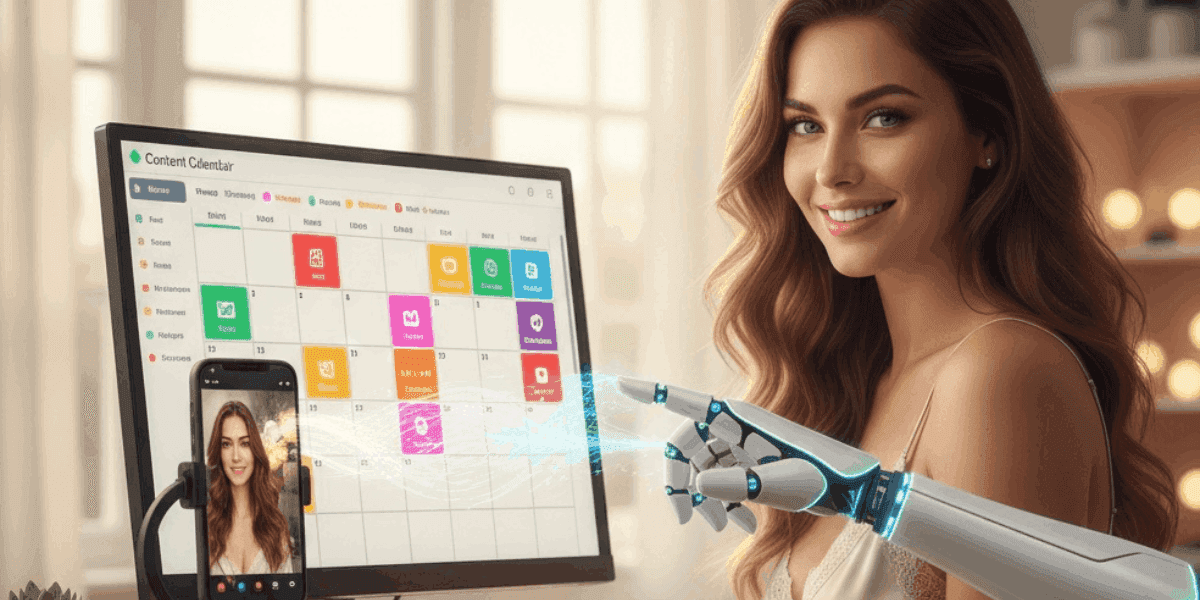
Scheduling content on OnlyFans transforms how creators manage their posting workflow, enabling consistent engagement without the need for constant manual intervention. This powerful platform feature allows you to plan, organise, and automate content publication days or weeks in advance, ensuring your subscribers receive regular updates even during your offline hours. Whether managing multiple revenue streams, travelling, or simply seeking better work-life balance, mastering content scheduling is essential for sustainable creator success.
The scheduling functionality eliminates the stress of real-time posting while maintaining the consistent presence that drives subscriber retention and revenue growth. By strategically planning your content calendar and automating distribution, you can focus more energy on creating high-quality content rather than managing posting logistics. For creators committed to professional-level account management, understanding scheduling best practices represents a fundamental skill that separates successful accounts from those struggling with consistency.
What is OnlyFans Content Scheduling?
OnlyFans content scheduling is a built-in platform feature that allows creators to prepare posts in advance and set specific publication dates and times for automatic posting. This functionality works with all content types, including photos, videos, text posts, and pay-per-view content, giving you complete control over when your audience sees your material.
Key Scheduling Capabilities:
- Date and time selection: Choose exact publication moments down to the minute
- All content types supported: Schedule photos, videos, text, polls, and PPV messages
- Batch scheduling: Queue multiple posts at once for efficient planning
- Edit before publishing: Modify scheduled posts anytime before they go live
- Preview functionality: See how posts will appear before automatic publication
- Automatic deletion option: Set posts to auto-delete after a specified period
- Timezone Awareness:Postsare publishedaccording to the selected timezone settings
Unlike third-party scheduling tools that require API access or workarounds, OnlyFans native scheduling is fully integrated into the platform with no additional costs or technical setup required. This makes it accessible to all creators regardless of technical expertise or subscription level.
The scheduling system maintains all post features, including captions, pricing for PPV content, expiration dates, and advanced settings such as subscriber tier restrictions. This ensures scheduled content has the same customisation options as manually posted content.
How to Access OnlyFans Scheduling Feature?
Accessing the OnlyFans scheduling feature is straightforward once you understand the platform interface. Follow this step-by-step guide to start scheduling your content:
Step-by-Step Scheduling Process:
- Step 1: Log into your OnlyFans creator account and navigate to your profile
- Step 2: Click the "New Post" button to begin creating content
- Step 3: Upload your media files (photos, videos) or compose your text content
- Step 4: Write your caption and configure post settings (PPV pricing, expiration, etc.)
- Step 5: Instead of clicking "Post," look for the "Schedule" option below the post button
- Step 6: Select your desired publication date using the calendar interface
- Step 7: Choose the specific time you want the post to go live
- Step 8: Review your scheduled post details and click "Confirm" or "Schedule Post"
Managing Scheduled Posts:
- Access your scheduled content queue from the "Scheduled Posts" or "Queue" section in your creator dashboard
- View all upcoming posts organised chronologically by publication date
- Edit scheduled posts by clicking on them and modifying content, captions, or timing
- Delete scheduled posts that are no longer needed or relevant
- Reschedule posts by changing their publication date and time
- Post immediately by selecting the "Post Now" option for any scheduled item
The interface provides clear visual indicators showing which posts are scheduled versus published, making it easy to manage your content pipeline at a glance.
Strategic Benefits of Scheduling Content
Implementing a consistent scheduling strategy delivers numerous advantages that directly impact your creator business's sustainability and revenue potential. Understanding these benefits helps you maximise the scheduling feature's value.
BenefitImpactImplementation StrategyConsistent Posting40-60% higher subscriber retentionSchedule posts at regular intervals to maintain predictable presenceTime ManagementSave 5-10 hours weeklyBatch-create content and schedule all at onceOptimal Timing25-35% increased engagementSchedule posts during peak audience activity hoursWork-Life BalanceReduced creator burnoutSchedule content during work hours for evening/night publicationProfessional PresenceHigher perceived account valueMaintain posting consistency even during travel or time offStrategic PlanningBetter content qualityPlan themed content series and promotional campaigns in advance
Scheduling enables creators to separate content creation time from content publication time, which often yields better quality material since you're not rushing to meet arbitrary posting deadlines. This separation also allows for better alignment with your audience's peak engagement periods.
Many successful creators combine scheduling with comprehensive content strategies and protective measures. Understanding how to schedule effectively works hand-in-hand with knowing how to attract and retain subscribers.
Additionally, scheduling provides consistency that subscribers value highly. When followers know you post at specific times or intervals, they're more likely to check your page regularly, increasing engagement rates and creating habitual viewing patterns that boost overall account performance.
Creating an Effective Content Calendar
A well-structured content calendar transforms random posting into strategic content distribution that drives consistent engagement and revenue. Building this calendar requires balancing variety, consistency, and audience expectations while accommodating your creative workflow.
Content Calendar Framework:
- Daily posting minimum: Schedule at least one post per day to maintain algorithmic visibility
- Weekly content mix: Plan 3-4 regular posts, 2-3 premium posts, 1-2 vault reposts
- Monthly themes: Create overarching content themes that tie posts together
- Seasonal planning: Prepare holiday and special event content 2-3 weeks in advance
- Promotional integration: Schedule discount announcements and special offers strategically
Sample Weekly Content Schedule:
DayMorning (9 AM)Evening (8 PM)MondayMotivational post + teaserRegular content photo setTuesdayBehind-the-scenes contentPPV preview announcementWednesdayVault repost (high performer)New video contentThursdaySubscriber appreciation postRegular content photo setFridayWeekend preview teaserPremium PPV content releaseSaturdayInteractive poll or Q&AFeatured content (best work)SundayCasual/personal contentWeek-ahead preview
Calendar Planning Tools:
- Digital spreadsheets for tracking scheduled posts and themes
- Colour-coding system for different content types
- Notes section for post ideas and subscriber feedback
- Performance tracking columns to refine future scheduling
Effective calendars balance predictability with spontaneity. While maintaining consistent scheduling builds subscriber trust, leaving room for timely, unscheduled posts keeps your content feeling fresh and responsive. Understanding foundational planning principles covered in what you need to know before starting OnlyFans helps you build sustainable scheduling practices from the beginning.
Scheduling Automation Strategies
Advanced automation strategies leverage scheduling functionality to create self-sustaining content distribution systems that maintain engagement with minimal daily intervention. These techniques separate professional creators from those struggling with consistency.
Batch Content Creation Workflow:
- Dedicated creation days: Set aside specific days for filming/photographing multiple content pieces
- Immediate scheduling: Schedule all created content immediately after production
- Two-week buffer: Maintain at least 14 days of pre-scheduled conten as asafety margin
- Theme batching: Create multiple variations of themed content in a single sessions
- Vault integration: Mix scheduled new content with strategic vault reposts
Automation Workflows by Creator Type:
- Part-time creators: Schedule weekend content creation for weekday publication
- Full-time creators: Create 3-4 weeks ahead to accommodate creative flexibility
- Agency-managed creators: Implement 4-6 week scheduling pipelines with manager oversight
- Multi-platform creators: Coordinate OnlyFans scheduling with other platform calendars
Advanced Automation Techniques:
- Schedule different content tiers for various subscription levels
- Create recurring posting patterns that subscribers anticipate
- Automate promotional cycles (discount announcements, limited offers)
- Schedule welcome sequence posts to automatically greet new subscribers
- Set up holiday content weeks in advance to avoid last-minute stress
Remember that automation should enhance, not replace, authentic subscriber interaction. Balance automated posting with genuine engagement through messages, comments, and occasional spontaneous posts that demonstrate your active presence.
Common Content Scheduling Mistakes to Avoid
While scheduling offers tremendous benefits, certain mistakes can undermine its effectiveness and damage subscriber relationships. Recognizing and avoiding these pitfalls ensures your scheduling strategy supports rather than hinders account growth.
Critical Scheduling Errors:
- Over-scheduling without engagement: Automating posts but never responding to comments makes your page feel robotic
- Ignoring timezone differences: Scheduling based on your timezone when subscribers are primarily international
- No content buffer: Running out of scheduled posts forces rushed, lower-quality content
- Forgetting to update captions: Scheduled posts with outdated promotional information or references
- Scheduling inappropriate timing: Posting sensitive content during subscriber work hours in their timezone
- Never posting live: Complete reliance on scheduling eliminates spontaneity and real-time connection
- Duplicate posting: Accidentally scheduling the same content twice at different times
- Ignoring performance data: Maintaining scheduled times that analytics show perform poorly
How to Avoid These Mistakes:
- Set daily reminders to check the scheduled post queue and upcoming content
- Review all scheduled posts weekly to ensure captions and timing remain relevant
- Maintain subscriber interaction separate from automated posting schedule
- Create scheduling templates that account for multiple timezone peaks
- Build a 3-4 week content buffer to prevent scheduling gaps
- Mix scheduled posts with at least 2-3 spontaneous posts weekly
- Use analytics to continuously refine scheduling times and content types
Protecting your scheduled content is equally important. Ensure you have comprehensive security measures in place, as leaked content can undermine your scheduling strategy. ProfessionalOnlyFans content protectionservices monitor for unauthorised distribution of both scheduled and published material.
Third-Party Scheduling Tools and Alternatives
While OnlyFans native scheduling handles most creator needs, some third-party tools offer expanded functionality for creators managing complex content strategies across multiple platforms. Understanding these options helps you choose the right scheduling approach for your specific situation.
| Feature | Native OnlyFans | Third-Party Tools |
|---|---|---|
| Cost | Free (included) | $10-100+ monthly subscriptions |
| Setup Complexity | No setup required | Account linking, API access, learning curve |
| Cross-Platform | OnlyFans only | Schedule across multiple platforms simultaneously |
| Analytics | Basic platform analytics | Advanced performance tracking and reporting |
| Support | Official platform support | Varies by service provider |
| Security | Direct platform access | Third-party access to account credentials |
When Third-Party Tools Make Sense:
- Managing multiple creator accounts simultaneously
- Coordinating content across OnlyFans and other subscription platforms
- Requiring advanced analytics beyond native platform offerings
- Team collaboration with multiple people managing scheduling
- Bulk import and scheduling of large content libraries
Security Considerations:
- Third-party tools require account access credentials, creating security risks
- Unofficial tools may violate OnlyFans terms of service
- Account credentials shared with third parties increase leak vulnerability
- Always verify tool legitimacy and read user reviews before granting access
For most creators, OnlyFans native scheduling provides sufficient functionality without additional costs or security concerns. Only consider third-party alternatives when you have specific needs that justify the added complexity and expense. Regardless of which tools you use, maintaining strong security practices remains critical for protecting your content and account.
Scheduling for Global Audiences and Time Zones
Creators with international subscriber bases face unique scheduling challenges requiring strategic approaches that accommodate multiple time zones simultaneously. Effective global scheduling maximizes reach across diverse geographic audiences while maintaining manageable posting frequency.
Multi-Timezone Scheduling Strategies:
- Primary timezone focus: Identify your largest subscriber concentration and schedule for their peak hours
- Dual posting windows: Schedule two posts daily targeting different major timezone groups
- Rotating schedule: Vary posting times throughout the week to reach different timezone audiences
- Weekend optimization: Use weekends when timezone differences matter less due to flexible schedules
- Analytics-driven timing: Let subscriber activity data determine multi-timezone posting strategy
Global Scheduling Framework:
| Target Region | Optimal Posting Time (Local) | Content Type |
|---|---|---|
| North America | 7-9 PM EST | Premium evening content |
| Europe | 8-10 PM GMT | Regular engagement posts |
| Asia-Pacific | 9-11 PM local | Morning content for western audiences |
| South America | 7-9 PM local | Evening engagement content |
Managing Timezone Complexity:
- Use timezone converter tools when planning international posting schedules
- Set your OnlyFans account timezone to match your primary audience location
- Create timezone reference chart for quick scheduling decisions
- Monitor subscriber growth by region to adjust scheduling priorities
- Consider seasonal time changes (daylight saving) when scheduling weeks ahead
Remember that posting more frequently to cover multiple timezones can quickly become unsustainable. Focus on identifying the 1-2 time windows that capture the majority of your subscriber base rather than trying to accommodate every possible timezone.
Balancing Scheduled Posts with Live Content
The most successful OnlyFans creators strike a strategic balance between automated scheduled content and spontaneous live posting. This hybrid approach maintains consistency while preserving the authentic, real-time connection that differentiates OnlyFans from traditional media platforms.
Optimal Balance Ratios:
- New creators (0-3 months): 60% scheduled, 40% live to build authentic connections
- Established creators (3-12 months): 75% scheduled, 25% live for sustainable workflow
- Professional creators (12+ months): 85% scheduled, 15% live for maximum efficiency
- During promotions: 50% scheduled, 50% live to maintain engagement momentum
Live Posting Strategic Uses:
- Time-sensitive announcements: Sales, limited offers, urgent updates require immediate posting
- Subscriber interaction: Responding to requests or comments with relevant content
- Trending topics: Capitalising on current events or viral moments
- Spontaneous moments: Behind-the-scenes glimpses that feel authentic and immediate
- Testing new content: Gauge audience reaction before committing to a scheduled series
Maintaining Authenticity While Scheduling:
- Schedule bulk content but manually engage with comments daily
- Add 2-3 unscheduled "Story" or casual posts weekly
- Use scheduled posts for professional content, live posts for personal connection
- Occasionally mention "scheduling this while travelling" to maintain transparency
- Respond to messages in real-time even when posts are automated
Building strong subscriber relationships through effective messaging strategies works alongside scheduling. Explore proven OnlyFans welcome message techniques that create personal connections even within automated workflows.
The goal is to create the perception of constant availability while actually maintaining healthy work boundaries through strategic scheduling. Subscribers should feel you're actively present, even when most content publishes automatically.
Advanced Scheduling Techniques for Maximum Engagement
Professional-level creators employ sophisticated scheduling techniques that go beyond basic automation, using data-driven strategies and psychological principles to maximise content impact and subscriber retention.
Advanced Scheduling Frameworks:
- Peak-valley scheduling: Alternate high-value posts with lighter content to maintain sustainable engagement
- Cliffhanger sequences: Schedule content series that build anticipation over multiple days
- Scarcity scheduling: Set automatic expiration on scheduled posts to create urgency
- Tiered release scheduling: Give VIP subscribers early access before general posting
- Revenue-optimised scheduling: Time PPV content releases when conversion rates historically peak
Data-Driven Scheduling Optimization:
- Track engagement metrics by posting time to identify your specific audience peaks
- A/B test different scheduling times for identical content types
- Monitor subscriber growth patterns and adjust scheduling to match new demographics
- Analyse PPV conversion rates by posting time to optimize revenue scheduling
- Use seasonal data to adjust schedules for holidays and special events
Psychological Scheduling Tactics:
- Consistency creates habit: Schedule posts at exact same times to build subscriber checking routines
- Variable reward timing: Occasionally post premium content at unexpected times to maintain surprise
- Anticipation building: Schedule preview posts 24-48 hours before major content drops
- Completion patterns: End weekly schedules with strong content to encourage weekend re-subscription decisions
Scaling Scheduling Operations:
As your account grows, scheduling complexity increases. Professional creators often implement:
- Content creation teams with dedicated schedulers managing publication calendars
- Detailed scheduling spreadsheets tracking performance across all scheduled content
- Revenue tracking integrated with scheduling to identify highest-value posting patterns
- Multi-tier scheduling systems for different subscriber levels
Utilize a comprehensiveOnlyFans income calculatorto understand how your scheduling strategy impacts overall earnings, allowing data-driven refinements that maximize income per post.
Remember that advanced scheduling techniques should enhance rather than complicate your workflow. Implement sophistication gradually as your account scales, and you identify specific optimization opportunities through experience and data analysis.
Master Content Scheduling for Sustainable Creator Success
Scheduling content on OnlyFans represents one of the most impactful skills for creator sustainability and professional account management. By transforming chaotic, reactive posting into strategic, automated content distribution, you create the consistency that drives subscriber retention while maintaining the work-life balance necessary for long-term success.
Throughout this comprehensive guide, we've explored scheduling fundamentals, access methods, strategic benefits, optimal timing, content calendar creation, automation workflows, common mistakes, third-party tools, global audience management, live content balance, and advanced optimization techniques. Each element contributes to a sophisticated scheduling approach that separates professional creators from hobbyists.
Effective scheduling goes beyond simply setting publication times it requires understanding audience behaviour, analysing performance data, maintaining authentic engagement, and protecting your content investment. When combined with strong content creation practices and strategic planning, scheduling becomes a force multiplier that extends the value of every piece of content you create.
Key takeaways for scheduling success include maintaining consistent posting patterns, optimizing for audience timezone peaks, building substantial content buffers, balancing automation with spontaneity, and continuously refining your approach based on performance analytics. Creators who master these scheduling principles report dramatically reduced stress, improved content quality, and higher subscriber satisfaction rates.
As you build your content library and scheduling system, remember that every scheduled post represents an opportunity to engage subscribers and generate revenue, but only if that content remains exclusively yours. Professional content protection services ensure your scheduled material stays secure from leaks and piracy, protecting both your current posting schedule and future revenue potential through comprehensive monitoring and rapid DMCA enforcement.
Start implementing these scheduling strategies today to transform your OnlyFans workflow from reactive to strategic. Whether you're just beginning to experiment with scheduling or optimising an established automation system, the principles and techniques covered in this guide provide a roadmap for sustainable, efficient, and profitable content management that supports long-term creator success.
Ready to automate protection with your content?Start a free trial to protect your contentand get 24/7 monitoring, automated DMCA takedowns, and professional content protection.
Protect Your Content
- 24/7 leak detection
- Automated DMCA takedowns
- OnlyFans-specific protection
- Real-time monitoring alerts
Frequently Asked Questions
Couldn't find an answer?

Emily
Digital Content Strategist
Emily is a digital content protection specialist with over 5 years of experience helping creators safeguard their work online. She specializes in DMCA enforcement and platform-specific takedown strategies.
Protect Your Content
- 24/7 leak detection
- Automated DMCA takedowns
- OnlyFans-specific protection
- Real-time monitoring alerts
Related Articles

How to Withdraw Money from OnlyFans: A Human-Friendly Guide for Creators
Learn how to withdraw money from OnlyFans with this complete guide. Discover payout options, processing times, common issues, and how to keep your earnings secure.
Read Post
Wheelchair OnlyFans Success Guide
Discover how disabled creators thrive on OnlyFans, breaking stereotypes, inspiring communities, and promoting inclusivity. Learn Wheelchair OnlyFans niche details.
Read Post
What You Need to Know Before Starting OnlyFans: Essential Tips and Strategies
Thinking about joining OnlyFans? Discover What You Need to Know Before Starting OnlyFans? Essential tips, strategies, and insights to maximize your success, protect your content, and grow your fanbase effectively. Start your journey with confidence!
Read PostFree Resources

Protecting Your Mental Wellness
Mental health essentials for content creators.

Ultimate Handbook for OnlyFans Creators
Comprehensive resource for all aspects of OnlyFans success.

How to Safeguard Your 🌶️ Content?
How to safeguard your digital content across multiple platforms.

How to Stay Safe as a Creator?
Essential safety tips for content creators.

What Every Creator Needs to Know About Their Rights?
Legal basics and rights for creators.

How to Protect Your Creativity?
A must-have guide for OnlyFans creators.

Glossary for Content Creators
Key terms every content creator should know.

Content Security Checklist for Maximum Profit
Checklist for securing content and optimizing earnings.

How to Stop Leaks Instantly?
Protect your work, take control, and prevent unauthorized sharing across platforms instantly.