Is OnlyFans Anonymous for Creators? Complete Privacy Guide
Is OnlyFans anonymous for creators? While the platform requires identity verification, there are effective strategies to maintain complete anonymity in your public-facing content.
In this article
Is OnlyFans anonymous for creators? This is one of the most important questions for anyone considering joining the platform. While OnlyFans requires identity verification for legal and safety reasons, your public profile can remain completely anonymous. Many of the platform's top earners operate under aliases without ever revealing their real names, locations, or personal details to subscribers. Understanding the distinction between what OnlyFans knows about you and what the public sees is key to building a successful anonymous creator career.
Understanding OnlyFans Creator Anonymity
The Difference Between Verification and Public Identity
OnlyFans operates on a two-tier identity system. The platform requires your real identity for legal compliance, tax reporting, and fraud prevention. However, your public-facing profile is entirely separate. You can use any display name, and subscribers will never see your legal name, home address, or government ID. This separation is fundamental to understanding how creator anonymity works on the platform.
The verification process, which includes submitting government-issued identification and a selfie, is handled by a secure third-party service. This data is encrypted and stored separately from your public profile. Learning how OnlyFans verifies creators helps you understand exactly what information the platform collects and how it is protected.
What Subscribers Can and Cannot See
Subscribers can only see your display name, profile picture, bio, and the content you choose to share. They cannot access your real name, email address, phone number, location, banking details, or any verification documents. Your subscriber list is also private other users cannot see who subscribes to your page.
How Anonymous Can You Really Be?
The level of anonymity you achieve depends entirely on the precautions you take. Many creators successfully maintain complete anonymity for years by carefully controlling what information they share in their content, messages, and social media presence. The key is consistent operational security across all platforms and interactions.
Setting Up an Anonymous OnlyFans Account
Choosing a Stage Name and Username
Select a stage name that has no connection to your real identity. Avoid using nicknames friends or family might recognize, birth years, or location references. OnlyFans username generator can help you create a unique, memorable name that protects your privacy. Ensure your chosen name is not already associated with your real identity on any social media platform.
Creating a Separate Digital Identity
Set up a completely new email address specifically for your OnlyFans business. Use a privacy-focused email provider and avoid linking it to any personal accounts. Create new social media profiles for promotion using this same anonymous identity. Use a separate phone number a prepaid SIM card or virtual number service works well for verification purposes.
Crafting an Anonymous Bio and Profile
Your bio should be engaging without revealing personal details. OnlyFans bio generator can help you craft compelling descriptions that attract subscribers without compromising your identity. Avoid mentioning your city, workplace, university, or any details that could be used to identify you through social engineering.
Creating Content Anonymously
Face-Hiding Techniques and Camera Angles
The most obvious anonymity measure is avoiding showing your face. Use creative camera angles that frame your body without including your face. Masks, hats with brims, or strategic lighting can obscure facial features when needed. Some creators show partial face features like lips or jawline to add a personal touch while maintaining anonymity. A dedicated guide on how to start an OnlyFans without showing your face covers camera angles, content types, and branding strategies in detail.
Removing Identifying Details from Content
Before uploading any content, carefully review it for identifying information. This includes distinctive tattoos, birthmarks, jewelry, room features, window views showing recognizable locations, brand logos, and mail or documents visible in the background. Strip all metadata (EXIF data) from photos and videos before uploading, as this data can contain GPS coordinates, device information, and timestamps.
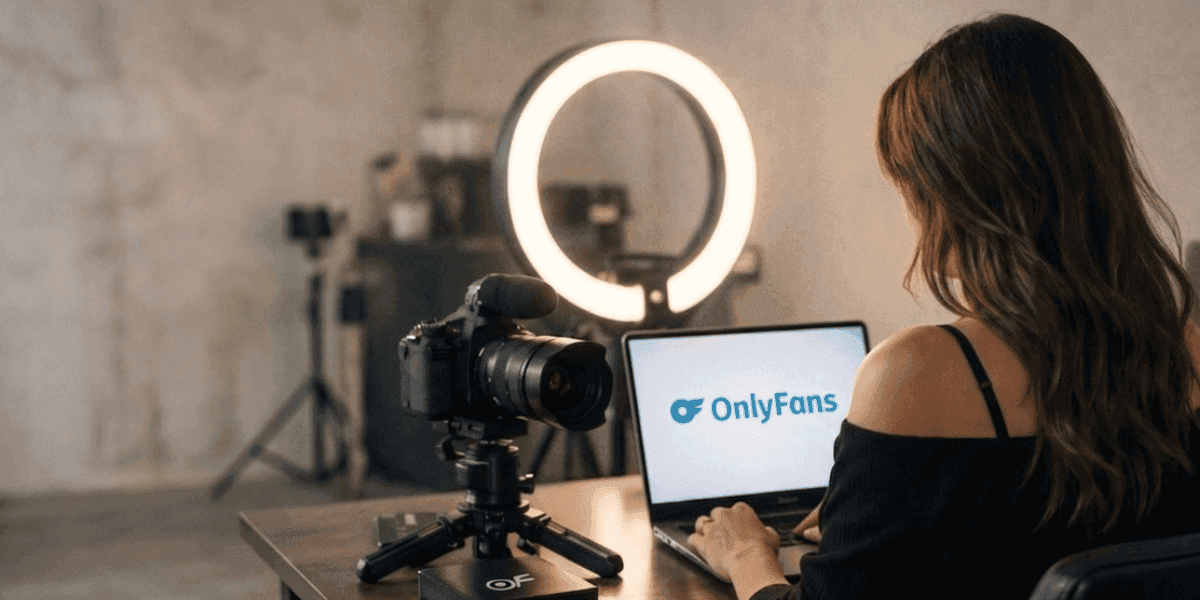
Use neutral, generic backdrops for your content. Investing in proper OnlyFans equipment including portable backgrounds and controlled lighting setups helps you create professional content without revealing your living space.
Voice Disguising Options
If you create video content, your voice can be a identifying factor. Consider using background music to mask your voice, speaking softly or in a different register, or using voice modification software. Some creators avoid speaking entirely, using text overlays or captions instead. If you have a distinctive accent, voice modification becomes especially important.
Protecting Your Personal Information
Digital Security Measures
Use a VPN every time you access your OnlyFans account to mask your IP address and location. Different browsing sessions should use different browser profiles or containers to prevent cross-site tracking. Clear cookies regularly and avoid logging into personal accounts from the same browser session. Creators who want to understand what platform-level protections exist should also review OnlyFans terms of service privacy clauses.
Understanding whether OnlyFans protects your identity at the platform level is important, but personal security measures are equally critical. The platform provides a foundation, but you must build additional layers of protection.
Social Media Operational Security
When promoting your OnlyFans through social media, maintain strict separation between your anonymous creator profiles and personal accounts. Never follow or interact with people you know in real life from your creator accounts. Avoid posting at times that could reveal your timezone, and never share screenshots that might contain identifying information in browser tabs or notification bars.
Financial Privacy Considerations
OnlyFans payouts will appear on your bank statements. Consider using a separate bank account dedicated to your creator income. In some jurisdictions, forming an LLC or business entity can add a layer of financial privacy by keeping your creator income separate from personal finances. Consult with a tax professional familiar with the IRS self-employment guidelines to understand your reporting obligations while maintaining privacy.
Tools and Strategies for Maximum Anonymity
Technical Tools for Anonymous Creators
Several tools can help maintain your anonymity. Metadata stripping tools remove identifying information from files before upload. Reverse image search tools help you check if your content appears elsewhere online. VPN services mask your location and IP address. Password managers help you maintain unique credentials for all your anonymous accounts without reusing passwords.
Building a Promotion Strategy Without Revealing Identity
Anonymous creators can successfully promote their OnlyFans through Reddit, Twitter/X, and other platforms using their stage name. Focus on niche communities where your content style resonates. Collaborate with other anonymous creators for shoutouts. Use scheduling tools to post at optimal times without revealing your real timezone.
What to Do If Your Identity Is Compromised?
Have a plan in place for identity compromise. If someone discovers your real identity, immediately assess the scope of exposure. Change any compromised passwords, report harassment to the platform and law enforcement if necessary, and consider consulting with a lawyer about your options. Professional DMCA takedown services can help remove content that has been shared alongside your personal information.
Legal Considerations for Anonymous Creators
Tax Reporting While Anonymous
Being anonymous on OnlyFans does not exempt you from tax obligations. You must still report all income to your local tax authority. In the United States, OnlyFans will issue tax documents using your legal name, which is kept separate from your public profile. Consider working with a tax professional who understands creator privacy concerns.
Copyright and Legal Protections
Anonymous creators have the same copyright protections as any other creator. Your content is automatically copyrighted upon creation regardless of whether your real name is attached. If you need to enforce your rights through legal action, you may eventually need to reveal your identity in court proceedings, though many disputes can be resolved through DMCA processes without this step.
Terms of Service Compliance
OnlyFans allows creators to use stage names on their public profiles. This is explicitly permitted under the platform's terms. However, you must provide accurate legal information during verification using false identification documents is illegal and will result in permanent account termination. The anonymity discussed in this guide refers to your public-facing identity, not your legal relationship with the platform.
Building a Successful Anonymous Career
Creating content anonymously on OnlyFans is entirely possible and widely practiced. The key principles for maintaining anonymity include:
- Use a completely separate digital identity for your creator business
- Never share personal details in content, messages, or social media
- Strip metadata from all uploaded files
- Use a VPN and dedicated devices for all OnlyFans activities
- Maintain strict separation between personal and creator social media
- Have an emergency plan for potential identity compromise
Ready to protect your anonymous creator identity? Keep your creator identity secure with Enforcity and ensure your content stays under your control.
Protect Your Content
- 24/7 leak detection
- Automated DMCA takedowns
- OnlyFans-specific protection
- Real-time monitoring alerts
Frequently Asked Questions
Couldn't find an answer?

Emily
Digital Content Strategist
Emily is a digital content protection specialist with over 5 years of experience helping creators safeguard their work online. She specializes in DMCA enforcement and platform-specific takedown strategies.
Protect Your Content
- 24/7 leak detection
- Automated DMCA takedowns
- OnlyFans-specific protection
- Real-time monitoring alerts
Related Articles

How to Withdraw Money from OnlyFans: A Human-Friendly Guide for Creators
Learn how to withdraw money from OnlyFans with this complete guide. Discover payout options, processing times, common issues, and how to keep your earnings secure.
Read Post
Wheelchair OnlyFans Success Guide
Discover how disabled creators thrive on OnlyFans, breaking stereotypes, inspiring communities, and promoting inclusivity. Learn Wheelchair OnlyFans niche details.
Read Post
What You Need to Know Before Starting OnlyFans: Essential Tips and Strategies
Thinking about joining OnlyFans? Discover What You Need to Know Before Starting OnlyFans? Essential tips, strategies, and insights to maximize your success, protect your content, and grow your fanbase effectively. Start your journey with confidence!
Read PostFree Resources

Protecting Your Mental Wellness
Mental health essentials for content creators.

Ultimate Handbook for OnlyFans Creators
Comprehensive resource for all aspects of OnlyFans success.

How to Safeguard Your 🌶️ Content?
How to safeguard your digital content across multiple platforms.

How to Stay Safe as a Creator?
Essential safety tips for content creators.

What Every Creator Needs to Know About Their Rights?
Legal basics and rights for creators.

How to Protect Your Creativity?
A must-have guide for OnlyFans creators.

Glossary for Content Creators
Key terms every content creator should know.

Content Security Checklist for Maximum Profit
Checklist for securing content and optimizing earnings.

How to Stop Leaks Instantly?
Protect your work, take control, and prevent unauthorized sharing across platforms instantly.