OnlyFans-Titelbild: So erstellen Sie das perfekte Banner- und Profilbild
Meistern Sie die Kunst, auffällige OnlyFans-Titelbilder und Profilbilder zu erstellen, die Besucher in zahlende Abonnenten verwandeln.
In diesem Artikel
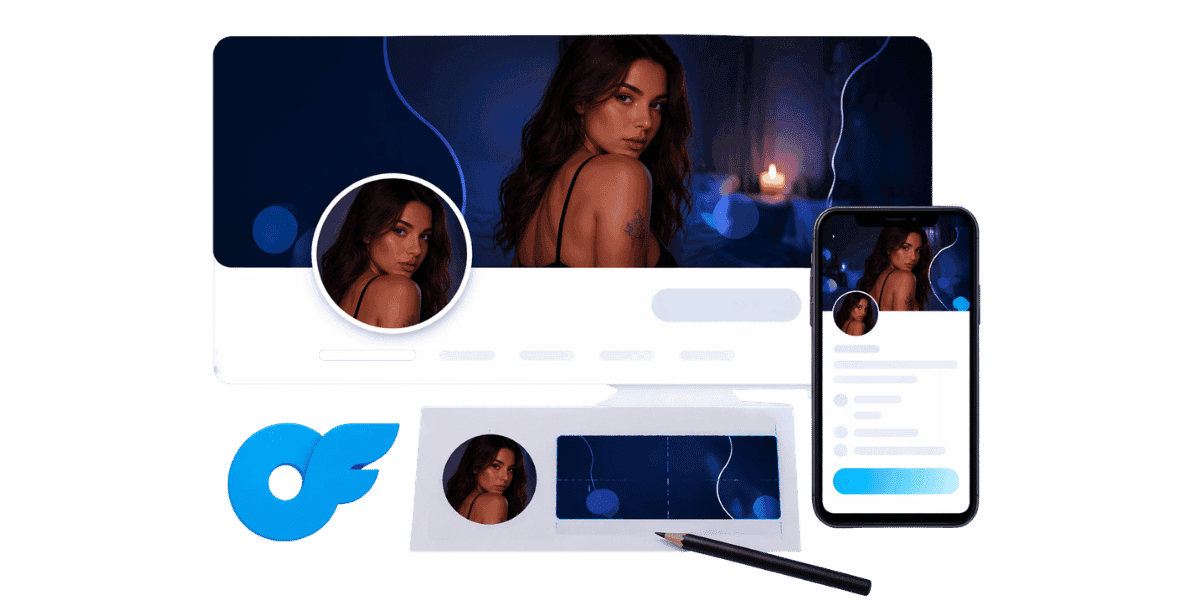
Dein OnlyFans-Titelbild ist das Erste, was potenzielle Abonnenten sehen, wenn sie auf deinem Profil landen, und ist damit eines der wichtigsten visuellen Elemente in deinem gesamten Creator-Toolkit. Ein gut gestaltetes Banner und Profilbild kann den Unterschied zwischen einem vorbeiscrollenden Besucher und einem neuen zahlenden Abonnenten ausmachen. Die richtigen visuellen Elemente sind entscheidend für die Etablierung Ihrer Marke, die Kommunikation Ihrer Nische und den Aufbau von Vertrauen bei Ihrem Publikum auf den ersten Blick.
Grundlegendes zu den Abmessungen und Anforderungen des OnlyFans-Titelbilds
Optimale Bannergröße und Auflösung
Die empfohlenen Abmessungen für ein OnlyFans-Titelbild betragen 1048 x 300 Pixel für das Bannerbild. Das Hochladen mit einer höheren Auflösung wie 2096 x 600 Pixel stellt jedoch sicher, dass Ihr Banner auf Displays mit hoher Dichte wie Retina-Bildschirmen scharf aussieht. Das Dateiformat sollte JPEG oder PNG sein, wobei JPEG normalerweise eine bessere Komprimierung für fotografische Bilder bietet, während PNG besser für Grafiken mit Textüberlagerungen geeignet ist. Halten Sie Ihre Dateigröße unter 5 MB, um schnelle Ladezeiten zu gewährleisten, da langsam ladende Bilder dazu führen können, dass Besucher das Profil verlassen, bevor Ihr Profil vollständig gerendert ist. Creator, die ihr Banner auch für saisonale Werbeaktionen nutzen, profitieren vom Lernen Planen von Inhalten auf OnlyFans Durch die Koordinierung von Banneraktualisierungen mit größeren Content-Drops wird die Wirkung beider maximiert.
Profilbildspezifikationen
Ihr Profilbild wird als kreisförmiger Ausschnitt mit 200 x 200 Pixeln angezeigt. Für die beste Qualität sollten Sie jedoch ein quadratisches Bild mit mindestens 400 x 400 Pixeln hochladen. Achten Sie wegen des kreisförmigen Zuschnitts darauf, dass die wichtigsten Elemente Ihres Bildes zentriert und nicht zu nah an den Rändern liegen. Dieses Bild erscheint auf der gesamten Plattform in Suchergebnissen, Nachrichten und Empfehlungs-Feeds und muss daher auch bei sehr kleinen Größen sofort erkennbar sein. Wählen Sie ein klares, gut beleuchtetes Porträtfoto oder ein markantes Markenlogo, das sich gut als Miniaturbild lesen lässt.
Sichere Zonen und mobile Überlegungen
Ein erheblicher Teil des OnlyFans-Verkehrs kommt von mobilen Geräten, bei denen das Bannerbild anders zugeschnitten ist als auf dem Desktop. Die mittleren 60 % Ihres Banners sind der sichere Bereich, der auf allen Geräten einheitlich angezeigt wird. Behalten Sie daher Ihre wichtigsten visuellen Elemente und jeglichen Text in diesem Bereich. Testen Sie Ihr Banner sowohl auf einem Telefon als auch auf einem Computer, bevor Sie es fertigstellen. Viele Entwickler verlieren durch das Zuschneiden wichtige Designelemente, weil sie nur auf einem Gerätetyp eine Vorschau anzeigen, was das professionelle Erscheinungsbild, an dem sie hart gearbeitet haben, beeinträchtigen kann.
Entwerfen eines Titelbilds, das konvertiert
Farbpsychologie und Branding
Die Farben, die Sie für Ihr Titelbild wählen, vermitteln mehr, als Sie vielleicht denken. Warme Töne wie Rot und Orange vermitteln Energie und Leidenschaft, während kühle Töne wie Blau und Lila Eleganz und Ruhe suggerieren. Welche Palette Sie auch wählen, Konsistenz ist der Schlüssel. Ihr Titelbild, Ihr Profilbild und alle Bio-Elemente sollten ein einheitliches Farbschema haben, das mit Ihrer Marke in Verbindung gebracht wird. Bleiben Sie bei zwei oder drei Primärfarben und verwenden Sie diese konsistent an allen Ihren visuellen Berührungspunkten, um einen sofortigen Wiedererkennungswert zu erzielen.
Typografie und Textüberlagerungen
Durch das Hinzufügen von Text zu Ihrem Banner können Sie Ihren Veröffentlichungsplan, Ihre Inhaltsnische oder einen überzeugenden Aufruf zum Handeln kommunizieren. Verwenden Sie große, fette Schriftarten, die auch auf mobilen Bildschirmen gut lesbar bleiben, und beschränken Sie sich auf ein oder zwei kurze Sätze. Vermeiden Sie es, das Banner mit zu vielen Informationen zu überladen, denn es soll faszinieren und nicht überfordern. Ein einfacher Slogan wie Ihre Veröffentlichungshäufigkeit oder Ihre Inhaltsspezialität kann Erwartungen wecken und das richtige Publikum anziehen. Wählen Sie Schriftarten, die zu Ihrer Markenpersönlichkeit passen, egal ob es sich um elegante Serifenschriften für ein luxuriöses Gefühl oder moderne serifenlose Schriftarten für eine klare, zugängliche Atmosphäre handelt.
Visuelle Komposition und Schwerpunkte
Ein gutes Bannerdesign folgt der Drittelregel und platziert das Hauptmotiv leicht außermittig, um visuelles Interesse zu wecken. Wenn Sie ein Foto von sich selbst verwenden, positionieren Sie sich auf einer Seite und nutzen Sie den verbleibenden Platz für Branding-Elemente oder Negativflächen, die das Bild atmen lassen. Das richtige OnlyFans-Ausrüstung macht einen enormen Unterschied in der Qualität Ihres Bannerfotos. Vermeiden Sie unruhige Hintergründe, die mit Ihrem Motiv konkurrieren, und erwägen Sie die Verwendung eines subtilen Farbverlaufs oder Unschärfeeffekts, um Vordergrundelemente vom Hintergrund zu trennen.
Tools und Software zum Erstellen von OnlyFans-Bannern
Kostenlose Design-Tools für Anfänger
Canva ist das beliebteste kostenlose Tool zum Erstellen von OnlyFans-Bannern und bietet Hunderte von Vorlagen, die Sie mit Ihren eigenen Fotos und Ihrem Branding anpassen können. Es bietet Drag-and-Drop-Funktionen, für die keine Designerfahrung erforderlich ist, und Sie können benutzerdefinierte Abmessungen festlegen, die genau den Bannerspezifikationen entsprechen. Zu den weiteren hervorragenden kostenlosen Optionen gehören GIMP für eine erweiterte Fotobearbeitung, Photopea als browserbasierte Alternative zu Photoshop und PicMonkey für schnelle Nachbesserungen. Laut Canvas Design School Mit der richtigen Vorlage können selbst Anfänger in weniger als 30 Minuten professionell aussehende Grafiken erstellen.
Professionelle Designsoftware
Wenn Sie maximale Kontrolle über Ihr Bannerdesign wünschen, bieten professionelle Tools wie Adobe Photoshop und Illustrator unübertroffene Flexibilität. Mit diesen Programmen können Sie mit Ebenen, erweiterten Mischmodi und präzisen Typografiesteuerungen arbeiten, mit denen kostenlose Tools einfach nicht mithalten können. Die monatlichen Abonnementkosten sind eine Investition, die sich auszahlt, wenn Sie Ihr Banner regelmäßig aktualisieren, um saisonale Werbeaktionen, neue Inhaltsthemen oder besondere Ankündigungen widerzuspiegeln. Figma ist eine weitere hervorragende Option, die professionelle Funktionen mit einer kollaborativen Oberfläche kombiniert, und ihr kostenloses Kontingent ist großzügig genug für die meisten Anforderungen von Erstellern.
Einen Designer engagieren vs. DIY
Manchmal ist die beste Investition die Beauftragung eines professionellen Designers, der die OnlyFans-Plattform und ihre einzigartigen Anforderungen versteht. Freiberufliche Designer auf Plattformen wie Fiverr können benutzerdefinierte Banner für nur zwanzig bis fünfzig Dollar erstellen, und das Ergebnis sieht oft deutlich ausgefeilter aus als ein DIY-Versuch. Überprüfen Sie bei der Auswahl Ihrer Nische und visuellen Identität Nischenideen für Nischen Stellen Sie zunächst sicher, dass Ihr Designer-Briefing eine inhaltliche Ausrichtung mit nachgewiesener Zielgruppennachfrage widerspiegelt. Wenn Sie jedoch Spaß am kreativen Prozess haben und Ihr Bannerdesign häufig wiederholen möchten, bietet das Erlernen grundlegender Designfähigkeiten einen langfristigen Mehrwert und schnellere Bearbeitungszeiten. Welchen Designweg Sie auch wählen, schützen Sie die von Ihnen erstellten visuellen Elemente Online-Markenschutz deckt die unbefugte Nutzung Ihrer Markenbilder im gesamten Web ab, nicht nur Ihrer Inhalte.
Best Practices für Profilbilder für maximale Wirkung
Den richtigen Fotostil auswählen
Ihr Profilbild ist Ihre Visitenkarte auf der gesamten OnlyFans-Plattform und muss daher auf engstem Raum funktionieren. Die wirkungsvollsten Profilfotos zeichnen sich durch klare Gesichtsausdrücke, gute Beleuchtung und einen einfachen Hintergrund aus, der nicht vom Motiv ablenkt. Lifestyle-Aufnahmen können funktionieren, wenn sie Ihre Nische klar kommunizieren. Vermeiden Sie jedoch übermäßig komplexe Kompositionen, die bei Miniaturbildgröße unscharf werden. Warmes, natürliches Licht eignet sich bei Profilbildern tendenziell besser als grelles Studiolicht und schafft eine einladende und zugängliche Atmosphäre, die Besucher dazu anregt, sich durch Ihr vollständiges Profil zu klicken.
Konsistenz über Plattformen hinweg
Ihr Profilbild bei OnlyFans sollte für Follower erkennbar sein, die Sie auf anderen Social-Media-Plattformen entdecken. Durch die Verwendung desselben oder eines sehr ähnlichen Bildes auf Twitter, Instagram, Reddit und OnlyFans entsteht ein nahtloses Markenerlebnis, das Vertrauen schafft und Sie leichter auffindbar macht. Wenn Sie Inhalte für mehrere Plattformen erstellen, bindet eine einheitliche visuelle Identität alles zusammen. Aktualisieren Sie Ihr Profilbild gleichzeitig auf allen Plattformen, wenn Sie ein Rebranding durchführen, und bewahren Sie eine Masterdatei Ihrer genehmigten Profilbilder für den schnellen Zugriff auf. Ersteller, die ihre visuelle Identität plattformübergreifend aufbauen, sollten ihren Benutzernamen auch überall dort angeben, wo steht OnlyFans-Benutzernamengenerator hilft dabei, vor der Etablierung Ihrer Marke einen konsistenten, einprägsamen Griff zu schaffen.
Saisonale und Werbe-Updates
Wenn Sie Ihr Profilbild regelmäßig aktualisieren, bleibt Ihre Seite aktiv und bietet wiederkehrenden Besuchern etwas Neues, das sie bemerken können. Viele erfolgreiche YouTuber aktualisieren ihr Profilbild monatlich oder passen Änderungen an Feiertagen, saisonalen Themen oder größeren Inhaltsrückgängen an. Kleine Updates wie das Hinzufügen einer festlichen Bordüre oder das Ändern Ihres Outfits können Frische signalisieren, ohne Ihr bestehendes Publikum zu verwirren. Verfolgen Sie Ihre Abonnenten-Conversion-Rate vor und nach Profilbildänderungen, um zu verstehen, welche Stile bei Ihrer Zielgruppe am meisten Anklang finden, und nutzen Sie diese Daten, um zukünftige Updates zu informieren.
Häufige Fehler beim Titelbild, die Sie vermeiden sollten
Niedrige Auflösung und Bilder von schlechter Qualität
Nichts schreckt potenzielle Abonnenten schneller ab als ein verschwommenes, verpixeltes oder schlecht beleuchtetes Titelbild. Es signalisiert einen Mangel an Professionalität und lässt Besucher an der Qualität Ihrer tatsächlichen Inhalte zweifeln. Nehmen Sie Ihre Bannerbilder immer mit der höchstmöglichen Auflösung auf oder verwenden Sie sie als Quelle, und vermeiden Sie es, kleinere Bilder zu strecken, um sie an die Bannerabmessungen anzupassen. Komprimierungsartefakte beim Speichern von Bildern in geringer Qualität schaden Ihrem professionellen Erscheinungsbild gleichermaßen. Investieren Sie Zeit in die richtige technische Qualität, denn Ihr Banner ist im Wesentlichen eine Werbung dafür, was Abonnenten von Ihren kostenpflichtigen Inhalten erwarten können.
Überfüllte und überfüllte Designs
Die Versuchung, so viele Informationen wie möglich in Ihr Banner zu packen, ist verständlich, aber sie geht fast immer nach hinten los. Zu viele Textelemente, konkurrierende Bilder und dekorative Effekte erzeugen visuelles Rauschen, das die Besucher überfordert und Ihre Botschaft verwässert. Konzentrieren Sie sich auf ein Hauptbild und höchstens eine Schlüsselbotschaft. Weißer Raum ist Ihr Freund, denn er gibt dem Auge einen Platz zum Ausruhen und lenkt die Aufmerksamkeit auf die Elemente, die am wichtigsten sind. Überprüfen Sie Ihr Banner in der tatsächlichen Anzeigegröße auf einem Mobiltelefon. Wenn etwas schwer zu lesen ist oder sich eng anfühlt, vereinfachen Sie es gnadenlos, bis das Design atmet.
Ignorieren von Plattformrichtlinien und Inhaltsrichtlinien
Bei OnlyFans gibt es spezielle Richtlinien dazu, was in Banner- und Profilbildern erscheinen darf. Ein Verstoß gegen diese Regeln kann dazu führen, dass Ihre Bilder entfernt oder Ihr Konto markiert werden. Halten Sie Ihr Titelbild und Profilbild innerhalb der Nutzungsbedingungen der Plattform, indem Sie ausdrücklich verbotene Inhalte in diesen öffentlich zugänglichen Bildern vermeiden. Ihr Banner sollte ansprechend sein, ohne Grenzen zu überschreiten, und einen geschmackvollen Vorgeschmack auf Ihre Marke und Ihren Inhaltsstil geben. Lesen Sie die aktuellen Richtlinien sorgfältig durch, bevor Sie Ihre Bilder entwerfen, da sich diese Regeln ändern können und das, was letztes Jahr akzeptabel war, heute möglicherweise nicht mehr akzeptabel ist. Ersteller, die einen vollständigen Überblick darüber wünschen, was OnlyFans erlaubt, sollten den lesen Nutzungsbedingungen von OnlyFans bevor Sie ein Bannerdesign finalisieren.
Optimieren Sie Ihre visuelle Identität für das Abonnentenwachstum
A/B-Testen Ihrer Banner- und Profilbilder
Datengesteuerte Ersteller testen verschiedene Bannerdesigns und verfolgen die Auswirkungen auf ihre Abonnementrate. Versuchen Sie, ein Banner zwei Wochen lang laufen zu lassen und dann für die nächsten zwei Wochen zu einem anderen Design zu wechseln, während alle anderen Variablen konstant bleiben. Vergleichen Sie Ihr Abonnentenwachstum in jedem Zeitraum, um herauszufinden, welcher visuelle Ansatz besser abschneidet. Diese Methode macht Rätselraten überflüssig und ermöglicht es Ihnen, Ihre visuelle Strategie basierend auf tatsächlichen Ergebnissen kontinuierlich zu verbessern. Führen Sie eine Tabelle, in der Sie Ihre Banneränderungen zusammen mit den täglichen Abonnementzahlen protokollieren, um Muster im Laufe der Zeit zu erkennen.
Ausrichten von visuellen Elementen mit Ihrer Content-Strategie
Ihr Titelbild sollte genau die Art von Inhalten widerspiegeln, die Abonnenten hinter der Paywall finden. Irreführende Banner generieren möglicherweise erste Klicks, führen jedoch zu höheren Abwanderungsraten, da enttäuschte Abonnenten abbrechen. Wenn Ihre Content-Nische im Bereich Fitness liegt, sollte Ihr Banner Bilder zum Thema Fitness enthalten. Wenn Sie sich auf Lifestyle-Inhalte konzentrieren, sollte Ihr Banner diese Ästhetik widerspiegeln. Die Abstimmung zwischen Ihrem visuellen Branding und den tatsächlichen Inhalten schafft Vertrauen, reduziert Rückerstattungsanfragen und zieht Abonnenten an, die wirklich an Ihrem Angebot interessiert sind, was zu einer besseren Bindung und einem höheren Lifetime-Wert führt.
Nutzen Sie Ihr Banner für Werbeaktionen und Ankündigungen
Ihr Titelbild ist ein erstklassiger Ort, um für zeitlich begrenzte Angebote, bevorstehende Inhaltsveröffentlichungen oder besondere Ankündigungen zu werben. Erstellen Sie eine Vorlagenversion Ihres Banners, die einen bestimmten Bereich für Werbetext enthält, den Sie schnell aktualisieren können, ohne das gesamte Bild neu zu gestalten. Mit diesem Ansatz können Sie die Markenkonsistenz wahren und gleichzeitig Ihre Seite dynamisch und aktuell halten. Die Aktualisierung Ihres Banners vor einer größeren Inhaltsveröffentlichung oder einem Rabattzeitraum schafft Dringlichkeit und signalisiert wiederkehrenden Besuchern, dass etwas Neues passiert, was die Wahrscheinlichkeit erhöht, dass sie sich in diesem Zeitfenster anmelden oder erneut abonnieren.
Erstellen Sie Ihre visuelle Identität für OnlyFans
Das Erstellen des perfekten OnlyFans-Titelbilds und -Profilbilds ist eine Mischung aus Kunst, Strategie und technischem Wissen. Wenn Sie diese Elemente richtig einsetzen, funktioniert Ihre visuelle Identität rund um die Uhr, um neue Abonnenten zu gewinnen und zu konvertieren. Hier sind die wichtigsten Erkenntnisse, die Sie sich merken sollten:
- Verwenden Sie die richtigen Abmessungen (1048 x 300 für Banner, mindestens 400 x 400 für Profilbilder) und laden Sie sie mit höherer Auflösung hoch, um eine scharfe Anzeige zu gewährleisten
- Halten Sie die wichtigsten Elemente in der mittleren 60 % sicheren Zone für eine konsistente Mobil- und Desktop-Anzeige
- Behalten Sie eine einheitliche Farbpalette und ein einheitliches Branding für Ihr Banner, Ihr Profilbild und alle Social-Media-Plattformen bei
- Nutzen Sie kostenlose Tools wie Canva oder investieren Sie in professionelle Software für ausgefeilte, hochwertige Designs
- Vermeiden Sie häufige Fehler wie Bilder mit niedriger Auflösung, unübersichtliche Layouts und irreführende Bilder
- Testen Sie verschiedene Designs und verfolgen Sie die Abonnentenkonvertierung, um Ihre visuelle Strategie kontinuierlich zu optimieren
Sind Sie bereit, ein atemberaubendes OnlyFans-Profil zu erstellen, das Abonnenten anzieht? Melden Sie sich für Enforcity an und erhalten Sie die Tools und Erkenntnisse, die Sie benötigen, um Ihre Creator-Marke schneller wachsen zu lassen.
Schützen Sie Ihre Inhalte
- 24/7 Leak-Erkennung
- Automatisierte DMCA-Entfernungen
- OnlyFans-spezifischer Schutz
- Echtzeit-Überwachungsbenachrichtigungen
Häufig Gestellte Fragen
Keine Antwort gefunden?

Emily
Strategin für Digitale Inhalte
Emily ist eine Spezialistin für den Schutz digitaler Inhalte mit über 5 Jahren Erfahrung darin, Creatorn zu helfen, ihre Arbeit online zu schützen. Sie ist spezialisiert auf DMCA-Durchsetzung und plattformspezifische Takedown-Strategien.
Schützen Sie Ihre Inhalte
- 24/7 Leak-Erkennung
- Automatisierte DMCA-Entfernungen
- OnlyFans-spezifischer Schutz
- Echtzeit-Überwachungsbenachrichtigungen
Verwandte Artikel

Ein zweites entsperrtes Handy für OnlyFans nutzen: warum und wie
Ein zweites entsperrtes Handy für OnlyFans trennt Creator-Arbeit vom Privatleben. Hier ist, wie du eins einrichtest, was installiert werden sollte und wie du es sicher hältst.
Artikel lesen
«Detected, opinion rejected» bei OnlyFans: was es bedeutet und wie du es behebst
«Detected, opinion rejected» bei OnlyFans erklärt: was der Fehler bedeutet, was ihn auslöst, wie du Einspruch einlegst und wie du verhinderst, dass derselbe Content erneut geflaggt wird.
Artikel lesen
Bester Online-Content-Schutz-Dienst für OnlyFans-Creator
Bester Online-Content-Schutz-Dienst für OnlyFans: worauf achten, Kernfunktionen, Preismodelle und wie du 2026 den richtigen Anti-Piracy-Partner wählst.
Artikel lesenKostenlose Ressourcen

Schützen Sie Ihr Mentales Wohlbefinden
Die Grundlagen der psychischen Gesundheit für Content-Creator.

Das Ultimative Handbuch für OnlyFans-Creator
Umfassende Ressource für alle Aspekte des Erfolgs auf OnlyFans.

Wie Schützen Sie Ihren Content 🌶️?
Wie Sie Ihre digitalen Inhalte auf mehreren Plattformen schützen.

Wie Bleiben Sie als Creator Sicher?
Wichtige Sicherheitstipps für Content-Creator.

Was Jeder Creator Über Seine Rechte Wissen Muss
Rechtliche Grundlagen und Rechte für Creator.

Wie Schützen Sie Ihre Kreativität?
Ein unverzichtbarer Ratgeber für OnlyFans-Creator.

Glossar für Content-Creator
Wichtige Begriffe, die jeder Content-Creator kennen sollte.

Checkliste für Inhaltssicherheit und Maximalen Gewinn
Checkliste zur Sicherung von Inhalten und Optimierung der Einnahmen.

Wie Stoppen Sie Leaks Sofort?
Schützen Sie Ihre Arbeit, übernehmen Sie die Kontrolle und verhindern Sie unbefugtes Teilen auf allen Plattformen sofort.