So reichen Sie bei TurboTax die Steuererklärung für OnlyFans ein: Schritt-für-Schritt-Anleitung
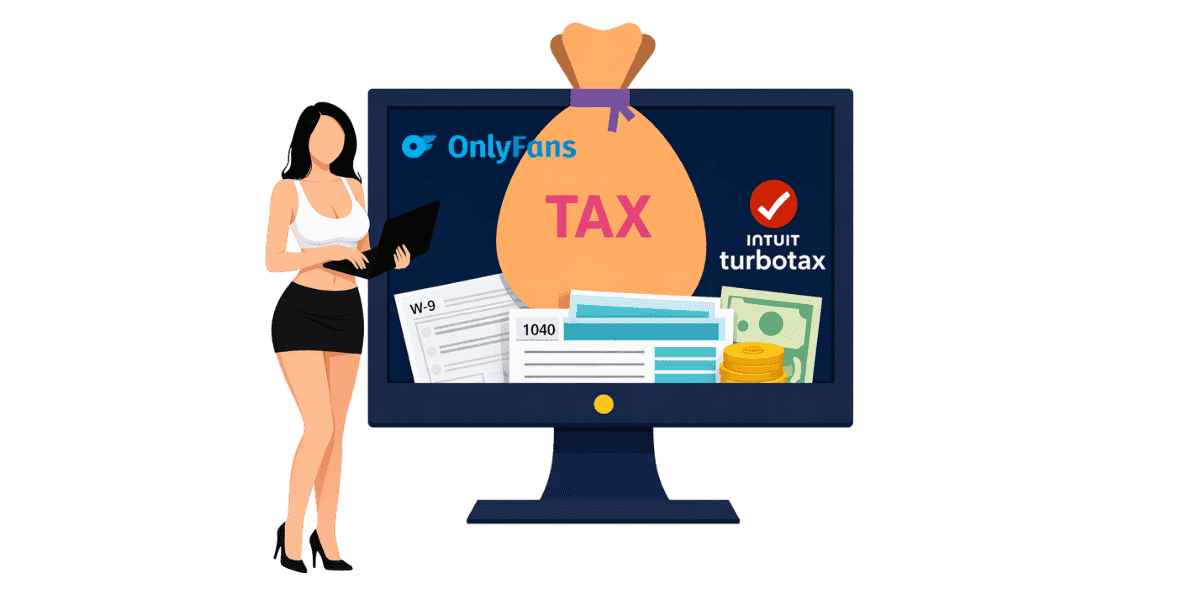
Um bei TurboTax die Steuererklärung für OnlyFans einzureichen, müssen Sie Ihr Einkommen als Kreativer als Einkünfte aus selbständiger Tätigkeit angeben und alle zulässigen Unternehmensabzüge geltend machen, um Ihre Steuerschuld zu minimieren.
In diesem Artikel
Um bei TurboTax die Steuererklärung für OnlyFans einzureichen, müssen Sie Ihr Einkommen als Urheber gemäß Anhang C als Einkünfte aus selbständiger Tätigkeit angeben und alle berechtigten Unternehmensabzüge geltend machen, um Ihre Steuerschuld zu minimieren. Das Einkommen von OnlyFans ist unabhängig vom verdienten Betrag steuerpflichtig, und TurboTax bietet geführte Schritte, die die Anmeldung einer selbständigen Erwerbstätigkeit auch für Erstanmelder zugänglich machen. Dieser Leitfaden führt Sie durch jeden Schritt des Prozesses, von der Zusammenstellung der Dokumente bis zur Einreichung Ihrer Rücksendung.
Die Steuerpflichten von OnlyFans verstehen
Warum ist das Einkommen von OnlyFans steuerpflichtig?
Alle Einnahmen von OnlyFans werden vom IRS als Einkünfte aus selbständiger Tätigkeit betrachtet. Dies gilt unabhängig davon, ob Sie ein 1099-NEC-Formular erhalten oder nicht. Auch wenn Sie einen kleinen Betrag verdient haben, müssen Sie diesen in Ihrer Steuererklärung angeben. OnlyFans ist verpflichtet, ein auszustellen OnlyFans 1099-Formular an Urheber, die im Steuerjahr 600 US-Dollar oder mehr verdient haben, aber alle Einkünfte, unabhängig von der Höhe, weiterhin meldepflichtig sind. Viele YouTuber sind überrascht, als sie erfahren, dass Einnahmen aus Trinkgeldern, PPV-Käufen und Abonnementgebühren vom IRS alle gleich behandelt werden. Es gibt keinen Mindestschwellenwert, unterhalb dessen Einnahmen nicht steuerpflichtig sind.
Grundlagen der Selbstständigkeitssteuer
Als selbständiger Unternehmer schulden Sie sowohl Einkommensteuer als auch Selbstständigkeitssteuer. Die Selbstständigkeitssteuer deckt Sozialversicherungs- und Medicare-Beiträge ab, die ein Arbeitgeber normalerweise in Ihrem Namen zahlen würde. Der Steuersatz für selbständige Erwerbstätigkeit beträgt 15,3 % Ihres Nettoeinkommens. Dies gilt zusätzlich zu Ihrem regulären Einkommensteuersatz, der je nach Ihrem steuerpflichtigen Gesamteinkommen variiert.
Vierteljährlich geschätzte Steuerzahlungen
Wenn Sie voraussichtlich Steuern in Höhe von 1.000 US-Dollar oder mehr schulden, verlangt der IRS vierteljährlich geschätzte Steuerzahlungen. Diese Zahlungen sind im April, Juni, September und Januar für die Erträge des Vorquartals fällig. Das Versäumnis, vierteljährliche Zahlungen zu leisten, kann zu Strafen führen, selbst wenn Sie den vollen Betrag bei der Einreichung bezahlen. Verstehen Sie Ihr vollständiges Steuerpflichten für OnlyFans hilft Ihnen, Zahlungen das ganze Jahr über zu planen, anstatt bei der Einreichung mit einer hohen Rechnung konfrontiert zu werden. Ein einfacher Ansatz: Legen Sie 30 % jeder Abhebung auf ein separates Sparkonto zurück, das ausschließlich für Steuern bestimmt ist.
Sammeln Ihrer Steuerunterlagen
Einkommensdokumentation
Stellen Sie vor dem Öffnen von TurboTax alle erforderlichen Dokumente zusammen. Ihr 1099-NEC von OnlyFans zeigt die gesamten gemeldeten Einnahmen. Wenn Sie keine 1099 erhalten haben, verwenden Sie Ihre OnlyFans-Verdienstabrechnungen, um das Gesamteinkommen zu berechnen. Berücksichtigen Sie die Einnahmen aller Plattformen, wenn Sie Inhalte auf mehreren Websites erstellen. Führen Sie Aufzeichnungen über alle zusätzlichen Einnahmequellen, z. B. über Trinkgelder, die Sie außerhalb von OnlyFans erhalten, oder über Merchandise-Verkäufe.
Spesenabrechnungen und Belege
Sammeln Sie Quittungen und Aufzeichnungen für alle geschäftlichen Ausgaben. Dazu gehört der Kauf von Ausrüstung wie Kameras, Beleuchtung und Requisiten. Internet- und Telefonrechnungen, die teilweise für geschäftliche Zwecke verwendet werden, gelten als zulässig. Abonnementkosten für Bearbeitungssoftware, Cloud-Speicher und andere Tools sind abzugsfähig. Marketingausgaben einschließlich bezahlter Werbeaktionen und OnlyFans-Visitenkarten zählen auch. Organisierte Aufzeichnungen beschleunigen die Einreichung und stellen sicher, dass Sie alle berechtigten Abzüge geltend machen. Das einfachste System: Fotografieren Sie Quittungen direkt nach dem Kauf und bewahren Sie sie in einem speziellen Ordner auf, geordnet nach Monaten.
W-9 und Bankinformationen
Vergewissern Sie sich, dass OnlyFans Ihr korrektes hat W-9-Formular Informationen in den Akten, um eine genaue 1099-Berichterstattung sicherzustellen. Halten Sie Ihre Bankdaten für die direkte Überweisung einer etwaigen Rückerstattung bereit. Wenn Sie im Laufe des Jahres geschätzte Steuerzahlungen geleistet haben, erfassen Sie auch diese Zahlungsunterlagen.
Schritt-für-Schritt-Einreichung bei TurboTax
Auswahl der richtigen TurboTax-Version
Für das Einkommen von OnlyFans benötigen Sie TurboTax Self-Employed oder TurboTax Premium (ehemals Self-Employed). Die kostenlose und die Basisversion unterstützen keine Berichte über selbständige Erwerbstätigkeit gemäß Schedule C. TurboTax Self-Employed umfasst geführte Schritte, die speziell auf die Gig Economy und das Einkommen von Kreativen zugeschnitten sind und den Prozess unkompliziert machen.
Eingabe Ihres OnlyFans-Einkommens
Navigieren Sie in TurboTax zum Abschnitt Selbstständigkeit. Wählen Sie aus, dass Sie über ein 1099-NEC-Einkommen verfügen. Geben Sie den Betrag von Ihrem 1099 oder Ihren Gesamtverdienst ein, falls Sie keinen erhalten haben. TurboTax erstellt automatisch Ihren Anhang C und berechnet die Selbstständigkeitssteuer. Beschreiben Sie Ihren Geschäftstyp als Content-Erstellung oder digitale Unterhaltung, wenn Sie dazu aufgefordert werden.
Geltendmachung von Betriebsabzügen
TurboTax führt Sie durch die gängigen Abzüge für Selbstständigkeit. Geben Sie Ausgaben für Ausrüstung, Software, Internet, Telefon, Marketing und andere Geschäftskosten ein. Wenn Sie einen speziellen Raum in Ihrem Zuhause für die Erstellung von Inhalten nutzen, fällt möglicherweise der Home-Office-Abzug an. Fahrzeugkosten für dienstliche Reisen, etwa für die Teilnahme an Veranstaltungen zur Content-Erstellung, sind ebenfalls abzugsfähig. Das IRS-Geschäftsausgabenrichtlinien Geben Sie detaillierte Informationen darüber, was qualifiziert ist.
Allgemeine Abzüge für OnlyFans-Ersteller
Ausrüstung und Technologie
Kameraausrüstung, für Inhalte verwendete Smartphones, Beleuchtungseinrichtungen, Stative, Hintergründe und Requisiten sind allesamt abzugsfähige Geschäftsausgaben. Abonnements für Computerausrüstung und Bearbeitungssoftware sind ebenfalls qualifiziert. Wenn Geräte sowohl für private als auch für geschäftliche Zwecke genutzt werden, ist nur der Prozentsatz der geschäftlichen Nutzung abzugsfähig. Bewahren Sie die Quittungen auf und vermerken Sie bei jedem Einkauf den Geschäftszweck.
Kosten für die Erstellung von Inhalten
Garderobe und Kostüme, die speziell für die Erstellung von Inhalten gekauft wurden, sind abzugsfähig. Zugelassen sind Make-up- und Schönheitsprodukte, die im Inhalt verwendet werden. Mitgliedschaften im Fitnessstudio können teilweise abzugsfähig sein, wenn Fitness für Ihre Content-Nische von zentraler Bedeutung ist. Professionelle Dienstleistungen wie Fotografen, Redakteure oder Schutz von OnlyFans-Inhalten Dienste sind Geschäftsausgaben, DMCA-Überwachungs- und Deaktivierungsdienste gelten als legitime Geschäftskosten, da sie Ihre einkommensgenerierenden Inhalte direkt schützen. Abonnementgebühren für andere Urheber zu Forschungszwecken können ebenfalls berechtigt sein.
Marketing und professionelle Dienstleistungen
Bezahlte Werbung, Social-Media-Management-Tools, Website-Hosting und Werbematerialien einschließlich Visitenkarten sind abzugsfähige Marketingausgaben. Professionelle Dienstleistungen einschließlich Buchhaltungsgebühren, Rechtsberatung und Anti-Piraterie-Dienste gelten als Betriebsausgaben. Wenn Sie mit einer Agentur zusammenarbeiten, sind deren Verwaltungsgebühren von Ihrem Bruttoeinkommen abzugsfähig.
Häufige Steuerfehler vermeiden
Nicht alle Einkünfte melden
Der häufigste Fehler besteht darin, nicht alle Einnahmen von OnlyFans zu melden. Auch wenn Sie keine 1099 erhalten haben, sind alle Einkünfte steuerpflichtig. Trinkgelder, PPV-Einnahmen, Abonnementeinnahmen und alle anderen Zahlungen über die Plattform müssen gemeldet werden. Der IRS erhält möglicherweise Zahlungsinformationen von OnlyFans, unabhängig davon, ob Sie eine 1099 erhalten. Eine Unterberichterstattung birgt also ein Prüfungsrisiko. YouTuber, die neben OnlyFans mehrere Plattformen wie Fansly, Fanvue oder Chaturbate nutzen, müssen Einnahmen aus allen Quellen melden, nicht nur aus der Quelle, die eine 1099 gesendet hat.
Fehlende Abzüge
Viele Urheber zahlen zu viel Steuern, weil sie förderfähige Abzüge verpassen. Verfolgen Sie alle Geschäftsausgaben das ganze Jahr über, anstatt zu versuchen, sich bei der Steuererklärung daran zu erinnern. Verwenden Sie ein spezielles Geschäftsbankkonto oder eine Kreditkarte, um die Ausgabenverfolgung zu erleichtern. Sehen Sie sich die vollständige Liste der Abzüge für Selbstständige an, bevor Sie sie einreichen, um sicherzustellen, dass nichts übersehen wird.
Selbstständigkeitssteuer vergessen
Neue Gründer werden oft von der 15,3 %igen Selbstständigkeitssteuer zusätzlich zur regulären Einkommenssteuer überrascht. Planen Sie dies ein, indem Sie das ganze Jahr über 25–35 % aller Einnahmen von OnlyFans für Steuern zurückstellen. TurboTax berechnet die Selbstständigkeitssteuer automatisch, aber eine Vorausplanung verhindert finanziellen Stress zum Steuerzeitpunkt. Erwägen Sie die Verwendung von OnlyFans-Einkommensrechner um Ihr Ergebnis nach Steuern zu prognostizieren.
Reichen Sie Ihre OnlyFans-Steuern mit Zuversicht ein
Das Einreichen von OnlyFans-Steuern bei TurboTax ist unkompliziert, wenn Sie den Prozess verstehen und die entsprechenden Unterlagen zusammenstellen. Zu den wesentlichen Schritten gehören:
- Sammeln Sie alle Einkommensdokumente, einschließlich 1099-NEC-Formulare und Verdienstabrechnungen
- Sammeln Sie das ganze Jahr über Belege für alle geschäftlichen Ausgaben
- Verwenden Sie TurboTax Self-Employed oder Premium für Schedule C-Unterstützung
- Fordern Sie alle berechtigten Abzüge für Ausrüstung, Marketing und professionelle Dienstleistungen an
- Legen Sie 25–35 % des Einkommens für Selbstständigkeit und Einkommenssteuern beiseite
- Führen Sie vierteljährlich geschätzte Zahlungen durch, um Strafen zu vermeiden
Der Schutz Ihrer Inhalte schützt Ihr Einkommen und Ihre Steuererklärung. Sichern Sie Ihre Einnahmen mit Enforcity und stellen Sie sicher, dass die von Ihnen gemeldeten Einnahmen den vollen Wert Ihrer geschützten Inhalte widerspiegeln.
Schützen Sie Ihre Inhalte
- 24/7 Leak-Erkennung
- Automatisierte DMCA-Entfernungen
- OnlyFans-spezifischer Schutz
- Echtzeit-Überwachungsbenachrichtigungen
Häufig Gestellte Fragen
Keine Antwort gefunden?

Emily
Strategin für Digitale Inhalte
Emily ist eine Spezialistin für den Schutz digitaler Inhalte mit über 5 Jahren Erfahrung darin, Creatorn zu helfen, ihre Arbeit online zu schützen. Sie ist spezialisiert auf DMCA-Durchsetzung und plattformspezifische Takedown-Strategien.
Schützen Sie Ihre Inhalte
- 24/7 Leak-Erkennung
- Automatisierte DMCA-Entfernungen
- OnlyFans-spezifischer Schutz
- Echtzeit-Überwachungsbenachrichtigungen
Verwandte Artikel

Ein zweites entsperrtes Handy für OnlyFans nutzen: warum und wie
Ein zweites entsperrtes Handy für OnlyFans trennt Creator-Arbeit vom Privatleben. Hier ist, wie du eins einrichtest, was installiert werden sollte und wie du es sicher hältst.
Artikel lesen
«Detected, opinion rejected» bei OnlyFans: was es bedeutet und wie du es behebst
«Detected, opinion rejected» bei OnlyFans erklärt: was der Fehler bedeutet, was ihn auslöst, wie du Einspruch einlegst und wie du verhinderst, dass derselbe Content erneut geflaggt wird.
Artikel lesen
Bester Online-Content-Schutz-Dienst für OnlyFans-Creator
Bester Online-Content-Schutz-Dienst für OnlyFans: worauf achten, Kernfunktionen, Preismodelle und wie du 2026 den richtigen Anti-Piracy-Partner wählst.
Artikel lesenKostenlose Ressourcen

Schützen Sie Ihr Mentales Wohlbefinden
Die Grundlagen der psychischen Gesundheit für Content-Creator.

Das Ultimative Handbuch für OnlyFans-Creator
Umfassende Ressource für alle Aspekte des Erfolgs auf OnlyFans.

Wie Schützen Sie Ihren Content 🌶️?
Wie Sie Ihre digitalen Inhalte auf mehreren Plattformen schützen.

Wie Bleiben Sie als Creator Sicher?
Wichtige Sicherheitstipps für Content-Creator.

Was Jeder Creator Über Seine Rechte Wissen Muss
Rechtliche Grundlagen und Rechte für Creator.

Wie Schützen Sie Ihre Kreativität?
Ein unverzichtbarer Ratgeber für OnlyFans-Creator.

Glossar für Content-Creator
Wichtige Begriffe, die jeder Content-Creator kennen sollte.

Checkliste für Inhaltssicherheit und Maximalen Gewinn
Checkliste zur Sicherung von Inhalten und Optimierung der Einnahmen.

Wie Stoppen Sie Leaks Sofort?
Schützen Sie Ihre Arbeit, übernehmen Sie die Kontrolle und verhindern Sie unbefugtes Teilen auf allen Plattformen sofort.