How to Recover a Stolen OnlyFans Account
A step-by-step recovery playbook for OnlyFans creators whose accounts have been stolen or hijacked.
In this article
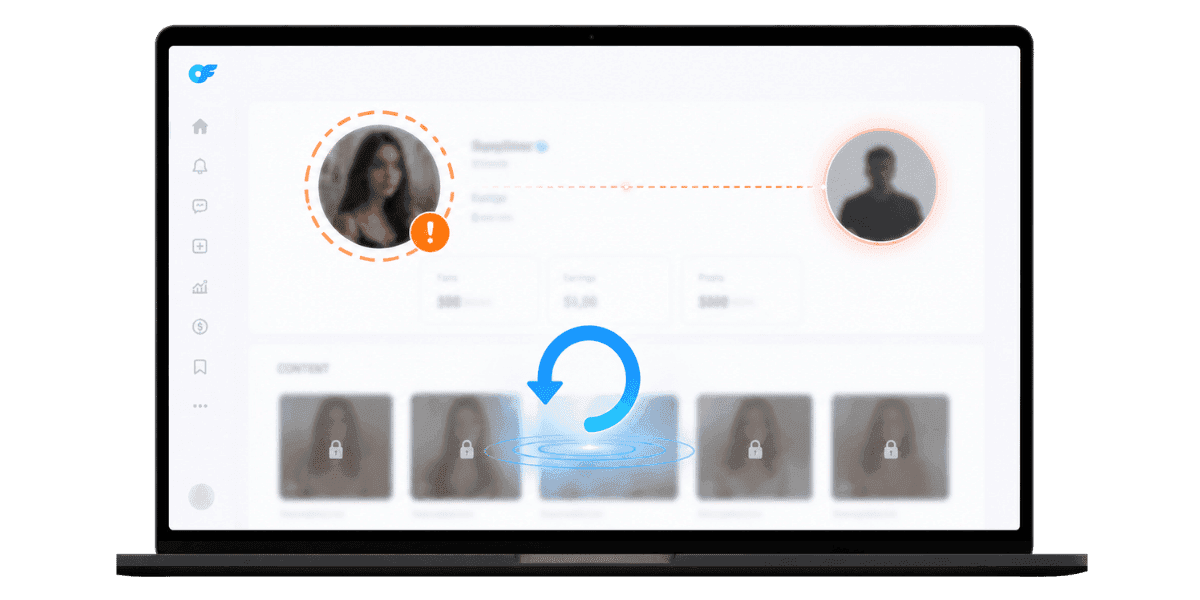
Recovering a stolen OnlyFans account is a race against time: every hour the attacker holds access, more payout funds can be rerouted, more content can be dumped onto leak sites, and more subscriber trust erodes. Recovery is possible in most cases, but the outcome depends on how quickly you act and how cleanly you can prove ownership to OnlyFans support. This guide walks through the exact steps to take in the first 24 hours, what documents to gather, how to escalate when support is slow, how to claw back funds, and how to lock the account down so the same attacker cannot break in twice.
Confirm the Account Was Actually Stolen
The first step is verifying what you are dealing with. "Stolen" can mean credential takeover, an agency refusing to return access, a co-manager going rogue, or even a billing dispute that locked the account. Each variant takes a slightly different recovery path, and misdiagnosing the situation wastes critical time in the first hours.
Account Takeover Signs
Classic takeover signs: you cannot log in despite the correct password, your email was changed without notice, payout banking details were updated, or your content suddenly shows posts you did not create. If you receive an OnlyFans email about an email change you did not initiate, treat it as confirmation of a takeover and move immediately to the steps below.
Agency or Co-Manager Lockouts
If an agency or manager changed credentials and is now refusing to hand them back, that is a contract dispute layered on top of an access problem. The recovery process with OnlyFans support is similar, but the parallel legal and reporting steps differ. Understanding OnlyFans agency scam patterns and what rights you retain as the account owner is worth reviewing before you engage support, since it shapes how you frame the case.
Billing or Compliance Suspensions
Sometimes "I cannot log in" actually means OnlyFans suspended the account for a compliance reason unrelated to a hack. Compliance suspensions follow a different recovery process entirely. If you received a suspension notice rather than an unauthorized-access alert, the OnlyFans suspended account recovery path applies instead. Confirm which scenario you are dealing with before proceeding, because the support forms and evidence requirements are different.
First 60 Minutes: Lock Down Adjacent Accounts
While you wait for OnlyFans support to respond, the attacker may still be active across accounts connected to your creator identity. The first hour is about cutting off lateral movement and limiting damage before more compounds. Do not spend this window refreshing the OnlyFans login page, spend it locking everything the attacker could pivot to.
Secure Your Email Immediately
If your OnlyFans login email is compromised, the attacker can intercept every recovery message OnlyFans sends. Reset the email password from a clean device you have not used recently, log out all active sessions from the email provider's security dashboard, and enable hardware-key 2FA if it is not already active. Email is the single point of failure in any account takeover, securing it is the first move, not the last.
Freeze Banking and Payment Methods
Call your bank and ask about freezing inbound deposits and outbound transfers on the account tied to OnlyFans payouts. If you paid for tools, subscriptions, or services through a shared payment method, swap to a new card immediately. Attackers who reach payout settings often move funds within the same payout cycle, so speed here directly limits financial damage.
Audit Other Connected Accounts
Check Twitter/X, Reddit, Instagram, and Telegram accounts the attacker might use to impersonate you or message your fans. Change passwords on each, revoke any connected third-party apps, and post a brief warning so subscribers know that any unusual DMs or requests are not coming from you. This also protects your fan relationships during the recovery window.
Filing a Recovery Request with OnlyFans Support
OnlyFans support handles account-recovery cases through a structured process. The clearer and more complete your initial request, the faster the resolution. Vague or emotional submissions slow the case down. Support teams triage by completeness, and a well-organized first message moves your ticket ahead of incomplete ones.
Use the Help Center Form
Open help.onlyfans.com and submit a ticket under the "Account access" or "Lost access" category. Include your username, the email you originally signed up with, the approximate signup date, and a precise description of what happened.
Provide Proof of Identity
OnlyFans requires ID verification that matches the original verification on file. Have your government-issued ID and a selfie ready in the same format used during your original signup. If anything has changed since then, such as a new ID or a legal name change, include the supporting documents explaining the discrepancy. Mismatches between current ID and original verification documents are one of the most common reasons recovery cases stall.
Email Support Directly as a Backup
Send a parallel email to hello@enforcity.com with the same details and a clear timeline of events. The subject line should be specific: "Urgent: Account takeover, @yourusername, requesting account freeze and recovery." Avoid emotional language; lead with facts and dates. The goal is to make it as easy as possible for the agent reading your ticket to understand exactly what happened and what you need them to do.
Proving Ownership Beyond a Doubt
OnlyFans receives many recovery requests and treats each carefully because a wrong decision can hand an account to an attacker rather than the real owner. The platform errs on the side of caution, which means your job is to make the case for ownership undeniable. More evidence does not slow the process, it speeds it up.
Account History You Should Document
Pull together your original signup email confirmation, screenshots of past posts and PPV listings, your subscriber count history if you have analytics exports, and any past tax documents associated with the account. The OnlyFans 1099 form records are particularly useful here because they tie your legal identity to specific payout amounts and dates, which is difficult for an attacker to replicate.
Bank and Payment Records
Statements showing prior OnlyFans payouts to your bank account are among the strongest proof of ownership available. Black out unrelated transactions but leave OnlyFans payout lines visible with dates and amounts. If you have multiple months of consistent payouts on record, that history alone is often sufficient to establish that you are the legitimate account holder.
Communication Trail
Any past emails from OnlyFans to you; verification confirmations, payout notifications, support replies, promotional updates, should be compiled and forwarded as part of your case. The presence of a years-long communication history between the platform and your email address is itself strong evidence that the account belongs to you. Organize these chronologically so support can follow the timeline without effort.
Escalating When Support Is Slow
Account recovery cases usually resolve within 5–10 business days, but if money is flowing to the attacker, that window is too long. Escalation paths exist when the default timeline is not acceptable.
Reply to Every Touchpoint
Each time OnlyFans support replies, respond promptly with any requested documents or clarifications. Cases stall most often when the account owner goes silent for two or three days after the initial submission. Keep the thread active even if the only update is acknowledging receipt of their latest message. An active thread signals urgency without requiring you to reopen a closed case.
Escalate via Multiple Channels
If the support ticket has not moved after 5 business days, post a brief, polite, factual message tagging the official OnlyFans support handle on Twitter/X. Keep the message factual and free of emotional language. Public, polite, and persistent escalation often gets human attention faster than a buried support queue ticket, without burning the relationship with the support team handling your case.
Engage a Lawyer for High-Value Accounts
If the account generates significant monthly revenue and the takeover is actively being exploited through impersonation, fraudulent payouts, or content theft, a brief lawyer letter addressed to OnlyFans legal accelerates response time noticeably. For the parallel step of reporting the attacker through OnlyFans' own reporting tools, the OnlyFans content protection reporting process covers what evidence to submit and which category to use.
Recovering Funds and Stolen Content
Even after access is restored, financial and content damage from the takeover period needs separate cleanup. Acting on both in parallel shortens total recovery time.
Reverse Fraudulent Payouts
If the attacker changed payout banking details and pulled funds during the takeover window, request that OnlyFans reverse the payout to your original verified bank account. Most banks can also assist with recovering deposits that were routed to fraudulent accounts if you report within a few business days of the transfer. File a fraud report with your bank simultaneously so the recovery request is on record from both directions.
Take Down Reposted Content
For ongoing monitoring and automated takedown at scale, a dedicated OnlyFans content protection service handles this continuously. For one-off cleanup on a specific site, DMCA takedown request process covers how to file notices directly without a service.
Restore Subscriber Trust
If the attacker mass-DMed your subscribers with scam links or fraudulent PPV offers, post a transparent announcement once you have recovered access. Acknowledge the incident directly: what happened, when, what you have done to fix it, and what you have changed to prevent it. Creators who handle incidents transparently retain significantly more subscriber loyalty than those who go silent and hope subscribers do not notice.
Locking Down After Recovery
Recovery is only half the job. Without changes to your security posture, the same attacker (or another) can repeat the takeover within weeks.
Hardware-Key 2FA and Unique Credentials
Switch OnlyFans and your primary email to hardware-key 2FA using a device like a YubiKey. Generate fresh, unique passwords for both via a password manager, and do not reuse any credentials from before the incident. The broader OnlyFans cybersecurity practices worth implementing alongside 2FA include a dedicated creator email that is never used for personal accounts and a VPN for consistent login patterns.
Audit Devices and Sessions Monthly
Make it a monthly habit to check active sessions and trusted devices on OnlyFans and your email. Remove anything you do not recognize. This catches lingering attacker sessions before they cause more damage.
Set Up Account Activity Alerts
Enable email or SMS alerts for login attempts, payout changes, and password resets where the platform supports it. Early warning shortens response time from days to minutes.
Final Thoughts
Recovering a stolen OnlyFans account is a triage exercise with a clear sequence: secure adjacent accounts first, document ownership thoroughly, file a precise and complete support request, and escalate through appropriate channels when the timeline is not acceptable. Most cases resolve within two weeks when handled this way, and the post-recovery hardening makes a repeat significantly less likely.
Treat the incident as a forcing function for a permanently stronger security posture. Hardware 2FA, separation of personal and creator credentials, a dedicated creator email, and an always-on content protection layer that monitors for leaks are all cheap compared to the revenue loss and subscriber damage of a second takeover. The security habits that feel optional before an incident become obviously necessary after one. If the situation involves a compliance suspension rather than a takeover, OnlyFans termination and suspension appeal process is a separate path worth reviewing.
Ready to protect your valuable content? Start protecting your content with Enforcity.
Protect Your Content
- 24/7 leak detection
- Automated DMCA takedowns
- OnlyFans-specific protection
- Real-time monitoring alerts
Frequently Asked Questions
Couldn't find an answer?

Emily
Digital Content Strategist
Emily is a digital content protection specialist with over 5 years of experience helping creators safeguard their work online. She specializes in DMCA enforcement and platform-specific takedown strategies.
Protect Your Content
- 24/7 leak detection
- Automated DMCA takedowns
- OnlyFans-specific protection
- Real-time monitoring alerts
Related Articles
How to Withdraw Money from OnlyFans: A Human-Friendly Guide for Creators
Learn how to withdraw money from OnlyFans with this complete guide. Discover payout options, processing times, common issues, and how to keep your earnings secure.
Read Post
Wheelchair OnlyFans Success Guide
Discover how disabled creators thrive on OnlyFans, breaking stereotypes, inspiring communities, and promoting inclusivity. Learn Wheelchair OnlyFans niche details.
Read Post
What You Need to Know Before Starting OnlyFans: Essential Tips and Strategies
Thinking about joining OnlyFans? Discover What You Need to Know Before Starting OnlyFans? Essential tips, strategies, and insights to maximize your success, protect your content, and grow your fanbase effectively. Start your journey with confidence!
Read PostFree Resources

Protecting Your Mental Wellness
Mental health essentials for content creators.

Ultimate Handbook for OnlyFans Creators
Comprehensive resource for all aspects of OnlyFans success.

How to Safeguard Your 🌶️ Content?
How to safeguard your digital content across multiple platforms.

How to Stay Safe as a Creator?
Essential safety tips for content creators.

What Every Creator Needs to Know About Their Rights?
Legal basics and rights for creators.

How to Protect Your Creativity?
A must-have guide for OnlyFans creators.

Glossary for Content Creators
Key terms every content creator should know.

Content Security Checklist for Maximum Profit
Checklist for securing content and optimizing earnings.
How to Stop Leaks Instantly?
Protect your work, take control, and prevent unauthorized sharing across platforms instantly.