How to File OnlyFans Taxes on TurboTax: Step-by-Step Guide
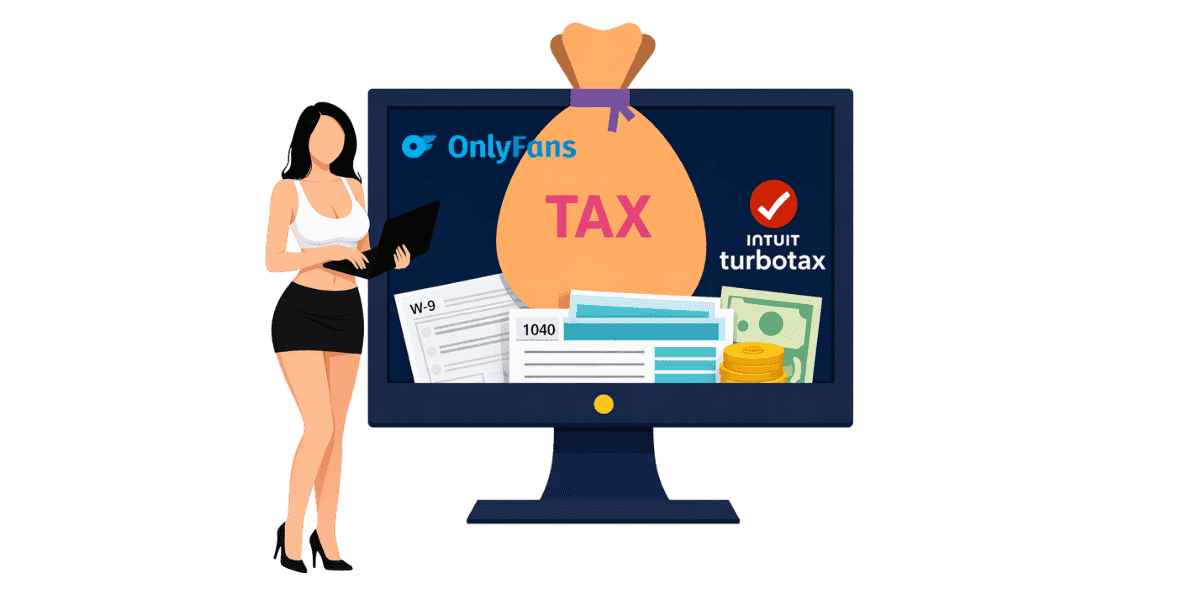
How to file OnlyFans taxes on TurboTax requires reporting your creator income as self-employment earnings and claiming all eligible business deductions.
In this article
How to file OnlyFans taxes on TurboTax requires reporting your creator income as self-employment earnings using Schedule C and claiming all eligible business deductions to minimize your tax liability. OnlyFans income is taxable regardless of the amount earned, and TurboTax provides guided steps that make self-employment filing accessible even for first-time filers. This guide walks you through every step of the process from gathering documents to submitting your return.
Understanding OnlyFans Tax Obligations
Why OnlyFans Income Is Taxable?
All OnlyFans earnings are considered self-employment income by the IRS. This applies whether you receive a 1099-NEC form or not. Even if you earned a small amount, it must be reported on your tax return. OnlyFans is required to issue a OnlyFans 1099 form to creators who earned $600 or more during the tax year, but all income regardless of amount is still reportable. Many creators are surprised to learn that income from tips, PPV purchases, and subscription fees are all treated identically by the IRS, there is no minimum threshold below which earnings become non-taxable.
Self-Employment Tax Basics
As a self-employed creator, you owe both income tax and self-employment tax. Self-employment tax covers Social Security and Medicare contributions that an employer would normally pay on your behalf. The self-employment tax rate is 15.3% on your net earnings. This is in addition to your regular income tax rate, which varies based on your total taxable income.
Quarterly Estimated Tax Payments
If you expect to owe $1,000 or more in taxes, the IRS requires quarterly estimated tax payments. These payments are due in April, June, September, and January for the prior quarter's earnings. Failing to make quarterly payments can result in penalties even if you pay the full amount at filing. Understanding your full OnlyFans tax obligations helps you plan payments throughout the year rather than facing a large bill at filing time. A simple approach: set aside 30% of every withdrawal into a separate savings account designated exclusively for taxes.
Gathering Your Tax Documents
Income Documentation
Before opening TurboTax, gather all necessary documents. Your 1099-NEC from OnlyFans shows total reported earnings. If you did not receive a 1099, use your OnlyFans earnings statements to calculate total income. Include income from all platforms if you create content on multiple sites. Keep records of any additional income sources like tips received outside OnlyFans or merchandise sales.
Expense Records and Receipts
Collect receipts and records for all business-related expenses. This includes equipment purchases such as cameras, lighting, and props. Internet and phone bills used partially for business qualify. Subscription costs for editing software, cloud storage, and other tools are deductible. Marketing expenses including paid promotions and OnlyFans business cards count as well. Organized records make filing faster and ensure you claim every eligible deduction. The easiest system: photograph receipts immediately after purchase and store them in a dedicated folder organized by month.
W-9 and Banking Information
Verify that OnlyFans has your correct W-9 form information on file to ensure accurate 1099 reporting. Have your banking information ready for direct deposit of any refund. If you made estimated tax payments during the year, gather those payment records as well.
Filing Step by Step in TurboTax
Choosing the Right TurboTax Version
For OnlyFans income, you need TurboTax Self-Employed or TurboTax Premium (formerly Self-Employed). The free and basic versions do not support Schedule C self-employment reporting. TurboTax Self-Employed includes guided steps specifically designed for gig economy and creator income, making the process straightforward.
Entering Your OnlyFans Income
In TurboTax, navigate to the Self-Employment section. Select that you have 1099-NEC income. Enter the amount from your 1099 or your total earnings if you did not receive one. TurboTax will automatically create your Schedule C and calculate self-employment tax. Describe your business type as content creation or digital entertainment when prompted.
Claiming Business Deductions
TurboTax walks you through common self-employment deductions. Enter expenses for equipment, software, internet, phone, marketing, and any other business costs. If you use a dedicated space in your home for content creation, the home office deduction may apply. Vehicle expenses for business-related travel such as attending content creation events are also deductible. The IRS business expense guidelines provide detailed information on what qualifies.
Common Deductions for OnlyFans Creators
Equipment and Technology
Camera equipment, smartphones used for content, lighting setups, tripods, backdrops, and props are all deductible business expenses. Computer equipment and editing software subscriptions qualify as well. If equipment is used for both personal and business purposes, only the business-use percentage is deductible. Keep receipts and note the business purpose for each purchase.
Content Creation Costs
Wardrobe and costumes purchased specifically for content creation are deductible. Makeup and beauty products used in content qualify. Gym memberships may be partially deductible if fitness is central to your content niche. Professional services like photographers, editors, or OnlyFans content protection services are business expenses, DMCA monitoring and takedown services qualify as legitimate business costs since they directly protect your income-generating content. Subscription fees to other creators for research purposes may also qualify.
Marketing and Professional Services
Paid advertising, social media management tools, website hosting, and promotional materials including business cards are deductible marketing expenses. Professional services including accountant fees, legal consultations, and anti-piracy services qualify as business expenses. If you work with an agency, their management fees are deductible against your gross income.
Avoiding Common Tax Mistakes
Not Reporting All Income
The most common mistake is failing to report all OnlyFans income. Even if you did not receive a 1099, all earnings are taxable. Tips, PPV income, subscription revenue, and any other payments through the platform must be reported. The IRS may receive payment information from OnlyFans regardless of whether you receive a 1099, so underreporting invites audit risk. Creators who use multiple platforms Fansly, Fanvue, or Chaturbate alongside OnlyFans, must report income from every source, not just the one that sent a 1099.
Missing Deductions
Many creators overpay taxes by missing eligible deductions. Track all business expenses throughout the year rather than trying to remember them at tax time. Use a dedicated business bank account or credit card for easier expense tracking. Review the full list of self-employment deductions before filing to ensure nothing is overlooked.
Forgetting Self-Employment Tax
New creators are often surprised by the 15.3% self-employment tax on top of regular income tax. Plan for this by setting aside 25-35% of all OnlyFans earnings for taxes throughout the year. TurboTax calculates self-employment tax automatically, but advance planning prevents financial stress at tax time. Consider using the OnlyFans income calculator to project your after-tax earnings.
Filing Your OnlyFans Taxes with Confidence
Filing OnlyFans taxes on TurboTax is straightforward when you understand the process and gather proper documentation. Essential steps include:
- Gather all income documents including 1099-NEC forms and earnings statements
- Collect receipts for every business-related expense throughout the year
- Use TurboTax Self-Employed or Premium for Schedule C support
- Claim all eligible deductions for equipment, marketing, and professional services
- Set aside 25-35% of earnings for self-employment and income taxes
- Make quarterly estimated payments to avoid penalties
Protecting your content protects your income, and your tax reporting. Secure your earnings with Enforcity and ensure the income you report reflects the full value of your protected content.
Protect Your Content
- 24/7 leak detection
- Automated DMCA takedowns
- OnlyFans-specific protection
- Real-time monitoring alerts
Frequently Asked Questions
Couldn't find an answer?

Emily
Digital Content Strategist
Emily is a digital content protection specialist with over 5 years of experience helping creators safeguard their work online. She specializes in DMCA enforcement and platform-specific takedown strategies.
Protect Your Content
- 24/7 leak detection
- Automated DMCA takedowns
- OnlyFans-specific protection
- Real-time monitoring alerts
Related Articles

How to Withdraw Money from OnlyFans: A Human-Friendly Guide for Creators
Learn how to withdraw money from OnlyFans with this complete guide. Discover payout options, processing times, common issues, and how to keep your earnings secure.
Read Post
Wheelchair OnlyFans Success Guide
Discover how disabled creators thrive on OnlyFans, breaking stereotypes, inspiring communities, and promoting inclusivity. Learn Wheelchair OnlyFans niche details.
Read Post
What You Need to Know Before Starting OnlyFans: Essential Tips and Strategies
Thinking about joining OnlyFans? Discover What You Need to Know Before Starting OnlyFans? Essential tips, strategies, and insights to maximize your success, protect your content, and grow your fanbase effectively. Start your journey with confidence!
Read PostFree Resources

Protecting Your Mental Wellness
Mental health essentials for content creators.

Ultimate Handbook for OnlyFans Creators
Comprehensive resource for all aspects of OnlyFans success.

How to Safeguard Your 🌶️ Content?
How to safeguard your digital content across multiple platforms.

How to Stay Safe as a Creator?
Essential safety tips for content creators.

What Every Creator Needs to Know About Their Rights?
Legal basics and rights for creators.

How to Protect Your Creativity?
A must-have guide for OnlyFans creators.

Glossary for Content Creators
Key terms every content creator should know.

Content Security Checklist for Maximum Profit
Checklist for securing content and optimizing earnings.

How to Stop Leaks Instantly?
Protect your work, take control, and prevent unauthorized sharing across platforms instantly.