Best VPN for OnlyFans Creators: Privacy, Travel, and Security
What OnlyFans creators actually need in a VPN; features, providers, and how to use one without breaking payouts or compliance.
In this article
The best VPN for OnlyFans creators does three things well: it protects you on public networks, masks your traffic from ISP-level logging, and keeps your account accessible when you travel. The wrong VPN, or the wrong use of even a good one, triggers compliance flags, breaks payouts, and creates more problems than it solves. This guide explains what VPN features actually matter for creators, which providers are worth considering in 2026, the specific operational risks to plan around, and the safest way to integrate a VPN into your daily creator workflow.
What a VPN Actually Does for Creators
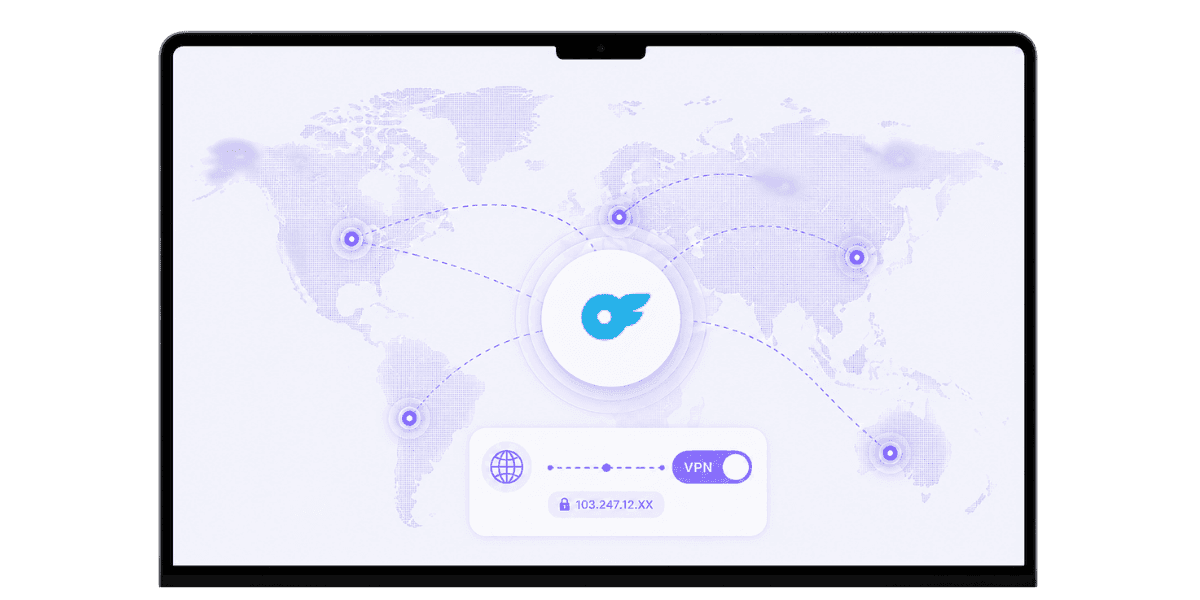
A VPN encrypts your internet traffic and routes it through a server in a location you choose. The result is privacy from your ISP and network operators, plus the ability to appear in a different geographic location. For creators, three specific use cases matter: public network protection, home ISP privacy, and geographic flexibility when traveling. Some regions restrict access to OnlyFans entirely, so a VPN with an appropriate server location lets traveling creators continue managing their accounts without service interruption.
Privacy on Public Networks
Hotel Wi-Fi, coffee shops, airports, and shared apartments are hostile environments for anyone handling sensitive logins. A VPN wraps your traffic and prevents trivial network-level snooping. For a creator logging into OnlyFans, accessing banking, or managing subscriptions from a shared connection, that protection is meaningful and not optional. The risk is not theoretical: credential harvesting on open networks is common enough that treating any public Wi-Fi as untrusted is the correct default.
ISP-Level Privacy at Home
Even your home ISP can see what services you visit. A VPN hides the destinations from your ISP, which matters in regions where ISPs aggressively log adult-site traffic or throttle adult platforms. For creators who work from home full-time, ISP-level privacy is the more relevant protection layer compared to public networks, and a reliable VPN running in the background costs almost nothing in performance with modern protocols.
Features That Actually Matter
Many VPN features are marketing fluff. A short list of features genuinely matters for creator use cases, and most others can be ignored. Two background factors worth knowing: providers based in privacy-friendly jurisdictions (Switzerland, Sweden, Panama) face fewer legal obligations to share data than US-based providers, and RAM-only server infrastructure means nothing persists when servers are wiped or seized. Mullvad, NordVPN, and ExpressVPN all run RAM-only architectures. Neither factor is a dealbreaker on its own, but both contribute to a stronger overall privacy posture.
No-Logs Policy with Independent Audit
A VPN that logs your activity defeats the purpose. Look for providers with audited no-logs policies; Mullvad, ProtonVPN, IVPN, and NordVPN all have third-party audits on record. The audit matters because claims without independent verification are not evidence. A provider's privacy policy is a legal document, not a technical guarantee; the audit is what closes that gap.
Kill Switch and Modern Protocols
A kill switch cuts your internet connection if the VPN drops, preventing accidental exposure of your real IP. This is essential when doing anything sensitive: logging in, banking, or managing OnlyFans operations. On the protocol side, WireGuard is the current standard for speed and security. OpenVPN is still reliable. Avoid providers stuck on aging protocols. Most quality VPNs support both, and the difference in day-to-day speed between WireGuard and a well-tuned OpenVPN connection is small enough that either works for creator workflows.
Top VPN Providers for Creators in 2026
A few providers consistently rank well across the criteria that matter for creators. The differences between them are smaller than marketing implies, but specific strengths are worth knowing before committing.
Mullvad and IVPN
Mullvad offers a strong privacy focus, flat-rate pricing at $5 per month, no email required to sign up, and accepts cash payment. The server network is smaller than competitors and there is no streaming-platform optimization, making it the right choice when privacy is the top priority and server variety is secondary. IVPN is similarly positioned: audited no-logs, an AntiTracker feature, Gibraltar-based, and a transparent public team. Both have smaller networks than the mainstream options but extremely consistent privacy postures. For creators who want the strongest privacy guarantees with the least marketing noise, either of these is the correct choice.
ProtonVPN
Excellent privacy track record, transparent ownership through Proton AG in Switzerland, a strong free tier, and a broad server network. Tightly integrated with ProtonMail for creators who want a privacy-focused email alongside their VPN. ProtonVPN sits in the middle ground between the privacy-first minimalism of Mullvad and the mainstream feature sets of NordVPN, which makes it the easiest recommendation for most creators starting out.
NordVPN and ExpressVPN
Large server networks, broad device support, and audited no-logs policies. NordVPN is currently the better value; ExpressVPN has the most polished UX and consistently fast speeds across regions. Both work well for travel and streaming alongside privacy use. The caveats: NordVPN had a server breach in 2018 (handled transparently, no user data exposed) and ExpressVPN is now owned by Kape Technologies, which has an ad-tech background. Neither is disqualifying, but worth knowing when privacy is a priority.
Operational Risks Specific to OnlyFans Creators
Using a VPN for OnlyFans introduces risks that other users do not face. Knowing them in advance prevents account suspensions and payout interruptions. One foundational rule applies across all of them: keep your VPN server in the same country as your declared address, and OnlyFans' systems will behave predictably.
Note also that OnlyFans is not available in all countries. Using a VPN to access the platform from a restricted region violates the OnlyFans Terms of Service regardless of your reason. A clear picture of how OnlyFans handles identity and location at the platform level helps set accurate expectations before you configure anything.
Login Patterns That Trigger Reviews
Logging into OnlyFans from radically different countries within short time windows triggers fraud-detection reviews. Tuesday from California, Wednesday from Germany is the kind of pattern that flags accounts regardless of whether a VPN is involved. Use a consistent VPN server location for all your normal OnlyFans operations, and the system sees a stable, predictable login history.
Payout Verification and KYC Sessions
If your declared residence is in the US but your VPN routes you through France, OnlyFans' compliance systems may flag the mismatch. Keep your VPN server in the same country as your declared address for any session that touches banking. For initial verification and KYC document uploads, disable the VPN entirely. OnlyFans verification systems run stricter geolocation checks that match against your ID, and a VPN is the single most common reason those checks fail. Once verification is complete, re-enable the VPN for normal use.
How to Use a VPN Safely with OnlyFans
A few simple rules prevent the most common VPN-induced problems. None of them are restrictive; they just align your VPN usage with how OnlyFans' systems actually work. Before changing your main account's setup, test your VPN configuration on a fresh secondary account. Some VPN IP ranges are flagged on OnlyFans, and it is far better to discover that on a disposable test than on a live account mid-payout cycle.
Consistent Server Location for Daily Use
Pick a server in your home country, or the country you declared during signup, and use it consistently for all OnlyFans work. This keeps your login patterns clean and avoids triggering fraud reviews. Treat it the same way you treat a home IP address: stable, predictable, and in the right geography.
Disable VPN for Verification and Payouts
When uploading KYC documents, updating banking details, or completing any verification step, briefly disable the VPN. Once those flows are complete, re-enable it for normal use. This is the single most impactful rule in this list; more OnlyFans VPN problems trace back to leaving the VPN on during verification than any other mistake.
Use a Dedicated IP When Available
Some providers offer dedicated IP addresses, a static IP that only you use. This combines the privacy benefits of a VPN with the behavioral consistency of a normal home connection. It is worth the small extra monthly cost for any creator running a serious operation, because it eliminates the shared-IP flag risk entirely.
VPN Use Cases Beyond OnlyFans
A VPN is not just for the OnlyFans login. It plays a broader role in a creator's overall security and operational stack, and the habits you build around VPN use on OnlyFans carry over to every other sensitive account you manage.
Travel and Roaming
When traveling, a VPN keeps your home-IP appearance consistent across OnlyFans, your bank, and any other service that watches geolocation. This avoids triggering fraud reviews on multiple platforms simultaneously. For OnlyFans cybersecurity more broadly, consistent VPN use while traveling is one of the highest-leverage habits you can build, because it protects every account you access, not just OnlyFans.
Public Wi-Fi Security
Hotel Wi-Fi, conference networks, and coffee shop connections are inherently untrusted. A VPN prevents trivial interception of any traffic, including OnlyFans logins, banking sessions, and email. The threat model here is not sophisticated nation-state attackers; it is opportunistic credential harvesters running cheap tools on shared networks. A VPN defeats that threat entirely at the cost of a few dollars a month.
Privacy from ISP-Level Profiling
Even at home, your ISP sees every destination you visit. A VPN obscures that traffic. For adult creators specifically, this matters because some ISPs sell anonymized traffic data or work with advertisers in ways that profile users by the categories of sites they visit. Obscuring that signal is worth doing regardless of whether you have specific concerns about a particular ISP.
VPN Mistakes to Avoid
Most VPN problems for creators come from a small set of predictable mistakes. Inconsistent server selection is the most common: bouncing between countries triggers fraud detection on OnlyFans, your bank, and other services simultaneously. Pick a country and stay there for all creator-related sessions.
Free VPNs
Free VPNs often log activity, sell user data, or inject ads. The economics do not support free, secure, no-logs operation at any meaningful scale. If privacy is the goal, pay for a reputable provider. The cost is $3 to $10 per month, which is a trivial line item against a creator's operating expenses. The risk of using a logging VPN is not abstract; your traffic data has real value to advertisers and data brokers, and a free VPN's business model depends on monetizing it.
Forgetting to Disable the VPN for Verification
VPNs are one of the most common causes of failed OnlyFans verification attempts. If your account keeps getting rejected during verification, issues like VPN use, document mismatches, or address inconsistencies may explain why OnlyFans keeps rejecting your account. Always complete verification with the VPN disabled; leaving it on during that process is the first thing to check if your account keeps getting flagged. Once verification is complete, re-enable the VPN for all normal sessions.
Browser Extension VPNs Only
Browser extension VPNs only protect browser traffic. They do not cover banking apps, the OnlyFans mobile app, or any other software running outside the browser. If your VPN coverage has gaps at the application level, those gaps are exactly where sensitive credentials travel. Use a system-level VPN client for full coverage across all apps.
Choosing and Using a VPN as an OnlyFans Creator
The best VPN for OnlyFans creators is one with an audited no-logs policy, a kill switch, modern protocols, and a stable server in your declared home country. Mullvad, ProtonVPN, IVPN, and with caveats NordVPN and ExpressVPN all meet that bar. The provider matters less than how you use it: consistent server selection, VPN disabled during verification, and a system-level install rather than a browser-only extension.
Pair the VPN with the rest of your OnlyFans creator tool stack: a password manager, hardware-key 2FA, a dedicated creator email address, and a content protection service that monitors for leaks automatically. A VPN protects your connection. It does not protect your content after it leaves your account. The two layers solve different problems, and a properly secured creator operation needs both. Start with the VPN configuration rules in this guide, then build outward from there.
Ready to protect your valuable content? Start protecting your content with Enforcity.
Protect Your Content
- 24/7 leak detection
- Automated DMCA takedowns
- OnlyFans-specific protection
- Real-time monitoring alerts
Frequently Asked Questions
Couldn't find an answer?

Emily
Digital Content Strategist
Emily is a digital content protection specialist with over 5 years of experience helping creators safeguard their work online. She specializes in DMCA enforcement and platform-specific takedown strategies.
Protect Your Content
- 24/7 leak detection
- Automated DMCA takedowns
- OnlyFans-specific protection
- Real-time monitoring alerts
Related Articles

How to Withdraw Money from OnlyFans: A Human-Friendly Guide for Creators
Learn how to withdraw money from OnlyFans with this complete guide. Discover payout options, processing times, common issues, and how to keep your earnings secure.
Read Post
Wheelchair OnlyFans Success Guide
Discover how disabled creators thrive on OnlyFans, breaking stereotypes, inspiring communities, and promoting inclusivity. Learn Wheelchair OnlyFans niche details.
Read Post
What You Need to Know Before Starting OnlyFans: Essential Tips and Strategies
Thinking about joining OnlyFans? Discover What You Need to Know Before Starting OnlyFans? Essential tips, strategies, and insights to maximize your success, protect your content, and grow your fanbase effectively. Start your journey with confidence!
Read PostFree Resources

Protecting Your Mental Wellness
Mental health essentials for content creators.

Ultimate Handbook for OnlyFans Creators
Comprehensive resource for all aspects of OnlyFans success.

How to Safeguard Your 🌶️ Content?
How to safeguard your digital content across multiple platforms.

How to Stay Safe as a Creator?
Essential safety tips for content creators.

What Every Creator Needs to Know About Their Rights?
Legal basics and rights for creators.

How to Protect Your Creativity?
A must-have guide for OnlyFans creators.

Glossary for Content Creators
Key terms every content creator should know.

Content Security Checklist for Maximum Profit
Checklist for securing content and optimizing earnings.

How to Stop Leaks Instantly?
Protect your work, take control, and prevent unauthorized sharing across platforms instantly.